 By ByteBot
F-strings solved Python’s string formatting problem in 2017. They’re fast, expressive, and instantly readable — and they made it trivially easy to write SQL injection vulnerabilities. Python 3.14 shipped a fix: template strings, or t-strings. They don’t replace f-strings. They fix the part where f-strings quietly become a security liability.
What Python 3.14 T-Strings Actually Are
T-strings were introduced through PEP 750, accepted and shipped in Python 3.14 (October 2025). The syntax looks identical to f-strings — swap the f prefix for a t:
name = "Alice"
greeting = t"Hello {name}!"  # looks like an f-string...
But greeting is not a string. It’s a Template object from the string.templatelib module. The static text ("Hello " and "!") and the interpolated value ("Alice") are stored separately. Nothing has been rendered yet.
That separation is the entire point. With f-strings, user-supplied data and your SQL query structure merge into a single string the moment Python evaluates the expression. With t-strings, they stay apart until you decide how to combine them — and that’s where you enforce safety.
Use Case 1: Preventing SQL Injection With T-Strings
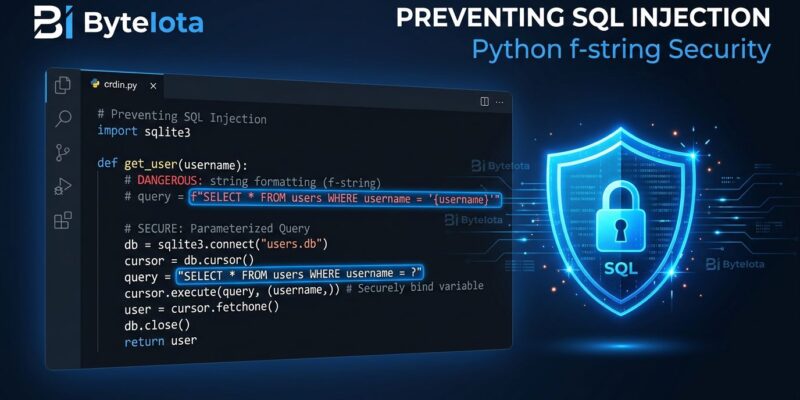
The classic vulnerability looks like this:
# DANGEROUS — never do this
username = request.form["username"]  # attacker sends: ' OR '1'='1
query = f"SELECT * FROM users WHERE username = '{username}'"
cursor.execute(query)  # SQL injection
That f-string merges the attacker’s input directly into SQL. The database has no way to distinguish your intent from their injection. With t-strings, you build a processor that routes interpolated values to parameterized placeholders instead:
from string.templatelib import Template, Interpolation

def safe_sql(template: Template) -> tuple[str, list]:
    query_parts = []
    params = []
    for item in template:
        if isinstance(item, str):
            query_parts.append(item)
        elif isinstance(item, Interpolation):
            query_parts.append("?")
            params.append(item.value)
    return "".join(query_parts), params

username = "user'; DROP TABLE users; --"
sql_tmpl = t"SELECT * FROM users WHERE username = '{username}'"
query, params = safe_sql(sql_tmpl)
cursor.execute(query, params)  # safe — value is a parameter, not SQL
The attacker’s string goes to params, never touching the query structure. The database treats it as data, not as executable code.
Use Case 2: Blocking XSS in HTML Output
The same pattern works for HTML generation. F-strings building HTML from user input are XSS waiting to happen. A t-string processor escapes interpolated values before combining:
from html import escape
from string.templatelib import Template, Interpolation
def safe_html(template: Template) -> str:
parts = []
for item in template:
if isinstance(item, str):
parts.append(item)
elif isinstance(item, Interpolation):
parts.append(escape(str(item.value)))
return "".join(parts)
user_comment = "<script>alert('xss')</script>"
html = safe_html(t"<div class='comment'>{user_comment}</div>")
# Result: <div class='comment'><script>alert('xss')</script></div>The script tag is neutralized before it reaches the DOM. No additional library required — just Python’s stdlib html.escape() and a six-line processor.
T-Strings vs F-Strings: When to Use Which
The Python community has landed clearly on this: t-strings are not better f-strings. They’re a different tool for a different job.
Use f-strings for everything you use them for today — logging, debugging, building error messages, formatting output. They’re fast, readable, and exactly right for those jobs. Reach for t-strings when these three conditions are all true:
- User-supplied or externally sourced data is being interpolated
- The output goes somewhere security-sensitive — a database query, an HTML response, a shell command
- You’re building (or consuming) an abstraction that needs to enforce safety at the boundary
Don’t refactor every f-string in your codebase. That’s not the point. T-strings are a primitive for building safe boundaries — not a blanket upgrade.
Getting Started With Python T-Strings
T-strings require Python 3.14 or later. If you’re on 3.14 already (or 3.14.6, the current patch as of June 2026), you have everything you need — no pip install:
from string.templatelib import Template, Interpolation

value = t"Hello {name}"
print(type(value))  # <class 'string.templatelib.Template'>
The string.templatelib documentation covers the full Template and Interpolation API, including format specs and conversion flags from f-string syntax — {value!r} and {value:.2f} both work in t-strings. The Python 3.14 release notes cover t-strings alongside the other major features from that release.
The Ecosystem Is Catching Up
T-strings are new enough that major ORMs like SQLAlchemy and Django haven’t shipped native t-string APIs yet. CPython is currently tracking a proposal to add t-string support to the stdlib logging module (issue #134394). Third-party libraries are starting to move. The Real Python t-strings guide tracks the latest ecosystem adoption.
That makes now the right time to understand the mechanic — not when your ORM ships a t-string migration guide and you’re reading it cold. The two processor functions above (safe_sql and safe_html) are fully production-usable today. Python 3.14 also shipped free-threading and deferred annotations. T-strings are probably the feature that will show up in the most security code reviews in 2027. Learn it before it’s mandatory.