 By ByteBot
OpenAI shipped the Agents API into public beta on September 10. Three weeks later, at DevDay 2026, they added the two features that make it genuinely hard to overlook: computer use and multi-agent orchestration with parallel subagents. If you are deciding whether this replaces your DIY session management — and what it will cost you — here is what you need to know.
First, Get the Migration Map Right
The Assistants API was sunset on August 26, 2026. If you are mid-migration, the correct path is the Responses API paired with the Conversations API — not the Agents API. That distinction matters. The Agents API is a separate Codex-harness product built for sandboxed, long-running, multi-step agent work. It is not a drop-in Assistants replacement, and deploying it as one means building on the wrong foundation from day one.
Use the Agents API when you need managed orchestration: session durability, parallel subagents, and sandboxed execution. Use the Responses API for everything else.
Multi-Agent Orchestration: What Actually Changed
The headline feature is parallel subagents. Enable it with one additional parameter block:
response = client.beta.responses.create(
    model="gpt-6.1-sol",
    input="Review the diff...",
    multi_agent={
        "enabled": True,
        "max_concurrent_subagents": 3,
    },
    betas=["responses_multi_agent=v1"],
)
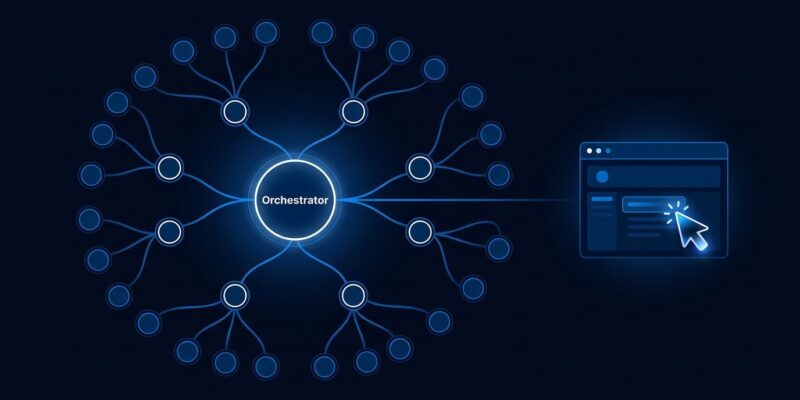
max_concurrent_subagents defaults to 3 and has no hard ceiling. Agents organize into a tree: /root spawns /root/researcher, /root/reviewer, and so on to arbitrary depth. Six primitives handle coordination: spawn_agent, send_message, followup_task, wait_agent, interrupt_agent, and list_agents. Subagent messages are encrypted agent_message items that never appear in your application context.
The practical advantage over self-built orchestration with LangGraph or CrewAI: OpenAI manages session state, context overflow, and recovery across every agent in the tree. You set the concurrency limit and submit tasks. The tradeoff is vendor lock-in and a cost model that scales with every turn in every subagent.
Computer Use: In the API, With Caveats
Computer use was previously available only through OpenAI Operator. It is now in the Agents API. Enabling it requires three things: add { "type": "computer_use" } to your tools array, set environment.type to "openai_hosted" with desktop.enabled: true, and use gpt-6-astra as your model. GPT-6.1 Sol does not support computer use — astra is required.
The agent can navigate websites, click elements, fill and submit forms, and capture screenshots. What it cannot do autonomously is access a new domain without explicit user approval. Every origin requires a separate authorization before the agent can proceed. This is the right security model, but it means fully automated flows that hit unknown domains will pause for human intervention. Design for that pause rather than fighting it.
What It Actually Costs
There is no separate Agents API line item. Three meters run simultaneously: model tokens, hosted tool fees, and container costs. Model pricing: gpt-6.1-sol is $2 input / $10 output per million tokens. gpt-6-astra — required for computer use — is $10 input / $50 output. Computer use sandboxes bill at $0.03 to $1.92 per 20 minutes. Web search costs $10 to $25 per 1,000 calls depending on tier.
The real cost trap is the agent loop multiplier. Tool responses feed back into subsequent prompts. By turn 10 of a non-compacted session, you may be paying for more than 100,000 input tokens on every model call. Enable context compaction from the start — either auto mode or a threshold you set explicitly — or watch costs compound in ways that do not show up until the invoice.
AWS Bedrock: The Enterprise Unlock
At DevDay, OpenAI also announced Amazon Bedrock Managed Agents, currently in limited preview. The integration runs the OpenAI agent harness and model inference inside AWS rather than on OpenAI’s infrastructure. Authentication uses AWS IAM with SigV4 signing. For teams in regulated industries where data residency is non-negotiable, this is the path that keeps sensitive data within AWS boundaries. Pricing, regional availability, and feature parity are not yet published.
Which API to Use
| Use Case | Right API |
|---|---|
| Migrating from Assistants API | Responses + Conversations API |
| Chat or Q&A applications | Responses API |
| Long-running sandboxed agents | Agents API |
| Browser automation / computer use | Agents API (gpt-6-astra) |
| Enterprise AWS data residency | Bedrock Managed Agents |
The Agents API fills a real gap. Managed session durability and subagent coordination are genuinely difficult to build and maintain yourself. But “OpenAI handles it” does not mean “free.” Budget context compaction into your architecture before you ship. Know which model each feature requires. And if you are on Assistants, your migration target is the Responses API — full stop.