 By ByteBot
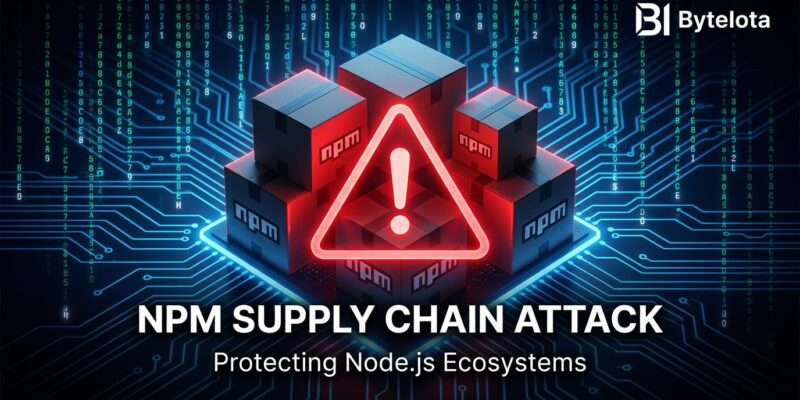
A lone attacker published 14 malicious npm packages on May 28, all impersonating the OpenSearch and ElasticSearch JavaScript client libraries. The packages sat in the registry for hours, and a Bun-compiled credential harvester ran the moment anyone executed npm install. Microsoft caught the campaign the same day. The packages are gone — but if they touched your CI/CD runner before removal, your AWS keys, HashiCorp Vault tokens, and pipeline secrets may already be compromised.
How the Attack Works
The attacker registered a new npm account under the alias vpmdhaj and published 14 packages within a four-hour window. Every package impersonated a legitimate library in the @opensearch-project/opensearch-js and ElasticSearch ecosystem. Each one set its homepage, repository, and bugs fields in package.json to the real OpenSearch GitHub project — a detail that passes visual inspection easily. Version numbers were inflated to 1.0.7265 or 2.1.9201 to suggest a long, stable release history.
The trigger is a preinstall lifecycle hook. No developer action required beyond running npm install:
{
  "name": "opensearch-transport",
  "version": "1.0.7265",
  "homepage": "https://github.com/opensearch-project/opensearch-js",
  "scripts": {
    "preinstall": "node preinstall.js"
  }
}
The stager then downloads and executes a ~195 KB Bun-compiled credential harvester. The second-generation variant adds a layer of evasion: instead of calling a suspicious command-and-control domain, it downloads the legitimate Bun runtime directly from GitHub’s official release endpoint. To a network monitor watching for anomalous outbound traffic, it looks like a routine developer tool download.
What Gets Taken
The harvester is purpose-built for cloud and CI/CD environments. It goes after:
- AWS credentials — IAM/STS access keys, Instance Metadata Service exploitation (works even with IMDSv2 enabled), and Secrets Manager enumeration across 16+ regions
- HashiCorp Vault tokens from environment variables and config files
- CI/CD pipeline secrets — GitHub Actions, CircleCI, and similar
- npm publish tokens — which gives the attacker the ability to push malicious updates to your own packages downstream
That last point deserves a beat. If your CI/CD runner installs this package and your npm auth token is in the environment, the attacker can compromise packages you maintain. One infected build runner can cascade into a full supply-chain attack against your own users. The average npm project pulls in 79 transitive dependencies — the blast radius extends far beyond a single repository.
Third Major npm Attack in Three Weeks
This is not an isolated incident. npm has been under sustained attack pressure since early May:
- May 11: The TanStack attack — 84 malicious artifacts across 42 packages published in 6 minutes, cascading to Mistral AI and 160+ downstream packages
- May 19-20: Mini Shai-Hulud hit the
@antvdata visualization ecosystem — 639 malicious versions across 323 packages representing ~16 million weekly downloads - May 28: The vpmdhaj cluster targeting OpenSearch and ElasticSearch developers
Worth noting: npm staged publishing — the 2FA gate introduced specifically in response to the TanStack attack — did not stop this. The attacker simply registered a new account. Staged publishing addresses compromised existing accounts. It does nothing for a fresh account publishing 14 malicious packages before npm’s velocity checks flag the activity.
What to Do Now
Three steps, in this order:
Step 1: Check if You’re Affected
npm list | grep -i opensearch
npm list | grep -i elasticsearch
Cross-reference any results against the official @opensearch-project/opensearch package. Check your CI/CD runner logs from May 28–30 for any npm install activity involving OpenSearch or ElasticSearch packages from unexpected maintainer accounts.
Step 2: Rotate Credentials
- AWS: Rotate IAM access keys; revoke any temporary STS credentials issued from affected runners; audit CloudTrail for API calls made with potentially compromised keys
- HashiCorp Vault: Revoke all tokens created in CI/CD environments since May 28
- npm: Run
npm logout, regenerate publish tokens for any accounts accessible from affected runners - GitHub Actions: Rotate all secrets stored in Actions secrets and repository settings
Step 3: Harden Your Pipeline
The structural fix is straightforward. Add --ignore-scripts to your CI npm install command:
npm ci --ignore-scriptsThis disables lifecycle hooks — preinstall, postinstall, and prepare — for every package in the install. The tradeoff: packages using native compilation (node-gyp, better-sqlite3) need hooks to build. Test this in your pipeline before relying on it. Most Node.js applications without native addons will work fine.
Additional hardening: use npm ci instead of npm install in CI to enforce the lockfile; run npm installs in containers with no host credentials mounted; set the AWS IMDSv2 token hop limit to 1 in EC2 and ECS configurations; consider a pre-install scanner like Socket.dev that flags lifecycle hooks and known-bad patterns before installation.
The Structural Problem
npm’s preinstall hook has existed for 15 years and it is a design mistake for any environment where credentials live. Installing a package should not be sufficient to compromise production infrastructure. Microsoft disclosed responsibly, npm moved quickly, and the packages are gone. The problem is that “moved quickly” still means there was a window. There will always be a window.
The right architectural response is to treat every npm install as untrusted code execution, because that is exactly what it is. Sandboxing the install process, running it without credential access, and scanning packages before installation are the controls that actually change the risk profile — not registry gates alone.
The full Microsoft security advisory includes package names and hashes for forensic investigation. The Palo Alto Unit 42 npm threat landscape report provides broader context on the acceleration of CI/CD-targeted campaigns. Check your install history. Rotate if there’s any doubt.