 By
By Notion shipped version 3.5 on May 13 and quietly became a developer platform. The headline addition is Workers — a hosted TypeScript runtime built directly into the workspace — alongside an External Agents API that connects Claude Code, Cursor, and OpenAI Codex to your Notion environment natively. One million custom agents have been created since Custom Agents launched in February. Now developers can deploy code that lives next to the data it operates on.
What Notion Workers Actually Are
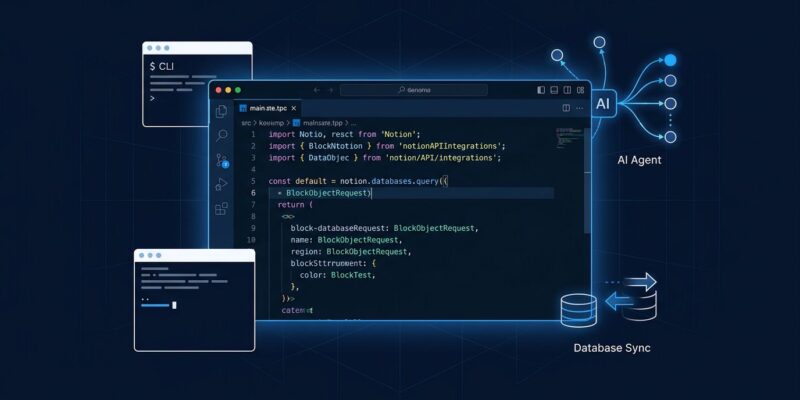
A Notion Worker is a single TypeScript file. You write the logic, deploy it with the Notion CLI (ntn workers deploy), and Notion hosts it in a secure sandbox. No servers, no containers, no infrastructure to manage.
Workers support three capability types:
- Syncs — Run on a schedule (default every 30 minutes) and write results into Notion databases from any external API
- Tools — Functions that Notion Custom Agents can call on demand
- Webhooks — Two-way event triggers, so external services like GitHub or Stripe can push actions into Notion
The basic structure looks like this:
import { Worker } from "@notionhq/workers";
const worker = new Worker();
export default worker;

worker.sync("salesforceSync", {
  schedule: "*/30 * * * *",
  execute: async (notion) => {
    // Fetch from Salesforce, write to Notion database
  }
});

worker.tool("getTicketStatus", {
  execute: async ({ ticketId }) => {
    // Fetch from Zendesk, return structured data to the agent
  }
});
Under the hood, Workers run on Vercel Sandbox — Firecracker microVMs with hard isolation. The security detail worth noting: API credentials are injected at the network layer, not inside the execution environment. An agent tricked into exfiltrating secrets cannot access them, because they never enter the sandbox at all. It is a meaningful architectural choice for anyone building agent workflows where security actually matters.
Workers are in public beta on Business and Enterprise plans through August 11, 2026 — free to use during that window. The CLI (ntn) is available on all plans.
External Agents: Claude Code and Cursor Get Native Workspace Access
The External Agents API is the other half of this release. At launch, Notion supports Claude Code, OpenAI Codex, Cursor, and Decagon as out-of-the-box partner agents. Teams can also wire in internal or proprietary agents through the External Agents API.
What this looks like in practice: developers add Notion MCP configuration to their project’s .cursor/mcp.json or .codex/config.toml, and the agent gains direct access to workspace context — databases, documents, project data — without building a custom integration. From inside Notion, users can assign tasks to those agents, chat with them, and track progress as if they were native Notion agents.
The official release notes frame the problem clearly: teams pushing agents into real workflows kept hitting the same walls — agents that could not reach external data, workflows needing custom logic, and coding agents with no native path into the workspace. Workers and the External Agents API address each of those directly.
Database Sync: Bring the Data In, Not the Other Way Around
Database Sync, powered by Workers, pulls live data from external sources into Notion databases and keeps it current on a schedule. Supported sources include Zendesk, Salesforce, Postgres, and anything with a usable API.
Support teams can track live ticket status inside Notion. Revenue teams can pull CRM account records. Operations teams can surface internal database tables — all in the workspace where work actually happens, queryable by agents running in that same context.
Tools like n8n or Zapier route data through external workflows. Notion Workers brings the compute to where the data already lives. Agents get access to synced data without additional API plumbing. The abstraction is specifically better when Notion is already the team source of truth — not universally better, but meaningfully better in that context.
What to Make of This
Notion Workers is not competing with Cloudflare Workers. That comparison is tempting and wrong. Cloudflare Workers is general-purpose edge compute. Notion Workers is scoped to workspace automation — TypeScript running in the context of your team’s documents and databases, with native agent tooling built in.
The actual competition is the setup where a developer writes a Python cron job, runs it on a VPS, and pipes results back into Notion through the REST API. Workers replaces that entire stack with a single file and a CLI command.
With a million custom agents built in three months, Notion has demonstrated real adoption. The Developer Platform gives teams the infrastructure to build things worth running at scale. Whether the workspace is the right long-term home for agent deployment depends on how central Notion already is to your team — but for teams already living in it, the answer is probably yes.
Getting Started
Install the CLI (ntn), authenticate once, write a Worker, deploy. Notion maintains a workers template on GitHub that covers the basic setup. Full documentation is at developers.notion.com. The free beta window closes August 11 — there is no cost to experimenting now.