 By ByteBot
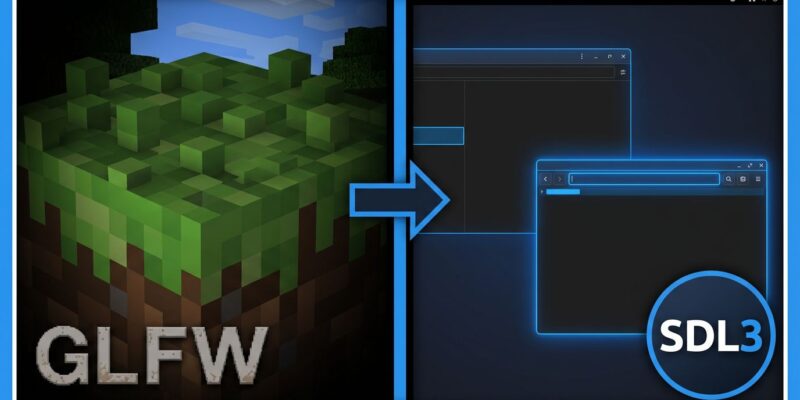
Minecraft Java Edition 26.3 Snapshot 4 shipped this week with a change that reads like a footnote and matters quite a bit in practice: Mojang replaced GLFW with SDL3 as the game’s windowing and input library. For Linux users running Wayland desktops, that means native support by default — no more XWayland fallback, no more patching GLFW by hand, no more community workaround mods. For mod developers, the input system changed in a way that requires attention. For everyone else, fullscreen management got less annoying.
GLFW Was Two Years Behind, SDL3 Was the Right Move
GLFW released version 3.4 in February 2024 and has had no new release since. Two and a half years without a release is a long time for a library handling your window management and input. SDL3, by contrast, released SDL3-3.4.12 on July 1, 2026 — just eighteen days ago — and benefits from active development with Valve’s backing for the Steam Deck ecosystem.
The GLFW stagnation explains the timing of this migration. Mojang accumulated enough friction — bug reports, Wayland pressure, platform limitations — and made the switch once SDL3 had a proven stable track record. Valve’s adoption for Steam Deck was a meaningful signal: if SDL3 is good enough for hundreds of thousands of handheld Linux gaming devices, it handles Minecraft.
For Linux Users: Wayland Is Finally the Default
On Linux systems, Minecraft now detects and prefers Wayland natively when it’s available. Previously, the game ran through XWayland — a compatibility layer that imposed performance penalties, broke per-monitor HiDPI scaling, and caused frame pacing issues on compositors like GNOME Shell, KDE Plasma, and Sway.
The community had been solving this independently for years. The minecraft-wayland project on GitHub described itself as “a better way of running Minecraft Without XWayland, because I REALLY had nothing better to do with my life.” Modrinth hosted a dedicated Wayland Fix mod. Notably, the GregTech New Horizons modpack team contributed SDL3 bindings to LWJGL — and those bindings helped enable the official migration. That’s the vanilla→modded→vanilla pipeline running its full circuit: community infrastructure feeding back into the core game.
One honest caveat: the Wayland implementation in this snapshot has crash bugs. Exclusive fullscreen on Wayland is currently unstable, and Windows users with multiple monitors are hitting exclusive fullscreen crashes too. These are snapshot-stage regressions, not expected to survive to the 26.3 stable release. If you’re testing native Wayland today, keep a fallback session ready. Developer discussion on Hacker News (237 points) confirms the crash is known and being tracked.
Mod Developers: Your Key Binding Code Changed
SDL3 introduces a distinction between scancodes and keycodes that replaces GLFW’s layout-dependent key system. Scancodes represent physical key positions — the same scancode fires whether a player is on a US QWERTY keyboard or a French AZERTY layout. Keycodes map to the actual character on that key, which is the right choice for chat input and text fields. The practical consequence: mods that hardcode GLFW key constants need updates. If your mod reads input with old GLFW bindings, test it against the snapshot now. Mouse button rebinding also expanded from 8 to 48 buttons, opening the door for richer controller and accessibility configurations that weren’t practical before.
The Smaller Wins
Beyond Wayland and input, the SDL3 migration delivers quality-of-life improvements for all platforms. Borderless Fullscreen is now the default. Switching between borderless and exclusive fullscreen no longer requires a game restart — a persistent annoyance that’s been present for years. On macOS, exclusive fullscreen is removed entirely (borderless replaces it), and holding a key during text input now shows native accent and candidate popups. The minimum window size is set to 320×240. None of these are headline features, but collectively they make the game feel more like a modern native application.
What SDL3 Opens Up Next
SDL3’s gamepad API is significantly more capable than what GLFW provided. Controller support in Java Edition has always been a second-class citizen — mods handled it, third-party launchers handled it, but vanilla never did. With SDL3 in the foundation, first-class controller support becomes an engineering decision rather than an architectural constraint. HDR display support, variable refresh rate, and better accessibility input options are now reachable. The /posteffect command also shipping in Snapshot 4 hints that Mojang is building toward richer visual tooling. This week’s Blender 5.2 LTS release over on ByteIota shows a similar pattern: major open-source projects pushing serious infrastructure updates this month.
The 26.3 stable release will resolve the crash bugs from Snapshot 4. If you’re on Linux running a Wayland compositor, this is the most meaningful platform-level improvement to Java Edition in years — even if you won’t find a single new block because of it.
What Changed in Snapshot 4: Quick Reference
- Windowing/Input library: GLFW replaced with SDL3
- Linux: Native Wayland preferred by default (no XWayland required)
- Key bindings: SDL scancodes for game controls; SDL keycodes for text input
- Fullscreen default: Borderless (was Exclusive)
- Fullscreen switching: No restart required
- Mouse buttons: 8 → 48 rebindable
- macOS: Exclusive fullscreen removed
- Known bugs: Wayland crash (exclusive fullscreen), Windows multi-monitor crash
Full technical changelog: Minecraft Wiki — Java Edition 26.3 Snapshot 4. Linux-specific breakdown: GamingOnLinux.