 By
By Apple gave iOS developers a grace period with iOS 26. You could drop UIDesignRequiresCompatibility = YES into your Info.plist and your app would carry on looking like iOS 18 ever happened. That escape hatch closes with iOS 27. Apple has confirmed Xcode 27 removes the flag entirely — no compatibility mode, no override, no exceptions. iOS 27 ships in September. WWDC kicks off June 8, which is tomorrow, and it is expected to bring new Liquid Glass customization APIs. If you have not started your migration audit, this week is the right time.
What Actually Changed — And Why It Matters Now
Liquid Glass arrived with iOS 26 at WWDC 2025. It is the most significant Apple design shift since iOS 7 turned everything flat in 2013. System controls — tab bars, navigation bars, sheets, alerts — adopted the translucent, depth-aware material automatically when compiled with Xcode 26. For developers who had already built on SwiftUI’s standard components, much of the visual update came for free. For everyone else, the opt-out flag bought time.
That time is up. AppleInsider confirmed in March that Liquid Glass will be mandatory in iOS 27, and Apple’s own documentation is unambiguous: the compatibility flag is a temporary measure, and Xcode 27 removes it. Once Xcode 27 becomes the minimum requirement for App Store submission — expected around Q1 2027 — every app gets glass whether the developer intended it or not. Better to do this on your own schedule than Apple’s.
The Migration Audit: Free vs. Requires Work
The first step is understanding what you already have. Rebuilding with Xcode 26 gives you Liquid Glass on all standard system controls automatically. That means tab bars, navigation bars, sheets, modals, alerts, toolbars, and system buttons update without a line of code changed.
Custom components are a different story. Here is where your audit needs to focus:
- Any view using
.background(.ultraThinMaterial)— the direct predecessor to glass - Custom floating action buttons or overlay controls
- Manually constructed bottom sheets or drawers
- UIKit components using
UIBlurEffect - Cards and panels with custom backdrop filters
For each of these, the migration is typically a one-line replacement: swap .background(.ultraThinMaterial) for .glassEffect(). The visual result will not be identical — glass has depth and light response that material never did — but the structural migration is straightforward.
The Two APIs You Actually Need
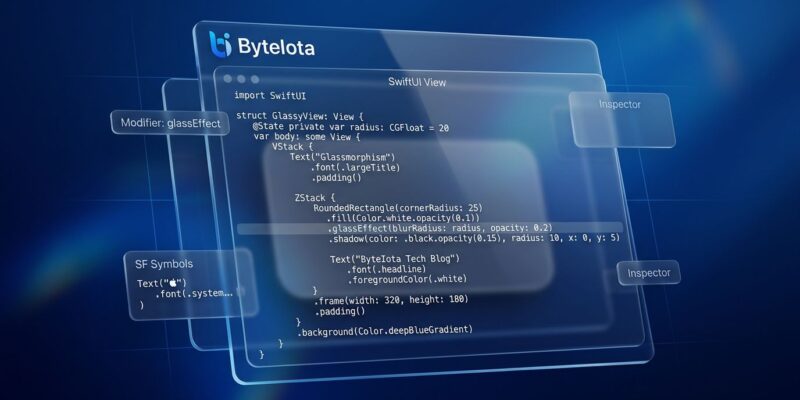
SwiftUI’s Liquid Glass implementation centers on two things: the modifier and the container. The .glassEffect() modifier is the basic building block. Applied to any view, it wraps that view in the Liquid Glass material. The modifier takes variants — .regular, .clear, .interactive() — and you can chain .tint(.color) for semantic color overlays. The .interactive() variant adds touch response: scale and highlight on tap, which is expected behavior for buttons and controls.
GlassEffectContainer is what you use when multiple glass views sit near each other. The rule from Apple is direct: glass cannot sample other glass. If two glass elements overlap or are adjacent, they need to live inside a GlassEffectContainer. The container handles blending and morphing as a single compositor pass — more performant and visually correct.
// Single glass element
Button("Confirm") {}
    .glassEffect(.regular.interactive())

// Adjacent glass elements — wrap in container
GlassEffectContainer {
    HStack {
        Button("Cancel") {}.glassEffect()
        Button("Confirm") {}.glassEffect(.regular.interactive())
    }
}

// Backward compatibility shim for iOS 25 and below
extension View {
    func adaptiveGlass() -> some View {
        if #available(iOS 26, *) {
            return AnyView(self.glassEffect())
        } else {
            return AnyView(self.background(.ultraThinMaterial))
        }
    }
}
Do Not Trust the Simulator
This is the trap that burns developers who move quickly without reading the forums. Liquid Glass does not render correctly in Xcode’s simulator. There is a confirmed issue — documented in Apple’s developer documentation and in developer forums — where .glassEffect() renders as a dark, muddy gray on physical devices in dark mode, while appearing fine in the simulator. The culprit is Metal rendering and ProMotion behavior the simulator does not replicate. Run your Liquid Glass implementation on a physical device before shipping. Accessibility settings compound this: Reduce White Point can interfere with glass rendering in ways that only surface on hardware.
What to Watch at WWDC Tomorrow
The June 8 keynote is expected to confirm iOS 27’s Liquid Glass requirements and surface new developer APIs. Watch for intensity customization APIs — iOS 27 is rumored to include a system-wide Liquid Glass intensity slider that developers will be able to read and respond to. iOS 27 beta 1 drops immediately after the keynote. This is the first chance to run your app against the beta and identify rendering regressions before September. iOS 26’s glass also drew readability complaints around text contrast, and iOS 27 is expected to tighten that handling.
Developers who start their migration this week will be in a position to test against iOS 27 beta from day one. Those who wait until after the summer are starting the same work in late August, racing a September deadline.
The Migration Checklist
- Search your codebase for
UIDesignRequiresCompatibility— if it is there and set toYES, that is your starting point - Search for
.background(.ultraThinMaterial),.background(.thinMaterial), andUIBlurEffect - Rebuild with Xcode 26 and run on a physical device to see what you already get for free
- Audit remaining custom components for manual migration
- Wrap adjacent glass elements in
GlassEffectContainer - Test in both light and dark mode on hardware — do not rely on the simulator
- Check
Reduce White PointandReduce Transparencyaccessibility modes on device - After June 8, install iOS 27 beta 1 and validate your app against it
The iOS 7 parallel is instructive. When Apple went flat in 2013, apps that did not update looked dated within months. App Store algorithms favor native-feeling apps; users notice when something looks out of place. Liquid Glass is not going anywhere. The question is whether you do this migration on your schedule or scramble to meet Apple’s. Start with Apple’s official Adopting Liquid Glass guide and run the audit today.