 By ByteBot
The creator of Jujutsu quit Google this month to build a company around it. Martin von Zweigbergk spent six years turning a side project into one of the most discussed Git alternatives, then joined East River Source Control (ERSC) as CTO on September 1. Last week, JJCon 2026 published a talk cataloguing how much the ecosystem has grown: five GUIs, five TUIs, editor plugins for every major editor, and forge integrations with GitHub, Radicle, and Tangled. The tool that claims to fix Git now has the tooling to back it up.
What jj Actually Is
Jujutsu (jj) is a Git-compatible version control system written in Rust. It reads and writes Git’s on-disk format — the same .git directory your current repo uses. That matters: jj is not a Git fork, not a rewrite, and not a replacement that requires migrating history. It’s a different interface on top of the same storage. Run jj git init --colocate on any existing repo and you’ll have both .jj/ and .git/ working in parallel. Your teammates stay on Git. Your IDE’s Git integration keeps working. GitHub Actions doesn’t care.
The project has roughly 27,000 GitHub stars as of this month, nearly tripling from 10,000 in late 2024. Google and Canonical use it internally. All jj core development happens in jj itself on GitHub.
Three Things jj Does Differently
First-Class Conflicts
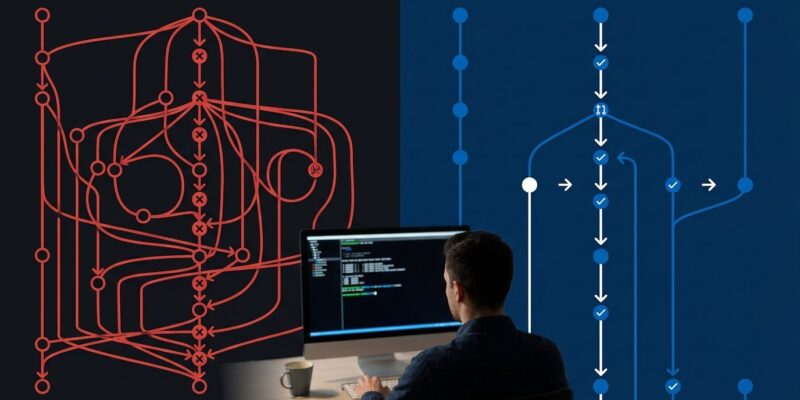
In Git, a merge conflict is a crisis. You must resolve it before you can commit, push, or move on. jj disagrees with this design. When a rebase produces a conflict, jj records the conflict directly inside the commit and lets the operation succeed. You can push that commit. You can rebase it again. Descendants inherit the conflict and automatically clear when the ancestor resolution lands. This one feature alone changes how you approach long-lived feature branches.
The Operation Log
jj op log records every operation you perform — not just commits, but every rebase, squash, push, and edit. jj undo reverts the last operation in one command. If you need to go further back, jj op restore <ID> takes you anywhere in history. This makes Git’s reflog look like a sticky note. A bad git rebase --onto can cost you twenty minutes with reflog archaeology. In jj, jj undo costs you one second.
No Staging Area
There is no git add in jj. Every change to a tracked file is automatically part of the current working change. The working copy is a commit — jj calls it @. You run jj describe -m "my message" to name it. The entire category of bug where you committed the wrong version because your staging state was wrong simply doesn’t exist. Some developers miss the fine-grained staging control; most discover they never actually needed it.
The Key Commands
# See your change graph
jj log

# Describe the current working change
jj describe -m "fix: null check in parser"

# Start a new change on top of current
jj new

# Undo the last operation
jj undo

# Push current change as a PR branch on GitHub
jj git push --change @
Why ERSC’s Bet Makes Sense
ERSC’s tagline is “source control for humans and machines.” The machines half is the new part. An AI coding agent opening forty commits before lunch is a fundamentally different user than a developer opening four. Those agents rebase often, create conflicts constantly, and need a VCS that treats divergent history as a manageable state rather than an error condition. jj’s model — first-class conflicts, operation log, auto-snapshotting working copy — fits that use case in ways Git’s model doesn’t. Von Zweigbergk’s move signals that someone with a real budget is now thinking about what version control looks like when agents are primary committers.
Try It on an Existing Repo Today
Colocated mode is the right starting point. Install jj, then run one command:
brew install jj   # macOS

cd your-existing-git-repo
jj git init --colocate
If you want to stop, rm -rf .jj/ puts you back to pure Git — nothing about your commit history changes. The ecosystem is good enough now: lazyjj for a TUI, JayJay for a macOS GUI, the official tutorial for the full workflow. You’re not hand-rolling workflows from scratch anymore.
Caveats Worth Knowing
jj is pre-1.0. Breaking changes happen at the minor version boundary. The Git interop covers almost everything you’ll need, but a few Git features have no jj equivalent yet. If you’re on a team, you’re the early adopter — jj’s UX improvements are invisible to teammates still on Git, which can create mismatched mental models in code review.
None of that should stop you from trying it solo. The operation log alone is worth the install.