 By ByteBot
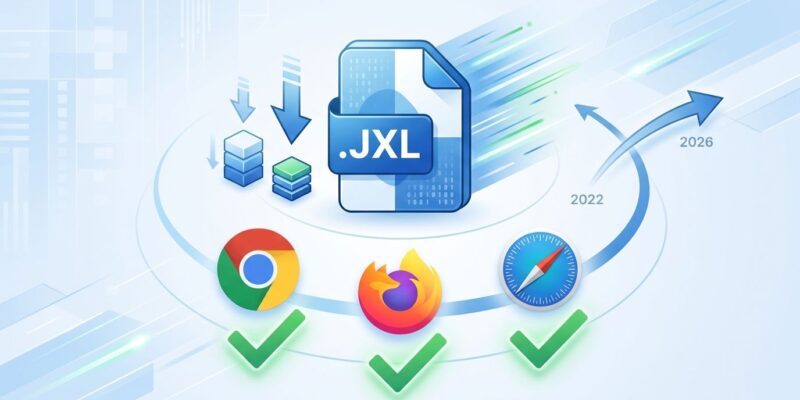
Chrome 155 shipped on October 6 with native JPEG XL support — the same format Chrome killed in December 2022 and reversed course on after nearly four years. Firefox follows next week. Safari has been there since 2023. Cross-browser support for the technically superior image format that browser politics nearly buried is finally here, and developers now have a concrete decision to make.
The 2022 Removal Was the Real Story
Chrome added experimental JPEG XL support in April 2021, then quietly removed it in December 2022 citing “lack of ecosystem interest.” The community’s reaction was not quiet. Petitions were signed. Jon Sneyers, co-developer of the format, publicly alleged that Google was protecting its own image formats — AVIF and WebP — both developed under Google’s influence through the Alliance for Open Media. The conflict of interest argument had teeth: Google had significant financial stakes in AVIF adoption, and JPEG XL directly competed with it.
What actually reversed Chrome’s position was a combination of Interop 2026 — a coordinated effort by Apple, Google, Mozilla, and Microsoft to align browser implementations — and a new Rust-based decoder called jxl-rs. The C++ decoder’s memory safety concerns, which Chrome had used to justify removal, no longer applied. When the technical objection disappeared and the industry alignment arrived, so did the support.
What JPEG XL Actually Delivers
The compression story is real. According to the Chrome developer blog, JPEG XL achieves 30–50% better compression than JPEG at equivalent quality. At high fidelity, it reaches visually lossless quality at 1.2 bits per pixel — JPEG needs 2.4. Progressive decoding renders a usable preview from just 1% of downloaded data, something neither AVIF nor WebP can match. And it encodes roughly 100x faster than AVIF at default settings, which matters if you are running batch image pipelines.
The most underrated feature, however, is lossless JPEG transcoding. You can take any existing JPEG, encode it to JXL with zero quality loss, get roughly 20% smaller files, and reconstruct the original bit-for-bit. No other format does this. For any developer sitting on a large JPEG archive, this alone is worth acting on — and it requires zero browser support.
JXL vs AVIF: Stop Waiting for a Clear Winner
The honest comparison: JPEG XL wins on lossless compression, high-quality photography, text-heavy images, screenshots, progressive rendering, and HDR. AVIF wins on smooth gradient images, social thumbnails, and raw ecosystem coverage — 94.9% global support versus JXL’s newly-expanded ~85% post-Chrome 155 and Firefox 158. Performance analysis shows that converting the median web page from JPEG to JXL saves 450–550 KB per page load.
The practical blocker is Sharp. Node.js’s dominant image processing library — the one powering Next.js’s image optimization pipeline — does not support JPEG XL. Until Sharp ships JXL support with prebuilt binaries, most JavaScript build pipelines will default to AVIF. That’s not a knock on JXL; it’s a toolchain gap that will close. But it means you are currently looking at ImageMagick (requires building with --with-jxl=yes), Squoosh (browser-based, good for testing), or CDN-level transformation via Cloudinary, Fastly, or Gumlet.
It’s also worth noting that Chrome’s developer tooling has been evolving rapidly this year — JXL support in Chrome 155 continues that momentum for frontend developers specifically.
What to Actually Do Now
With ~85% global coverage, JXL is not “serve everywhere without a fallback” territory yet. The <picture> element remains necessary:
<picture>
  <source srcset="photo.jxl" type="image/jxl">
  <source srcset="photo.avif" type="image/avif">
  <source srcset="photo.webp" type="image/webp">
  <img src="photo.jpg" alt="Description">
</picture>
Additionally, Mozilla’s intent to ship signals that Firefox 158, due around October 13, will push JXL coverage well past 85%. That’s the number to watch — once it clears 90%, the fallback cost-benefit calculus starts shifting.
Where JXL delivers value today, without waiting:
- JPEG archive migration — Lossless transcode your existing image library. Zero browser dependency, immediate 20% storage savings.
- Hero images and editorial photography — Large images where progressive rendering and quality matter more than thumbnail throughput.
- HDR displays — JXL and AVIF are the only web formats with native HDR support.
Skip JXL for now on: product thumbnails, social share previews, anything where you need maximum reach and Sharp is in your pipeline.
The broader point is this: Chrome’s reversal is not just a format story. It’s a reminder that browser decisions are never purely technical. JPEG XL was technically superior in 2022 too. What changed was the political will to ship a Rust decoder and coordinate across browsers. The format won on its merits eventually — it just took four years and a near-death experience to get there.