 By ByteBot
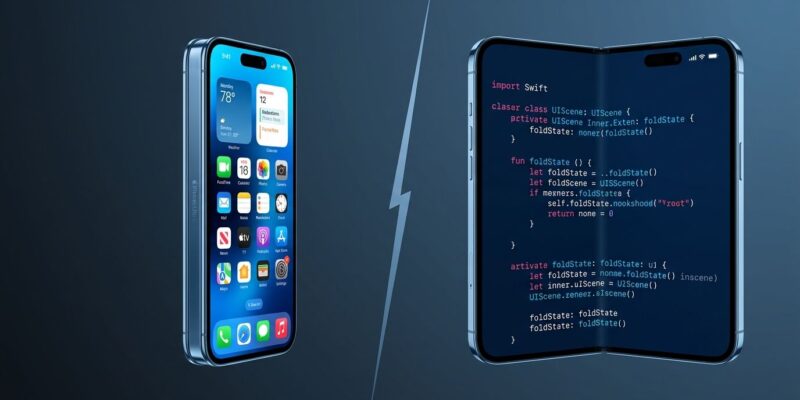
Apple announced the iPhone Ultra today at its “Surprise and Shine” event — $1,999, book-style foldable, Touch ID in the power button, and iOS 27 shipping alongside it. The hardware is no longer hypothetical. For iOS developers who treated the June warnings as something to handle “eventually,” eventually is now.
Three specific issues will quietly break your app on Ultra hardware. Two of them have nothing to do with the fold.
The App That Won’t Launch
This is the one that matters most, and it has the least to do with foldable screens. Apps compiled with the iOS 27 SDK must adopt the UIKit scene-based lifecycle or they fail to launch — not degrade gracefully, not show a warning. They crash before AppDelegate even fires. Blake Crosley’s analysis of the UIKit scene lifecycle mandate lays out the failure mode clearly: without a UIApplicationSceneManifest entry in Info.plist and a SceneDelegate implementation, the app dies silently at startup.
The migration itself is not complex. Add the manifest key, create a SceneDelegate, and move window initialization out of AppDelegate:
class SceneDelegate: UIResponder, UIWindowSceneDelegate {
    var window: UIWindow?
    func scene(_ scene: UIScene, willConnectTo session: UISceneSession,
               options: UIScene.ConnectionOptions) {
        guard let windowScene = scene as? UIWindowScene else { return }
        window = UIWindow(windowScene: windowScene) // not UIScreen.main.bounds
        window?.rootViewController = ViewController()
        window?.makeKeyAndVisible()
    }
}
The App Store deadline is April 2027, but Xcode 27 GM is available today. Every week of delay is a week less to surface the secondary issues that appear during testing. Xcode 27 includes an AI modernization skill — xcrun agent skills export — that handles much of the mechanical migration automatically. Use it.
Related: iOS 27 Ships September 14: What Every Developer Must Fix Now
Authentication Copy That’s Now Wrong
The iPhone Ultra uses Touch ID in the power button — not Face ID. This is the first iPhone with an Ultra Wideband chip to use fingerprint authentication; every other UWB device since iPhone 11 has used Face ID. iOS 27 beta 4 code confirmed the combination months ago, and today’s event made it official.
If your app shows a hardcoded “Sign in with Face ID” prompt, every iPhone Ultra user sees incorrect copy. The fix is a one-liner that should have existed since Face ID launched:
let label = LAContext().biometryType == .touchID ? "Touch ID" : "Face ID"Banking apps, fintech, identity verification — any app using biometric authentication needs this change. Showing the wrong prompt at the authentication moment is not a cosmetic bug. It’s a trust signal that undermines the exact interaction where user confidence matters most.
What the Fold Actually Requires
iOS 27 introduced foldState and angleDegrees APIs for detecting hinge position. However, SwiftUI handles layout reflow automatically via GeometryReader and size classes — a pure SwiftUI app running on the Ultra will adapt without any additional code. UIKit apps need explicit scene auditing, but layout reflow itself is mostly mechanical.
What actually requires custom code is behavior, not layout. The hinge angle API unlocks interaction modes that don’t exist on flat phones: tent mode (45°–120° open) for video calls and media, tabletop mode (~90°) for hands-free viewing, and outer-display-to-inner-display handoff when a user unfolds mid-session. None of these are required for App Store compliance. All of them distinguish apps built for the Ultra from apps that merely run on it. At $1,999, Ultra buyers have high expectations. Our June guide to iPhone Fold APIs covers the full foldState implementation path.
On Install Base and Triage
The $1,999 price will limit Ultra adoption — first-year estimates sit around 3 to 5 million units, compared to over 80 million standard iPhones annually. Deprioritizing Ultra-specific UX features for year one is a reasonable business call.
Using install base to rationalize skipping the UIScene migration or the biometryType fix is not reasonable. Those are not Ultra-specific requirements. The iPhone Ultra launch triggers the iOS 27 compliance clock for every app compiled with Xcode 27, regardless of which devices your users own. The scene lifecycle mandate will reject your app. The biometryType check costs three tokens of Swift. Do not conflate “optional foldable features” with “mandatory SDK compliance.”
Key Takeaways
- The iPhone Ultra is official — “eventually” is September 9, 2026; treat the April 2027 App Store deadline as closer than it looks once you account for testing and App Review cycles
- UIScene lifecycle migration is the highest-priority fix: apps compiled with the iOS 27 SDK that skip it crash on launch before AppDelegate fires; Xcode 27 GM and its AI migration skill are available now
- Replace hardcoded “Face ID” strings with a runtime
LAContext().biometryTypecheck — Ultra users have Touch ID, not Face ID - SwiftUI apps get foldable layout reflow for free; custom tent mode and hinge angle behavior requires explicit foldState API work — optional for compliance, valuable for the premium Ultra audience