 By ByteBot
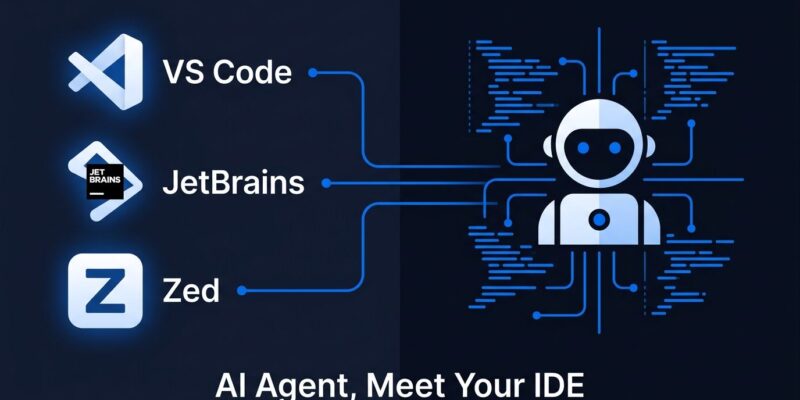
Google’s autonomous coding agent just stopped asking you to leave your editor. On August 20, Google Antigravity landed as extensions for VS Code, JetBrains, and Zed — three months after a forced IDE pivot burned enough developer trust to fill a Hacker News thread with 345 comments. Instead of pulling developers into the standalone Antigravity app, Google is bringing its coding agent to the editors they already use.
What the Google Antigravity VS Code Extension Actually Includes
The VS Code extension is generally available now through the standard marketplace — search “Google Antigravity” or use Ctrl+Shift+X. Visual Studio 2026, JetBrains, and Zed are in preview; JetBrains support requires version 2026.2.1 or later. The extensions add an agent side panel for multi-step task delegation, inline diff review, plans inspection, and shared context across the Antigravity ecosystem. A free tier is available.
One important distinction: these are delegation and inspection tools, not a replacement for the standalone Antigravity 2.0 desktop application. Multi-agent orchestration and Antigravity’s built-in Chromium browser subagent still require the desktop app. However, the extensions let you initiate tasks, review plans, and handle approvals from inside VS Code or JetBrains without switching windows.
Why Google Needed This Move
At Google I/O in May, Google silently replaced the Antigravity IDE with a chatbot-focused interface. No warning, no rollback option. The update overwrote installation paths, deleted chat histories, and simultaneously sunset Gemini CLI for individual users — forcing migration to a proprietary replacement. Partners including Shopify, Stripe, and Elastic had built integrations on Gemini CLI and were left without a path forward. Per FOSS Force’s coverage of the bait-and-switch, the move exemplified Google’s pattern of abandoning products once adoption spreads.
The IDE extension launch is a direct response to that damage. VS Code sits at roughly 74% developer share. Rather than asking developers to switch editors — the number-one objection to any new coding tool — Google removed that friction entirely. It is the correct strategic call. Whether it repairs the underlying trust problem is a separate question, and one that extensions alone cannot answer.
Enterprise Governance and the B2B Play
The August 20 launch also brings full governance controls for Gemini Enterprise subscribers: central audit logging with a single toggle, workspace sandboxing, MCP server access policies, granular spend thresholds per project, and pooled quota management across teams. All activity executes within the Google Cloud boundary and is never used to train foundation models — a data point that matters for enterprise procurement. Early adopters include Accenture, Deloitte, Wipro, and Cognizant.
This is where Antigravity has a genuine angle the competition lacks. Cursor is a purpose-built AI editor that requires you to use Cursor. Claude Code is terminal-first with the highest SWE-bench score at 97% but has no IDE integration. Codex runs in cloud sandboxes and works best inside GitHub. According to the August 2026 AI coding tools comparison from Lushbinary, Antigravity is the only major option combining VS Code and JetBrains access, multi-agent orchestration, and enterprise governance in one package.
Caveats Worth Knowing Before You Install
The limitations are real. Antigravity’s parallel agent sessions burn through compute pools quickly, and Google has not published an SLA on what Pro subscribers can expect monthly — a significant gap for teams evaluating it as a primary tool. JetBrains and Zed extensions are in enterprise preview, not GA. The approval-heavy workflow — every sub-task generates an Accept/Reject prompt — may frustrate developers who want autonomous execution rather than supervised delegation. The JetBrains Survey published yesterday showed Copilot falling and Codex surging — Antigravity needs this IDE expansion to stay competitive.
Furthermore, Google’s May 2026 playbook — ship fast, disrupt existing users, clarify later — remains the most relevant data point for evaluating long-term commitment. Until JetBrains and Zed reach GA and Google publishes concrete usage guarantees, developers who stayed on Cursor or Claude Code have defensible reasons to keep waiting.
If you want to try it now, the VS Code extension is the safest entry point. Install it from the marketplace, keep the standalone Antigravity app for anything that needs the full agent stack, and treat the JetBrains extension as promising but not yet production-ready.