 By ByteBot
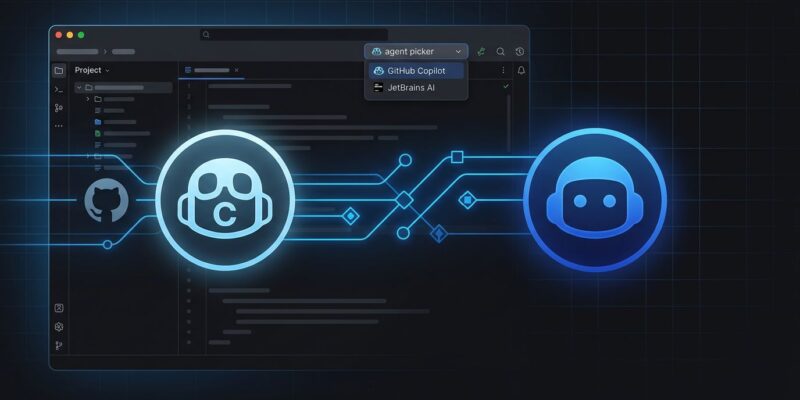
GitHub and JetBrains shipped a quiet but consequential update on June 30: GitHub Copilot is now a native, bundled agent inside JetBrains AI Assistant. No plugin to install, no ACP Registry endpoint to configure, no credentials to wrestle with. If you have a Copilot subscription, open the AI chat in any JetBrains IDE and Copilot is in the agent picker — full stop. That might sound like minor UX polish. It is not. This ends a two-year saga of two AI tools fighting over your IDE.
What “Native” Actually Means
Before June 30, accessing Copilot’s agent capabilities in JetBrains meant going through the ACP (Agent Client Protocol) Registry — a manual process of adding endpoints, configuring credentials, and managing it like any other registry entry. It worked, but it was friction, and friction is how features go unused.
The more consequential change is architectural. Copilot in JetBrains now runs on the Copilot CLI harness — the same runtime powering Copilot in VS Code, the web app, and GitHub mobile. That means new models and capabilities ship to JetBrains on the same schedule as every other surface. Before this switch, JetBrains developers waited on a separate harness to catch up. That wait is over.
What You Actually Get
The native integration brings four things worth knowing:
- Agent picker integration: Open the AI chat, open the agent picker, select GitHub Copilot. It becomes the active driver for that conversation. Switch back to Junie for the next task. Per-task choice, not a system-wide commitment.
- Model selection with reasoning depth: Choose between supported Copilot models — including Claude Sonnet 5, MAI-Code-1-Flash, and the GPT-5.5 series — and tune reasoning effort directly in the chat. High effort for architectural work; low effort for boilerplate generation.
- Copilot CLI slash commands in chat:
/remotefor remote session control and/chroniclefor session history analysis are now available inside AI chat. The/chronicle standupsubcommand generates a summary of your recent work sessions — more useful than it sounds for async team updates. - Automatic updates: The Copilot agent is bundled with AI Assistant and kept current automatically. No separate plugin version to track.
Copilot Agent vs. Junie: Pick the Right Tool
JetBrains developers now have two capable agents in the same picker. Here is how to decide:
Use Copilot Agent when your work is GitHub-centric: converting issues to PRs, working with CI/CD context, or when you need language-agnostic coverage on a timeline that matches VS Code. Copilot has the GitHub context layer that Junie does not.
Use Junie when you need deep IDE semantic reasoning. JetBrains’ published evaluations put Junie at 53.6% on SWE-bench Verified single-run — ahead of Copilot Agent’s estimated 38–46%. For Java and Kotlin in particular, Junie’s project-wide semantic understanding produces better results than anything routing through an external cloud harness. For complex multi-file refactors inside a JVM codebase, Junie remains the better call.
The right answer is usually: use both, per task. The agent picker makes that practical for the first time.
The Credit Conversation You Should Have Now
Copilot moved to AI Credits billing on June 1, 2026. One credit equals one cent. Heavy agentic use burns through monthly allotments fast — some users are reporting costs 10x higher than their old flat subscriptions. Adding a convenient native entry point for Copilot Agent in JetBrains will accelerate that burn for developers who were not previously using the ACP Registry setup.
Before you run a long Copilot Agent session from IntelliJ IDEA: set a spending cap in your GitHub Copilot settings. It is not on by default.
What Comes Next
JetBrains and GitHub have confirmed three features coming in future releases. NES (Next Edit Suggestions) — already live in VS Code — predicts your next several code changes and guides you through them; it is coming to JetBrains but not yet shipped. Skills will let you invoke reusable specialized capabilities from chat, adding structured tool use on top of freeform agent tasks. Deeper orchestration points toward more complex multi-step planning inside the IDE.
How to Enable It Today
Update JetBrains AI Assistant to the latest version. Ensure your GitHub Copilot credentials are configured in IDE settings. Open AI chat. Open the agent picker. GitHub Copilot is there. If it is not, restart the IDE after updating — first-launch population of the native agent occasionally requires a restart.
The two-AI chaos era in JetBrains is over. Whether that is a good thing for your monthly AI Credits bill is a separate question entirely.