 By
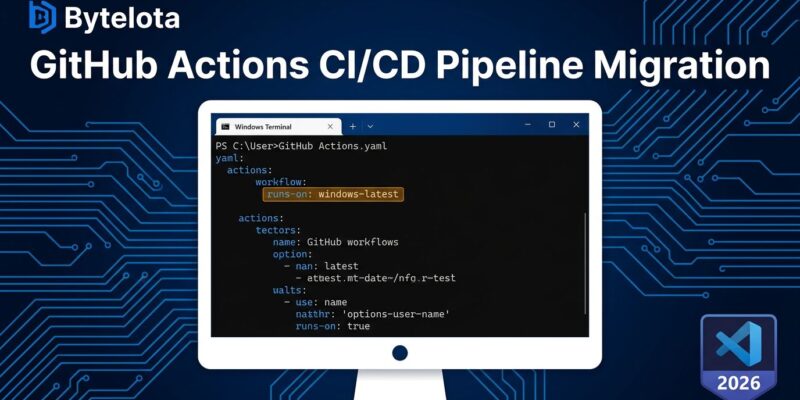
By GitHub’s windows-latest and windows-2025 runner image labels are switching to Visual Studio 2026 by default — starting today, June 8, completing by June 15. If your CI pipelines use Windows runners and you haven’t seen GitHub’s May 14 changelog, there’s a reasonable chance something breaks for you this week. Node.js native addon builds, CMake-based projects, and anything touching the Windows 10 SDK are first in line.
What’s Actually Changing
The label windows-latest used to resolve to Windows Server 2025 with Visual Studio 2022. After the rollout completes June 15, it resolves to Windows Server 2025 with Visual Studio 2026 (internal version 18.x). The same applies to windows-2025. The underlying OS doesn’t change — just the Visual Studio version baked into the image.
Visual Studio 2026 shipped its GA release in November 2025 (v18.0) and became generally available in GitHub Actions on May 4, 2026. GitHub gave a month’s notice in the changelog before making it the default. Most teams ignored it. That notice window closes this week.
What Breaks and Why
The community has been stress-testing the new image since the beta, and the breakage patterns are predictable:
node-gyp 12.0.x and older can’t detect VS 2026. When node-gyp encounters Visual Studio 18.x, it reports “unknown version ‘undefined’” and bails. Any package with native C++ bindings — bcrypt, canvas, sqlite3, sharp — will fail to install. The fix is node-gyp 12.1.0 or later, which added support for the VS 18.x version string and is bundled in npm 11.6.3+. If your workflows install dependencies against an older npm, you’ll hit this.
CMake generator names changed. CMake scripts that auto-detect Visual Studio use the generator string "Visual Studio 18 2026". Scripts written for VS 17 (2022) that perform version-range checks without a -prerelease flag can fail silently or fall back to a wrong generator. The WSL team already hit this, as did VS Code cmake-tools.
Windows 10 SDK is gone. Visual Studio 2026 v18.3.1 and later dropped the Windows 10 SDK from the installer. If your build targets Win10 APIs, you need to install the SDK explicitly in your workflow. This is the silent failure type — the build might start, reference a missing header, and produce an unhelpful error.
Node.js release branches had build failures. The Node.js team documented build failures across v20.x, v22.x, v24.x, and v25.x with VS 2026. Fixes landed in the main branch and are being backported. If you’re building Node.js from source in CI — not just installing it — check your target branch’s status before migrating.
The Smart Move Right Now
Pin to windows-2022. Change runs-on: windows-latest to runs-on: windows-2022 in every affected workflow today. This keeps Visual Studio 2022 as your toolchain and gives you roughly three years before GitHub deprecates the image — long enough to migrate at a time of your choosing, not GitHub’s.
# Immediate safe fix — pin to VS 2022
runs-on: windows-2022
This isn’t a cop-out. VS 2022 isn’t going anywhere soon. GitHub’s policy is to support the two most recent LTS Windows versions. Three years of runner availability is a generous migration window; use it to migrate on a schedule that doesn’t involve a 2 AM incident.
If you’d rather get ahead of it, GitHub has published a windows-2025-vs2026 label specifically for pre-migration testing. Use it on a branch, run your full test suite, and check for the failure signatures above. Don’t use it in production until you’ve confirmed clean runs.
# Test the new toolchain — branch/testing only
runs-on: windows-2025-vs2026
VS 2026 Is Actually Good — When You’re Ready
The upgrade pressure from GitHub aside, VS 2026 is a real improvement. MSVC v14.51 delivers up to 6.5% runtime performance gains on Arm64 with PGO builds and about 5% on x64. C++20 is now the project default instead of C++14. Microsoft also decoupled MSVC from the IDE for the first time, meaning compiler updates can ship faster on their own cadence.
None of that is a reason to migrate under fire. Audit your pipelines first, migrate VS on your schedule.
One More Thing: macOS Is Next
A parallel migration starts June 15: macos-latest will begin pointing to macOS 26 instead of macOS 15, completing around mid-July. If you’re doing a CI audit pass this week anyway, check your macOS workflows while you’re in there. Different failure modes, same principle: test on the new image label first, pin the old one if you need more time.