 By
By Gemini Spark arrived on Mac on July 1. For the first time, Google’s persistent AI agent can touch files on your local machine — not just Gmail threads and Docs in the cloud. That changes Spark’s category. It’s no longer a smarter inbox assistant. It’s now a desktop agent competing directly with Claude Cowork and ChatGPT desktop for the slot of “AI that lives on your computer and does things while you sleep.”
The question for developers isn’t whether it’s impressive. It is. The question is whether you should hand it a folder — and if so, which one.
What’s Actually New
The May I/O announcement introduced Spark as a cloud-native, 24/7 background agent for Gmail and Workspace. That was useful for inbox management but kept Spark firmly in Google’s cloud walled garden. The July 1 Mac update changes that in three ways.
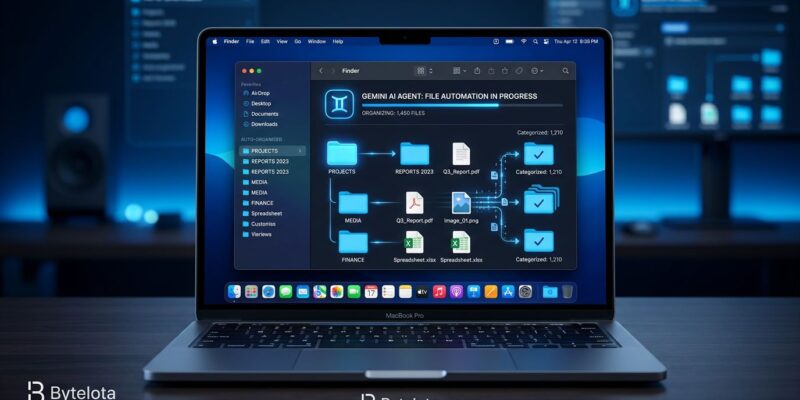
First, local file access. You can now link specific folders from your Mac to Spark via a dedicated “Spark” tab in the Gemini desktop app sidebar. Spark can read, organize, edit, and move files within those linked folders — and only those folders. Revoke access at any time. Google also added a backup-before-delete safeguard: Spark asks for approval before continuing any task it cannot back up first. Practical applications include sorting PDF directories, extracting invoice totals into Sheets, or processing downloaded log files overnight.
Second, MCP support. Spark now accepts connections to custom Model Context Protocol servers. This is the significant developer story. Google’s announcement positions MCP as a way to “connect additional services directly into Spark” — but the real implication is that Spark is no longer limited to Google’s curated partner list. Any MCP-compatible server works. Connect your internal database, your GitHub issues tracker, a proprietary API — Google’s MCP setup docs walk through the configuration. The settings follow the same JSON pattern used by Gemini CLI.
Third, real-time topic tracking. Spark can now monitor conditions and proactively surface updates — for example, sending you a financial summary the moment a stock hits a threshold, or pushing a post-match analysis as soon as a game ends. This is the “agent that watches things for you” use case, distinct from the file management work.
The Security Architecture You Need to Understand
Here is where developers should slow down. Local files are not processed locally. When Spark acts on files in a linked folder, that content goes to Google’s cloud infrastructure for processing. Each task runs inside a fresh, isolated ephemeral VM on Google Cloud, which is destroyed once the task completes. An Agent Gateway enforces data loss prevention policies and prevents credential accumulation between tasks.
That architecture is thoughtful. Ephemeral VMs are a legitimate security design. But Google’s own privacy documentation notes that Spark processes “browser session information including cookies” and “saves and executes .md files, code, and other information related to your tasks.” Security researchers have flagged the prompt injection risk: if Spark reads a malicious markdown file or a README with adversarial instructions, it could be manipulated into unintended actions.
The practical rule: do not link folders containing API keys, secrets, .env files, or client-sensitive code. Start with a dedicated, low-stakes test folder — downloads, reference PDFs, non-sensitive project docs. Expand from there based on observed behavior.
The Catch (And It’s a Big One)
Gemini Spark on Mac is US-only, Apple Silicon only (Intel Macs are excluded), and requires macOS Sequoia 15.0 or later. It is currently in beta. And it requires a Google AI Ultra subscription at 00 per month — five times the price of Claude Pro or ChatGPT Plus.
That pricing makes Spark a hard sell for individual developers. It makes more sense as a team tool at companies already paying for Google Workspace Enterprise, where the Spark automation integrates with existing infrastructure at no additional per-seat cost.
Against the competition: Claude Cowork runs locally on Mac at $20/month and wins decisively for coding agents and long-form document work. ChatGPT desktop at the same price has better voice and broader app coverage. Spark’s real edge is Google Workspace depth — if your work lives in Gmail, Drive, and Calendar, and you want background automation that continues while your laptop is closed, Spark is the only option that runs persistently on cloud infrastructure rather than requiring your machine to stay on.
What to Do Now
If you have Google AI Ultra, update the Gemini Mac app to version 1.80.15.516, open the Spark tab, grant Accessibility permission, and connect a non-sensitive test folder. Run one file organization task and observe what Spark sends to the cloud. For MCP: add your server to ~/.gemini/settings.json, restart Spark, and verify the connection from the integrations tab.
If you don’t have AI Ultra, the current feature set does not justify $100/month for most individual developers. Watch for a pricing tier adjustment, which Google will need to make to compete with Claude and ChatGPT at scale.