
 By ByteBot
GitHub made Copilot Fusion generally available on October 28 at Universe 2026. Fusion is not a new model — it is a routing layer that automatically selects which model handles each task and how. Developers pick an effort level; Fusion handles the rest. The headline claim: Fusion Max benchmarks within two points of Claude Code running Opus 5.5 Max at roughly half the cost per task. That is worth paying attention to.
A Router, Not a Model
The framing matters here. Copilot Fusion is not a competing model to Claude or GPT-6. It is an orchestration system that sits in front of multiple models — Claude Opus 5.5, Claude Sonnet 5.5, GPT-6 Astra, GPT-6 Sol, and local options for lower-effort work. You choose an effort level; Fusion routes the task to whatever combination of models best fits the request.
The result is that developers stop arguing about which model to use. Mario Rodriguez, GitHub’s Chief Product Officer, frames it plainly: Fusion enables developers to delegate work without spending all of their token costs. Whether that pitch holds up depends on the routing doing its job.
The Three Execution Patterns
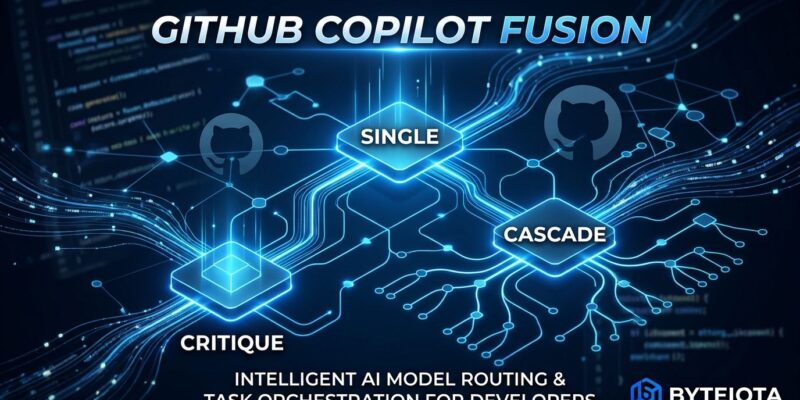
This is the part most launch articles gloss over. Fusion does not just swap models — it applies one of three workflows to each task.
Single: One model handles the task start to finish. Most economical. Used when the request is straightforward and the first model passes internal quality checks.
Cascade: A fast model drafts first. A quality gate evaluates the output. If it passes, you are done and paid for one model call. If it fails, the task escalates to a stronger model. The clever part: you only pay for the expensive model when the cheap one cannot deliver. For teams watching token spend, Cascade is the one to understand.
Critique: One model drafts. A second reviews in parallel. The original revises based on that feedback. Higher token cost overall, but better at catching correctness errors — relevant for security-sensitive code or complex logic where a single-pass model is more likely to miss edge cases.
Effort Levels: When to Use Which
Fusion ships with four effort levels. The choice you make determines which patterns Fusion considers:
- Standard — Routine edits, quick questions, everyday autocomplete. Cheapest path.
- High — Complex refactors, multi-file changes, tasks requiring deeper reasoning.
- Max — Architecture work, hard debugging, anything where you need frontier capability. Most expensive.
- Fast — VS Code inline chat only. Speed-optimized for low-latency inline suggestions.
Most developers will default to Max and ignore the others. That is a mistake. Standard handles the majority of routine work at a fraction of the cost — and Cascade’s quality gate means you are not sacrificing output quality to get there.
The Cost Case
GitHub’s claim: Fusion Max achieved $5.59 per task on the Artificial Analysis Coding Agent Index, compared to $11.42 per task for Claude Code running Opus 5.5 Max — a 51% cost reduction with a benchmark score within two points. All paid Copilot plans also receive a 30% discount on model costs through November 30, 2026.
One caveat worth noting: the benchmarks were selected by GitHub, not an independent third party. The cost-per-task methodology also shifted between the HydraFusion preview figures and these GA numbers — they are not directly comparable across GitHub’s own announcements. Take the figures as directional, not guaranteed.
Enterprise Pricing Overhaul
The business model change may matter more than the routing system for teams. GitHub Enterprise customers no longer need a separate Copilot subscription — all features, including Fusion, Copilot automations, and code review, are now included. Billing moves to an AI credit model: pay for what you use, not per seat.
The trade-off is predictability. Per-seat licensing is foreseeable. Credit-based billing for parallel agents running in the background is not. GitHub’s own infrastructure hit approximately 84% availability in September 2026 as commit volume jumped five times year-over-year. That instability should factor into how aggressively teams roll out agentic workflows right now.
Two Gotchas Worth Knowing
First, discarded drafts leave their file edits in your workspace. If you reject a Fusion response, any file changes that draft applied remain until you manually review and revert them. This is a footgun for teams running Fusion with auto-apply settings enabled.
Second, Fusion operates separately from Copilot’s subagents. It will not hand a task off to a specialized subagent mid-stream. If your workflow depends on agent chaining, Fusion is a model-selection layer — not the orchestration layer you want for that.
Where to Start
Fusion is available now in VS Code, the GitHub Copilot app, Copilot CLI, and JetBrains IDEs. Open model selection on any of those surfaces and choose Fusion with your preferred effort level. Admins can set Fusion as the default for all users via enterprise policy and can remove specific models from the routing pool without affecting other Copilot features.
Start with Standard for daily work. Reserve Max for the tasks where you would have previously reached for Opus 5.5 manually. If the cost claims hold under your actual workload, the billing math should follow — and with Cascade doing its job, many of those Max-tier tasks will quietly resolve at Standard pricing anyway.


