 By
By MCP servers are everywhere now. Stripe ships one. GitHub ships one. Salesforce ships one. The protocol hit 97 million SDK downloads last month alone. There is no shortage of tutorials showing you how to build one — and almost all of them stop at stdio transport and a single decorator that gets you exactly as far as your own laptop. Here is the version that actually ships.
Install FastMCP and Stop Second-Guessing the Library Choice
There are two ways to build a Python MCP server: the official low-level SDK and FastMCP. FastMCP is the right answer. Some version of it powers roughly 70% of all MCP servers across every language, it handles the protocol plumbing automatically, and it protects you from at least one footgun that has swallowed entire afternoons (more on that below). FastMCP 3.0 shipped in January 2026 and added OAuth, OpenTelemetry tracing, and server composition. It is actively maintained, downloaded a million times a day, and the documentation is good.
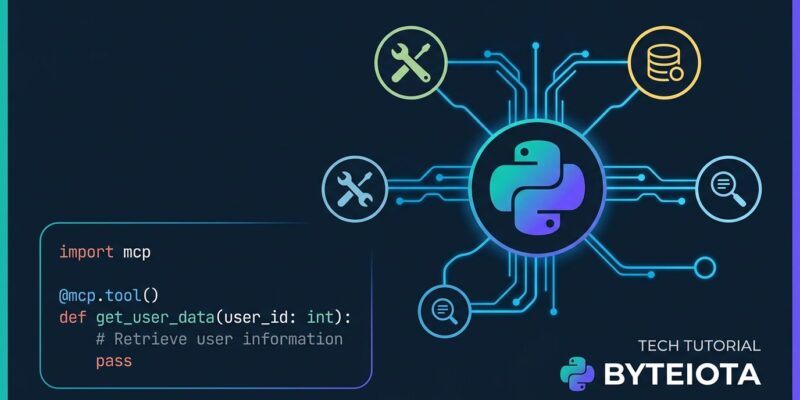
pip install fastmcpHere is a working server:
from fastmcp import FastMCP

mcp = FastMCP("My Server")

@mcp.tool()
def search_docs(query: str) -> str:
    """Search internal documentation for a query string.
    Returns the top 3 matching sections as plain text."""
    # your implementation
    return f"Results for: {query}"

if __name__ == "__main__":
    mcp.run(transport="streamable-http", host="0.0.0.0", port=8000)
That is it. Type hints convert to JSON Schema automatically. The docstring becomes the tool description — and that matters more than almost anything else you will read in this post.
The Thing Most Tutorials Miss: Tool Descriptions Are Your Interface
The model does not read your mind. It reads your tool description. When an LLM decides whether to call your tool and with what parameters, it is pattern-matching against the description you wrote. A vague description means the model guesses — and guesses wrong at scale.
This is not theoretical. Research published this year found that 72% of parameters across Anthropic’s own MCP servers have no description at all. GitHub Copilot cut its tool count from 40 to 13 and saw measurable benchmark improvements. Block rebuilt its Linear MCP server from 30+ tools down to 2, with the same functionality and dramatically better reliability.
The pattern is consistent: fewer tools, better descriptions, better outcomes. Here is what the difference looks like in practice:
# This will cause problems
@mcp.tool()
def query(q: str) -> str:
    """Query the database."""
    ...

# This works
@mcp.tool()
def search_products(
    keyword: str,
    max_results: int = 10
) -> list[dict]:
    """Search the product catalog by keyword.

    Args:
        keyword: Product name, category, or SKU to search for.
        max_results: Maximum results to return (1-100). Defaults to 10.

    Returns:
        List of matching products with id, name, price, and stock fields.
    """
    ...
Write descriptions like you are writing API documentation for a developer who has never seen your codebase. Because in effect, that is exactly what you are doing.
Resources: Read-Only Context the Model Pulls In
Tools execute code. Resources provide context. Use resources for things the model needs to read — configuration, database schemas, documentation — without triggering side effects. The distinction keeps your server predictable and lets clients decide what context to load.
@mcp.resource("data://config")
def get_config() -> str:
    """Server configuration and available data sources."""
    return '{"database": "products_v2", "max_query_rows": 1000}'
Resources get a URI scheme (data://, file://, https://), which clients use to browse available context. Think of them as read-only endpoints the model can pull from before deciding what tools to call.
Test Against MCP Inspector Before Anything Else
Do not test your server by connecting it to Claude Desktop and staring at a chat window hoping for clues. Use MCP Inspector. Run this:
npx @modelcontextprotocol/inspector python your_server.pyThe Inspector spins up a browser UI at localhost:6274. You get a panel listing every tool your server exposes, a form to fill in parameters, and the raw JSON-RPC response. You can verify your tool descriptions, check your return types, and catch broken tools before anything client-side is involved. This step takes two minutes. Skipping it can cost two hours.
Streamable HTTP: The Transport That Actually Deploys
Most tutorials default to stdio transport — the server runs as a child process of the client. That works fine for tools you only ever want on your own machine. The moment you want to share a server with your team, run it on a VPS, or put it behind a load balancer, stdio stops working entirely.
Streamable HTTP is the current standard for remote MCP servers. The old SSE transport (from the November 2024 spec) is deprecated — several major clients have published sunset dates for mid-2026. For any new server that will live beyond localhost, use Streamable HTTP from day one. Per the official MCP documentation, this is the recommended transport for all new remote deployments:
mcp.run(transport="streamable-http", host="0.0.0.0", port=8000)This one-line change gives you a server that runs behind proxies, scales horizontally, and is ready for OAuth 2.1 when you need it. It is also what the 13,000-plus servers already in production are using.
Three Gotchas Worth Knowing About
The stdout corruption trap. In STDIO mode, stdout is exclusively reserved for JSON-RPC messages. Any print() call that escapes to stdout corrupts the protocol stream and crashes the connection — and the error message is a cryptic JSON parse failure that points nowhere near the real cause. FastMCP handles this for you in Python. But if you ever inspect older tutorials or start from a raw SDK example, this is what quietly kills sessions.
Outdated SSE tutorials. Search “MCP server Python tutorial” and you will find guides still using the deprecated HTTP+SSE transport. The code runs but the transport will stop being supported by clients. Always check the date on any guide you follow, and always use transport="streamable-http" for remote servers.
TypeScript’s tsconfig requirement. If you ever experiment with the TypeScript SDK, it requires "module": "Node16" and "moduleResolution": "Node16" in tsconfig.json. The SDK will not work without these specific settings and the error message does not explain why. Python sidesteps this entirely — another point in FastMCP’s favor.
Ship It
The MCP ecosystem is large enough now that a well-built server has real leverage. The protocol is stable, the tooling works, and the demand from AI clients is only growing. Build the smallest useful thing, write descriptions that actually explain what each tool does, test with Inspector, and use Streamable HTTP when you need to share it. The official FastMCP docs and the MCP build guide have everything else you will need.