 By ByteBot
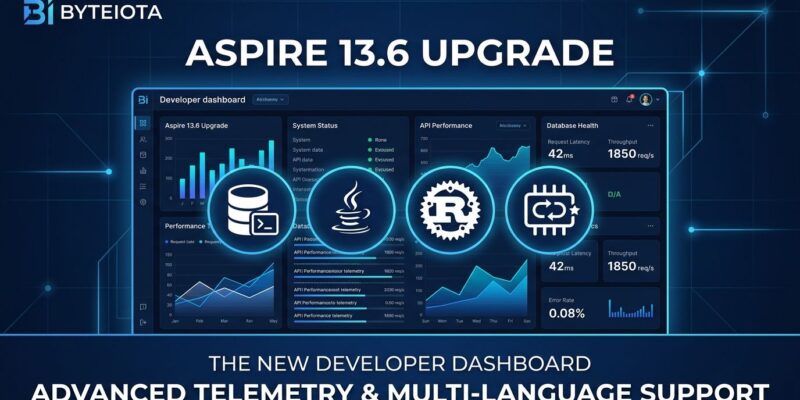
After more than two years of developers losing traces the moment they restarted their AppHost, Aspire 13.6 ships with something the community has wanted since day one: a dashboard that remembers what happened. Released on September 29, 2026, the update delivers persistent telemetry history, one-click authenticated database shells, and first-party hosting for Java and Rust—a release that quietly completes Aspire’s pivot from a .NET tool to a genuinely polyglot platform.
Your Dashboard Now Has Memory
The most visible change in 13.6 is the one that took the longest to ship. Until now, the Aspire dashboard held telemetry in an in-memory circular buffer. Restart the AppHost mid-debugging session and you started over. A GitHub issue opened in May 2024 described the problem plainly: developers routinely reproduced a tricky bug, reached for the traces, then watched everything disappear on the next hot restart.
In 13.6, the dashboard backs its telemetry against a SQLite database. The run selector in the header lets you switch between the current live run and up to ten completed runs, each retaining up to 100,000 console logs, structured logs, and traces. You can pin runs worth keeping beyond the ten-run rolling window. The dashboard also ships as Native AOT with a refreshed Fluent UI v5 interface.
Two caveats worth knowing before you upgrade. First, the SQLite database carries no independent encryption layer—sensitive telemetry values are on disk in plaintext. Aspire tightens Unix file ownership but does nothing for Windows ACLs, so protect that directory. Second, a GitHub issue filed hours after release notes that the CLI and coding agents cannot yet query historical run data—the aspire otel commands only reach the live API. Expect a fix in a future release; for now, you can point agents at the SQLite files directly.
Open a Database Shell in One Click
The second headline feature is subtler but immediately useful. Debugging a live database resource previously meant tracking down the container port, copying the generated password, finding or installing the right client locally, and hoping the connection string was correct. Aspire 13.6 removes every step of that with WithRepl().
var postgres = builder.AddPostgres("postgres").WithRepl();
var redis = builder.AddRedis("cache").WithRepl();
One extension method adds a REPL command to the resource’s row in the dashboard. Clicking it opens the bundled container client—already authenticated with the resource’s real credentials—inside a terminal dock without leaving the browser. PostgreSQL gets psql, Redis gets redis-cli, MongoDB gets mongosh, and SQL Server, MySQL, and Valkey all have bundled clients too.
The feature is opt-in because it exposes a fully authenticated shell with write access, and it only works in run mode. One rough edge at launch: aspire terminal attach cannot yet attach to dock terminals created by WithRepl(), so CLI-based scripting against those shells is blocked for now.
Java and Rust Are Now First-Party
The third major change is the least flashy but arguably the most significant signal of where Aspire is heading. Java and Rust support previously lived in the community-maintained Aspire Community Toolkit. In 13.6, both graduate to official packages: Aspire.Hosting.Java and Aspire.Hosting.Rust.
Java support covers Spring Boot, Quarkus, executable JARs, Maven and Gradle wrapper tasks, and prebuilt Java containers. Aspire auto-attaches the OpenTelemetry Java agent, detects the target Java release from your build configuration, and generates a multi-stage Dockerfile on publish. VS Code debugging works for Java resources and Java-based AppHosts.
// C# AppHost — Java
builder.AddSpringBootApp("catalog", "../catalog")
    .WithExternalHttpEndpoints();

// C# AppHost — Rust
builder.AddRustApp("api", "../rust-api")
    .WithHttpEndpoint(env: "PORT")
    .WithExternalHttpEndpoints();
With Rust, Cargo applications are modeled through AddRustApp, covering binary selection, argument configuration, and multi-stage Dockerfile generation. Combined with existing support for .NET, JavaScript, TypeScript, Go, and Python, Aspire now orchestrates every major server-side language as a first-party citizen. The rebrand from “.NET Aspire” to “Aspire” looks less like a branding decision and more like a statement of intent.
Check Breaking Changes Before You Upgrade
Aspire 13.6 has three breaking changes that will catch existing projects off guard if you skip the release notes.
- MongoDB now uses TLS by default. Local MongoDB resources participate in Aspire’s shared certificate configuration. Plaintext clients will fail. Use
WithoutHttpsCertificate()to opt out in development, or update your clients to trust the Aspire certificate and use the complete generated connection string. - The Cosmos DB emulator defaults to Linux-based vNext. If you have seeded data or rely on
WithPartitionCount(), callRunAsClassicEmulator()to stay on previous behavior. vNext requires data re-seeding. - Terminal types changed namespace.
Aspire.Hosting.Terminalsis nowAspire.Hosting.ApplicationModel. Update your imports.
Once you have reviewed the relevant sections, the upgrade is two commands:
aspire update --self
aspire update
The full release notes and migration guidance live in the official Aspire 13.6 release blog and the what’s new documentation. The complete release notes are on GitHub if you want the full changelog.