
 By ByteBot
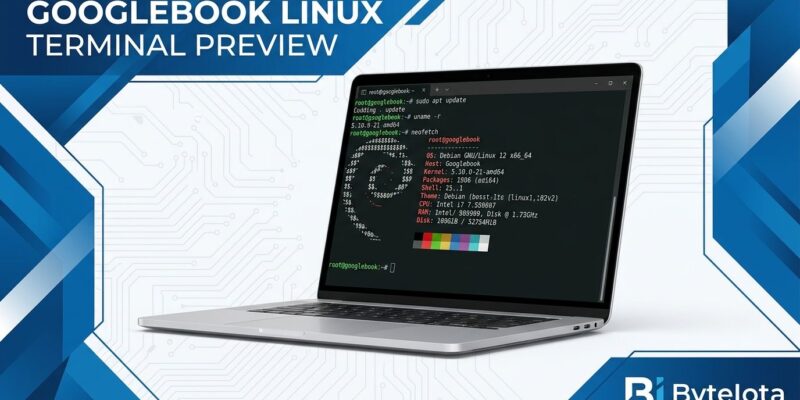
Googlebook launched October 4 without Linux GUI apps. That was immediately embarrassing — budget Chromebooks had that solved years ago. Eight days later, Google shipped a Linux terminal preview that runs a full Debian VM isolated from the host OS. This is not the GUI app support developers were asking for. But the underlying architecture — an OS-level VM sandbox that lets AI agents run with sudo without touching the host — is genuinely new. Here is what ships today, what is still missing, and whether you should care.
How to Set It Up
The setup is straightforward. Open the Terminal app on your Googlebook, hit Install, and wait around five minutes for the Debian VM to provision. A terminal window opens automatically when it is ready. From there, the workflow is identical to any Debian system:
sudo apt update && sudo apt upgrade -y
sudo apt install -y git nodejs python3 python3-pip golang rustup
Node.js, Python, Ruby, Go, and Rust are all available through apt. Web servers get automatic localhost port forwarding to the host browser — your localhost:3000 just works in the Googlebook OS browser without any manual configuration. Shared folders are managed under More → Settings → Shared folders, and the Files app shows a Linux VM entry on the left sidebar for direct file access. Adjustable VM memory lives under More → Settings → Advanced.
The Part That Is Actually Interesting: AI Agents with Sudo
Google built this explicitly for agentic AI workflows, and the security model reflects that priority. Every terminal command — including those run by Antigravity or any other AI agent — executes inside the VM. The host OS cannot be touched. Directories only mount into the VM after explicit user permission. You can hand Antigravity full sudo rights to install packages, write files, and run servers without worrying about the agent corrupting your Googlebook OS or leaking files it was never supposed to see.
That is a meaningful architectural difference from how AI agent sandboxing works elsewhere. VS Code 1.141 ships terminal sandboxing, but it operates at the process level — a session-scoped control. The Googlebook VM is an OS-level boundary. It is stronger isolation, and Google is the first vendor to implement it on consumer-grade hardware aimed at developers.
The 40 TOPS NPU minimum spec on Googlebook hardware makes the roadmap obvious: once GPU/NPU acceleration ships, the same VM sandbox will handle local model execution. You would be able to run a local LLM, hand it sudo, and let it operate in a box that cannot escape to the host. That is not here yet, but the architecture was clearly designed with it in mind.
What Is Missing
The gaps are significant enough to list plainly:
- No GUI Linux apps. Apps install through the terminal but do not appear in the app drawer. ChromeOS Crostini had this. Googlebook does not, and Google confirmed that GUI apps “aren’t the main focus” of the initial release.
- No ADB over USB. Android developers cannot test on physical devices. This one blocks Googlebook from being a primary machine for anyone building Android apps.
- No GPU or NPU acceleration. No CUDA workloads, no accelerated inference. The hardware has the NPU; the software cannot use it yet.
- No USB passthrough. Hardware debugging is blocked across the board.
Google’s roadmap covers all of these: GUI app launcher integration, USB passthrough, ADB, dynamic memory scaling, and GPU/NPU acceleration are all confirmed. No timelines were given.
How It Compares to ChromeOS Crostini
Crostini — the Linux environment that shipped with ChromeOS, which Googlebook OS replaced — was more capable than what Google is shipping today. GUI Linux apps integrated directly into the ChromeOS app drawer. Android Authority put it bluntly: Googlebook has a Linux app problem that even budget Chromebooks solved years ago. ADB over USB worked. GPU acceleration was available on supported hardware. Googlebook OS launched with premium hardware and a less mature Linux story than the platform it replaced.
The honest framing: Crostini is more useful to a general Linux developer right now. The Googlebook Linux terminal beats Crostini on exactly one dimension — AI agent sandboxing — and that matters only if you are actively running agentic workflows today.
The Verdict
If you already own a Googlebook, install the terminal preview. The setup is painless, the Debian toolchain is solid, and the VM sandbox model is the right long-term architecture for AI-assisted development. Use it for scripting, web development, and Antigravity agent workflows today.
If you are considering buying a Googlebook because of this announcement, wait. The missing ADB support alone blocks too many real-world developer workflows. The hardware is capable and the OS direction is interesting, but the Linux story needs at least one more major update before Googlebook competes with a MacBook or a Linux-native machine as a daily development driver. Follow the official Android Developers Blog for roadmap updates.


