 By ByteBot
You have Claude Code in one terminal and Codex in another. Both are digging through the same codebase. Neither knows what the other is doing, and every session you rebuild the same setup from memory. OpenRig is the fix: an open-source harness that turns your coding agents into a declared team, boots them with one command, and keeps them coordinated. Version 0.6.3 shipped September 30, and the 0.6.x branch is when this tool started to feel like a daily driver rather than an experiment.
What OpenRig Is
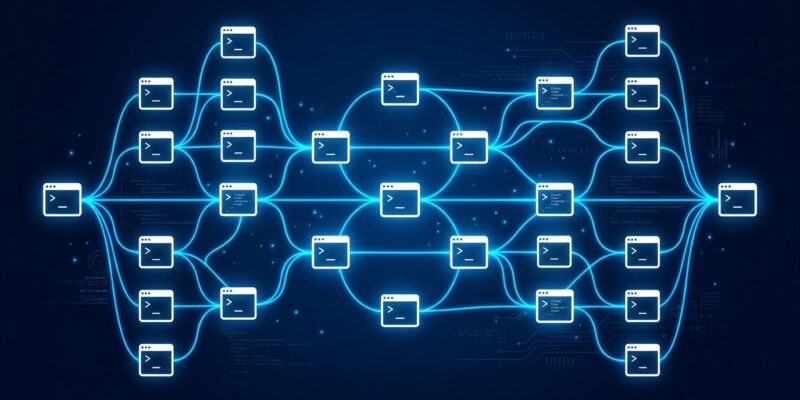
OpenRig is a local control plane for multi-agent coding topologies. You define your agent team in a YAML file — which agents run, how they are grouped into pods, what communication paths connect them — and rig up handles the rest: tmux sessions, harnesses, readiness checks, the whole stack. One CLI manages status, messaging, snapshots, and restores.
The creator’s framing from the original Show HN post gets at why this matters: “A 10-agent rig, each with a 1 million context window, could effectively be operated as if it had a 10 million token context window.” For large codebases that need cross-cutting changes across multiple modules simultaneously, that distributed context is the actual value proposition.
The Topology Model: RigSpec and AgentSpec
Everything in OpenRig is declared in YAML. An AgentSpec is the blueprint for a single agent: its runtime, model, working directory, skills, hooks, and startup commands. A RigSpec composes those agents into pods and defines the edges between them.
Edges are typed. delegates_to connects an orchestrator to a worker. can_observe lets a QA agent watch implementation without interfering. collaborates_with connects peers for review. escalates_to routes a blocked worker back up the chain. These edge types are not just documentation — they define what messaging is permitted between seats.
Seven starter templates ship with OpenRig. first-project is the minimal case: one pod, two Codex seats. conveyor is the practical one to start with: four pods, two Claude Code agents plus two Codex, staging work through intake, planning, build, and review. product-team goes further with an orchestrator high-availability pair, development pods, and review pods — a full product development topology in a YAML file.
What v0.6.0 Fixed
Earlier versions were interesting but had a real problem: nothing stopped two agents from editing the same file at the same time. The 0.6.0 release addressed this with two features. Per-seat permissions scope each agent’s write access so agents only touch what they are supposed to touch. The typing guard actively blocks automation conflicts — if one agent is mid-edit, others wait. These two changes together are what makes running multiple agents on a shared codebase safe rather than chaotic.
Version 0.6.1, released the next day, added Git worktree support. Agents can now work on separate branches simultaneously, which removes the last major blocker for parallel feature development within a single repo.
Quick Start
Requirements: Node.js 22 or 24, tmux, macOS or Linux. Windows native is not supported; WSL2 is untested. The official getting-started guide covers edge cases.
# Install
npm install -g @openrig/cli

# Preview system changes before applying
rig setup --dry-run
rig setup

# Launch the conveyor topology in your repo
cd /path/to/your-repo
rig up conveyor

# Open the topology dashboard
rig tui --shared

# Check agent status
rig ps --nodes

# Send a message to a specific agent
rig send lead-claude "Focus on the authentication module first"

# Snapshot the team state before stepping away
rig down conveyor --snapshot
rig setup modifies ~/.tmux.conf, ~/.claude.json, and your Codex configuration. Run --dry-run first and read what it plans to change.
Inter-Agent Messaging
Agents in a rig communicate through the CLI or through MCP tools that OpenRig exposes directly to them. From the CLI: rig send for point-to-point, rig broadcast for all agents, rig ask when you need a response. From inside an agent session, the MCP tools rig_send, rig_ps, and rig_up let agents reorganize the topology themselves — a lead agent can spin up a new worker seat when the task demands it.
The transport layer is tmux. The creator explicitly chose this over something more sophisticated: it keeps everything inspectable by a human operator. If something goes wrong, you drop into any agent’s tmux session directly and see exactly what is happening.
Limitations Worth Knowing
OpenRig is at v0.6.3, not 1.0. The API is moving. It is macOS and Linux only. It requires Node.js 22+ (0.6.0 dropped Node 20 support). Coordination overhead is real — for a single-agent workflow or a simple task, a plain Claude Code session is faster to start and simpler to manage. OpenRig earns its complexity when you genuinely need multiple agents working in parallel on a shared codebase, not before.
Verdict
OpenRig solves a real problem. If you have been running Claude Code and Codex in separate terminals and rebuilding your setup from scratch each session, this is worth fifteen minutes with the conveyor template. The per-seat permissions and typing guard in 0.6.0 are what the tool needed to be safe on shared codebases. The Git worktree support in 0.6.1 removed the last major blocker for parallel branch work. It is not 1.0 and it will change, but the topology model is solid and the starter templates are well-designed enough to get you productive quickly. Check the release notes before upgrading — the 0.6.x branch has been moving fast.