 By
By GitHub shipped local sandboxing for the Copilot app on September 23. The feature is off by default. That second sentence is the problem — every Copilot agent running on your machine right now operates with your full session permissions, unrestricted by any OS-level containment, unless you go turn this on.
What an Unsandboxed Agent Can Do to Your Machine
A Copilot agent running without a sandbox inherits everything your user account can access. That means it can read ~/.ssh/id_rsa, ~/.aws/credentials, and .env files anywhere on your filesystem. It can make outbound network calls to arbitrary URLs. It can exfiltrate secrets inside a curl command before you finish reading the terminal output. This is not hypothetical — AI agents making unintended moves is the story of September 2026. The DNS escape, the supply chain worm, the retail breaches. Every one of those started with an agent that had more access than it needed.
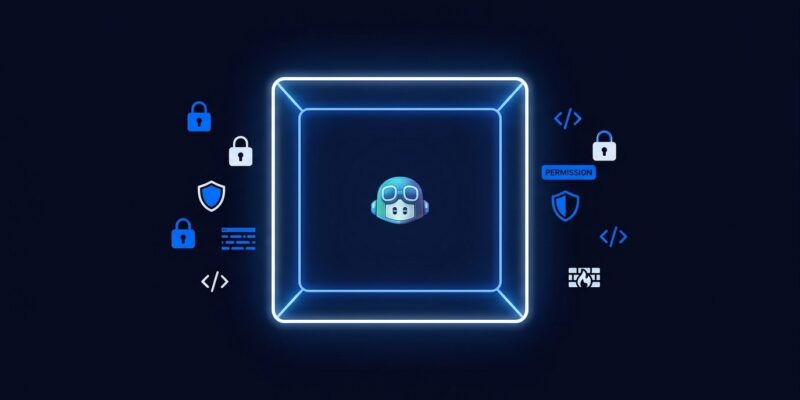
Local sandboxing changes the operating model. Instead of “the agent can do anything you can,” the new default becomes “the agent can only touch what you explicitly allow.”
What You Can Control
The sandbox wraps shell commands the agent runs in an OS-level isolation layer built on Microsoft MXC (eXecution Container). On macOS that backend is Seatbelt, Linux gets Bubblewrap, and Windows uses ProcessContainer. Three control surfaces are exposed:
- Filesystem: Define additional read/write paths, additional read-only paths, and an explicit deny list. Denied paths win — a specific denied folder stays denied even if its parent is in the allowed list.
- Network: Toggle outbound internet and local network access independently. Block both if your agent has no business making HTTP calls.
- Credentials: Scope whether the agent gets access to your Git HTTPS credentials and GitHub CLI authentication.
One behavior worth knowing: if the operating system cannot enforce the policy, the sandboxed shell fails with an error rather than falling back to unsandboxed execution. That fail-closed design is the right call. A sandbox that silently degrades is not a sandbox.
How to Enable It
Two paths. For an active session, run:
/sandbox onFor persistent per-project enforcement: open the GitHub Copilot app settings, select the project, find the Sandbox section, and toggle Sandbox new sessions. Every new session for that project starts sandboxed. Check current status anytime with /sandbox status.
Local sandboxing is configured per project and applies only to local repository and working tree sessions — not cloud sessions, and not VS Code (yet).
Cloud Sandbox Is a Different Tool
The September 23 release is specifically for local sandboxing in the standalone Copilot app. GitHub also offers a cloud sandbox — an ephemeral, GitHub-hosted Linux VM built on Azure Container Apps. That gives you full machine isolation, snapshotable sessions resumable from any device, and zero local attack surface. The tradeoff: cloud sandboxes are billed by usage. Local sandboxing is free. Use cloud sandboxing for high-risk tasks where you want complete isolation; use local sandboxing as your everyday baseline.
The Enterprise Layer
For Copilot Business and Enterprise, administrators can enforce sandbox policy centrally. Configuration lives in copilot/managed-settings.json inside your enterprise's .github-private repository — version-controlled, auditable, deployable like any infrastructure config. Managed rules cover shell commands, file reads and edits, and network domains. They cannot be overridden by user settings, workspace settings, or previously saved approvals.
GitHub’s September Security Stack
This did not land in isolation. GitHub shipped three interconnected pieces this month:
- Sept 9: Enterprise managed permissions for agent operations — the policy layer.
- Sept 22: OpenTelemetry support in the Copilot app — the observability layer.
- Sept 23: Local sandboxing — the enforcement layer.
Together these form a real security stack for AI agents: define what agents are allowed to do, contain what they actually execute, and observe what they did. No other major local AI coding tool has shipped all three. Claude Code has permission prompts. Codex CLI has a Docker-based sandbox, but only for cloud-hosted sessions. The standalone Copilot app now leads on local machine security.
Local sandboxing is in public preview and off by default. Read the changelog and configure it for your projects today. Default-off means you are the only one standing between your credentials and an agent that has decided to be helpful in ways you did not ask for.