 By
By Git 2.56 is landing at the end of September with over 700 commits under the hood. Most of them are invisible plumbing fixes. But tucked inside are two commands developers have been asking for for years, a performance improvement so extreme it looks like a benchmark error, and a quiet reminder that your CI pipelines need a Rust toolchain before April 2027.
Two New Commands Worth Your Attention
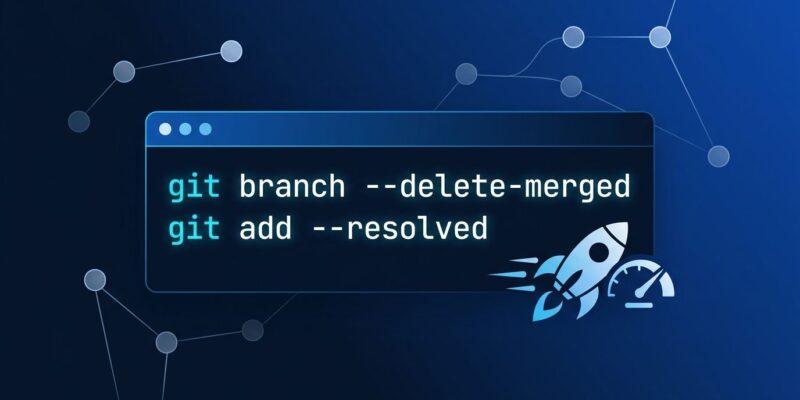
git branch –delete-merged
Every developer has a local branch graveyard. You merge a PR, the branch lives on your machine forever, and eventually git branch returns a wall of stale names. The standard fix has been a fragile shell one-liner scraped from Stack Overflow:
git branch --merged | grep -v "main\|master\|develop" | xargs git branch -dThat works until it does not — wrong grep pattern, edge case on the default branch, someone’s branch named maintain gets caught. Git 2.56 replaces all of that with one command:
git branch --delete-mergedIt deletes every local branch that has been merged into its remote tracking branch. No grep, no xargs, no surprises. This command should have shipped a decade ago.
git add –resolved
After a gnarly merge conflict, the standard move is git add . and hope. The problem: if you missed a file that still has conflict markers, you are about to commit <<<<<<< HEAD straight into the codebase. The new --resolved flag stages only files you have actually resolved:
git add --resolvedAny file still containing unresolved conflict markers gets skipped. It is a small guardrail, but it is exactly the kind that prevents the “how did that get into main” post-mortem.
The Performance Fix Nobody Will Notice (But Everyone Will Feel)
The most impactful change in 2.56 is invisible. It fixes paint_down_to_common(), the function behind git merge-base, git merge-tree, and every command that needs to figure out where two branches diverged.
Kristofer Karlsson was working on a monorepo with around 2.6 million commits. Computing the merge base between a PR branch and mainline took 4.293 seconds per operation. After the fix — which stops walking the commit graph once one side’s commits are exhausted — that same operation takes 8 milliseconds. That is a 537x speedup. Merge-tree operations dropped from 5.345 seconds to 13 milliseconds (410x).
These are not cherry-picked synthetic benchmarks. They are real numbers from a real codebase documented in Git Rev News Edition 138. If you work on a large repository, you have been paying this tax on every rebase, every PR check, every git log A..B. Git 2.56 eliminates it.
Also in 2.56
- git refs create / delete / update / rename: Low-level subcommands for programmatic reference management. Useful for CI tooling and Git GUI authors, overkill for day-to-day work.
- git status pull suggestions: When your branch lags behind its tracked remote,
git statusnow surfaces the exactgit pullcommand to run. - Swift userdiff patterns:
git diffon Swift files now understands functions, attributes, and generics. If you work in Swift, diffs just got more readable. - Reftable performance fix: Fixed quadratic behavior when many refs are deleted and recreated — relevant if you have already opted into the reftable backend.
One Thing CI Engineers Need to Do Before Git 3.0
Git 3.0 (targeted for April 2027) will require Rust to build from source. Rust was auto-detected in 2.52, enabled by default in 2.55, and becomes mandatory in 3.0. If any of your CI base images or Docker containers build Git from source, add a Rust toolchain now:
# Alpine
apk add cargo

# Debian / Ubuntu
apt-get install -y cargo
If you install Git via a package manager — apt, brew, winget — you are not affected. Pre-built binaries handle this. But if you are rolling your own Git build, add cargo before April 2027, not the Friday it breaks your release pipeline.
For the full picture on what Git 3.0 changes for new repositories — SHA-256 as the default hash, reftable as the default ref format, what it means for your varchar(40) columns — see ByteIota’s Git 3.0 breakdown from earlier this month.
Should You Upgrade?
Yes. The merge-base speedup alone is worth it on any non-trivial repository, and it comes for free with the upgrade. The new commands — git branch --delete-merged and git add --resolved — are immediately useful. Git 2.56 does not introduce breaking changes.
The full LWN.net analysis covers the release in depth, including the merge-base optimization algorithm. The official git-branch documentation has the complete reference for the new flag. Git 2.56 final is expected before the end of September — check your package manager.