 By ByteBot
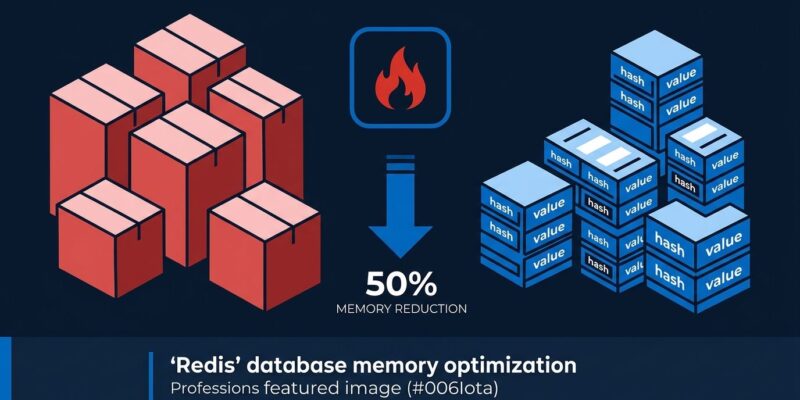
Redis 8.10 shipped last week with a headline feature that can cut hash-key memory in half. The catch: upgrading alone will not do it. You need to either use the new HIMPORT command for incoming data, or restart the server with three new config parameters to trigger conversion of existing keys. Once that friction is out of the way, the savings are real — and there is more in this release worth your attention.
Compact Hash: What It Is and How to Actually Activate It
The core idea is straightforward. Most Redis deployments have millions of hash keys that share the same field names — user profiles with name, email, country, and last_login repeated for every user. Before 8.10, each key stored its own copy of those field names. Redis 8.10 introduces hash templates, an encoding that stores the field-name set once and lets every key sharing that schema reference it. Result: up to 50% lower memory for hash workloads, plus up to 104% higher throughput on wide HSET and HMSET operations.
Here is the part the official Redis 8.10 announcement underplays: existing keys are not converted automatically when you upgrade. You have two options.
For new data or bulk loads, use HIMPORT:
HIMPORT PREPARE user-profile name email country last_login
HIMPORT SET user:1 user-profile "Alice" "alice@example.com" "UK" "2026-07-14"
HIMPORT SET user:2 user-profile "Bob" "bob@example.com" "US" "2026-07-14"
HIMPORT DISCARD user-profile
HIMPORT declares the field set once per connection, then sends only values for each subsequent key. On a 3-field schema, that is 11% faster than HSET in benchmarks. The gain scales significantly with larger field sets. One important detail: the prepared fieldset is scoped to the connection. If you use a connection pool, each connection in the pool needs its own PREPARE call. Most Redis client libraries handle this automatically when you enable himport_auto_prepare. Check your client docs before deploying to production. The HIMPORT command reference covers the full subcommand set.
For existing data, trigger conversion on RDB load:
Set hash-rdb-load-min-template-entries, hash-rdb-load-max-template-entries, and hash-rdb-load-template-disassembly-threshold in your config, then restart. Redis will convert eligible hashes during the RDB load cycle. Monitor with the new INFO STATS hash_templates and INFO MEMORY used_memory_hash_templates counters.
The savings vary by schema. A 4-field profile schema typically yields 20 to 30% reduction. An 8-field schema with long field names and short values can reach 68%. The heavier your field names are relative to your values, the more you gain.
Three More Features Worth Your Time
JSONPath That Actually Computes
Redis JSON JSONPath expressions were limited to path traversal. Redis 8.10 adds arithmetic, aggregations, string and array functions, and filter negation. You can now run calculations server-side. Moving filtering and computation into Redis cuts round-trips and simplifies application code. If you store structured JSON documents in Redis, this is worth a serious look.
LMOVEM and SUNIONCARD: Long-Overdue Commands
LMOVEM and its blocking variant BLMOVEM atomically move multiple list elements between keys in one operation — something you previously had to loop over with LMOVE. The EXACTLY option waits until the full requested count is available before moving anything, which is useful for batch job claiming where partial batches are worse than no batch.
SUNIONCARD and SDIFFCARD return the cardinality of a set union or difference without materializing it. No more creating a temporary set just to run SCARD. SUNIONCARD also accepts an APPROX flag for a HyperLogLog-based estimate — the right tradeoff for analytics at scale.
Time Series: Blocking Reads and Timestamp-Grouped Multi-Series
TS.READ is a blocking command that waits until a minimum number of new samples arrive before responding. If you are running a live dashboard and currently polling TS.RANGE every second, you can replace that with a single TS.READ BLOCK call. The server does the waiting.
TS.NRANGE and TS.NREVRANGE query multiple time series and return results grouped by timestamp rather than by series. For OHLCV financial data or multi-sensor IoT readings, this eliminates the client-side pivot that was previously unavoidable.
Should You Upgrade?
Redis 8.10 is a zero-breaking-changes upgrade from 8.8.x. Rolling cluster upgrades work: promote replicas first, then primaries. From 7.x, the main change is that external modules (RedisJSON, RediSearch, TimeSeries) are now built-in — simplify your config accordingly.
The honest Valkey comparison: Valkey 9.1 is still around 8% faster on raw ops, uses 20% less memory out of the box, costs about 20% less on AWS ElastiCache, and ships under a BSD 3-Clause license that imposes no copyleft restrictions. Redis 8 AGPLv3 remains a real constraint for proprietary SaaS deployments. For new projects with no existing Redis investment, Valkey is still the default recommendation.
For teams already running Redis with hash-heavy workloads — user profiles, sessions, feature stores — Redis 8.10 is worth the upgrade. The Compact Hash feature alone can meaningfully reduce infrastructure cost at scale. The improved JSON and Time Series tooling are genuine additions, not marketing filler. Download Redis 8.10 from the official page and review the full Redis 8.10 release notes before you plan the rollout.