 By ByteBot
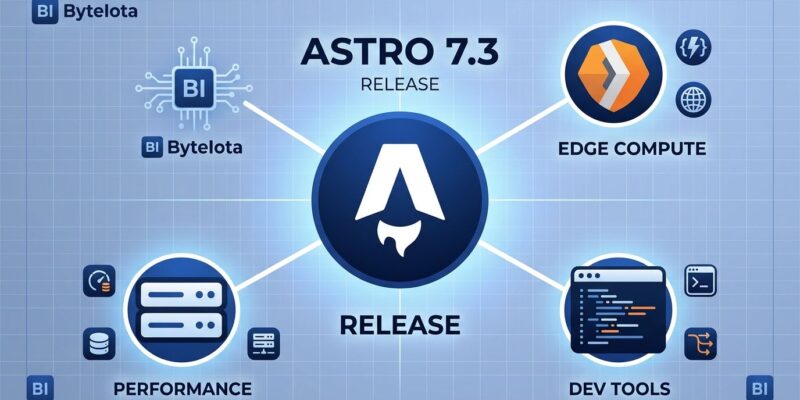
Astro 7.3 landed September 3 and it is not trying to impress you. No headline feature, no benchmark drop, no landing page. What it ships instead is three fixes that developers working on production Cloudflare deployments or Playwright test suites have been waiting for since Astro 7.0. That is a better use of a minor release than most frameworks manage.
The Cloudflare Entrypoint Problem Is Finally Solved
Astro 7.0 introduced Advanced Routing — a src/fetch.ts entrypoint that puts you in full control of the request pipeline on Cloudflare Workers. The problem: when you render through that custom entrypoint, session cookies and Cloudflare CDN cache headers do not automatically get applied to the outgoing response. They just disappear. Silently. In production.
Astro 7.3 ships a finalize() helper in @astrojs/cloudflare@14.3.0 that closes this gap with one extra line:
import { astro, FetchState } from 'astro/fetch';
import { cf, finalize } from '@astrojs/cloudflare/fetch';

export default {
  async fetch(request: Request, env: Env, context: ExecutionContext) {
    const state = new FetchState(request);
    const asset = await cf(state, env, context);
    if (asset) return asset;
    return finalize(state, await astro(state));
  },
};
finalize() applies cookies produced during rendering and the adapter’s default Cloudflare CDN cache headers to the response before it goes out. If you are already using Hono middleware, you do not need to touch anything — it handles this automatically. Raw custom entrypoints are the target here, and they have been the gap since day one of Astro 7. Given that Cloudflare acquired the Astro team in January 2026, the fact that this fix arrived in the first post-acquisition minor release is not a coincidence.
Parallel Preview Servers: The Gap Is Closed
Astro 7 introduced a lockfile that prevents AI coding agents from accidentally spinning up duplicate servers. Sensible idea. Astro 7.1 added an --ignore-lock flag to astro dev as an escape hatch for when you legitimately need multiple dev servers — say, for Playwright testing. Then Astro 7.2 extended that same lockfile to astro preview, but neglected to add the same escape hatch. If you had a webServer block in playwright.config.ts that spun up a preview server automatically, you started getting conflicts.
Astro 7.3 fixes this. --ignore-lock now works with astro preview:
npx astro preview --ignore-lock --port 4397One thing worth knowing: the flag is blocked when Astro detects an AI agent session (via CLAUDECODE, CURSOR_TRACE_ID, and similar environment variables). Agent detection forces background mode, and background mode needs the lockfile. The irony is thick — Astro built the lockfile to prevent agents from causing problems, and now agents cannot bypass it even when the use case is legitimate. If you run into this from an agent session, the workaround is:
ASTRO_PREVIEW_BACKGROUND=0 npx astro preview --ignore-lock --port 4397The GitHub issue tracking this conflict is open at the time of writing.
Custom Image Services Can Now Use Astro’s Logger
This one is narrow but important for plugin authors. Before 7.3, if you wrote a custom image service or cache provider and needed to surface a warning — say, an unsupported image format or a skipped cache entry — your only option was console.warn(). That call bypasses Astro’s --silent flag, ignores your configured log level, and ignores any custom log destinations. It just prints to the console regardless.
Astro 7.3 passes the runtime logger as a third argument to custom image services. Swap console.warn for logger.warn and your plugin’s output routes through the same pipeline as the rest of Astro:
// Before (7.2 and earlier)
function transform(inputBuffer, options) {
  console.warn('Unsupported format'); // ignores --silent, log level
}

// After (7.3)
function transform(inputBuffer, options, logger) {
  logger.warn('Unsupported format'); // respects log config
}
Astro’s built-in Sharp service and memoryCache() provider have been updated to use this too. See the Logger API reference for the full interface.
How to Upgrade
Run the automated upgrade tool. It handles Astro and official integrations including @astrojs/cloudflare:
npx @astrojs/upgradeNo breaking changes in 7.3. The upgrade guide covers the full process if you are jumping multiple minor versions.
The Bigger Picture
Astro 7 launched in June with a Rust compiler, Vite 8, and builds up to 61% faster. That was the headline. Since then, the 7.x minor releases have been tightening screws: locking down server management, hardening Cloudflare integration, improving observability for plugin authors. For a framework with 500,000 active developers and a new corporate parent that runs one of the world’s largest edge networks, that discipline is the right move. The boring releases are often the ones worth shipping.
Read the full release notes at astro.build/blog/astro-730.