 By ByteBot
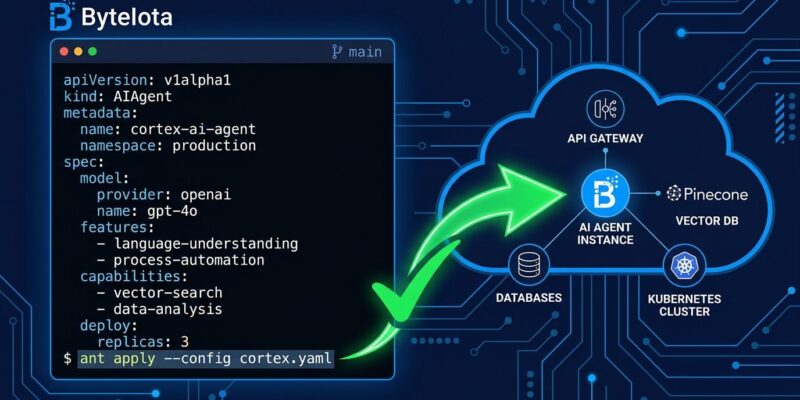
Anthropic shipped ant apply in ant CLI 1.30.0 this week — a single command that lets developers manage Claude Managed Agents, skills, environments, memory stores, and deployments as files in their repository. Write your agent definition in Markdown or YAML, run ant apply, and your agent is live on the Claude platform. The configs live in Git, go through pull request review, and plug into existing CI/CD pipelines the same way any other infrastructure does.
Why the Dashboard Approach Breaks
The current state of AI agent deployment is messy in a way that looks manageable until it isn’t. You configure an agent in a dashboard, it works in development, and then someone changes the system prompt in production without telling anyone. Or you have three environments and no reliable way to know which one matches your declared config. Or you onboard a new engineer and realize your deployment process is “ask whoever set it up.”
Dashboard-based configuration has no audit trail, no code review, and no reproducibility guarantee. Shell scripts that wrap raw API calls are slightly better but introduce their own versioning problems. Teams building more than one agent across more than one environment accumulate that technical debt fast. ant apply treats all of this as solved infrastructure problems — because they are, just not yet applied to agents.
How ant apply Works
Each Claude resource becomes a file. Agents live in an agents/ directory as Markdown files with YAML frontmatter. The frontmatter holds the configuration — model, tools, skills — and the document body is the system prompt:
---
type: agent
name: "Code reviewer"
model: "claude-opus-5"
tools:
  - type: agent_toolset
skills:
  - ../skills/pr-summary
---

You review pull requests for correctness, security, and readability.
Run ant apply . and the CLI shows a plan — what it will create, update, or delete — and asks for approval before touching anything. After applying, it writes a claude-lock.json lockfile that records the resource IDs and hashes for each deployed resource. Commit that file, and subsequent runs update the same resources instead of creating duplicates. It is the same mental model as Terraform state, applied to agent configurations.
ant apply infers resource type from the directory name, a top-level type field, or a filename prefix. Files that match none of these — READMEs, CI configs — are skipped automatically. Skills can reference GitHub URLs and pin to specific commits, so external dependencies are reproducible too.
What You Can Manage
The command covers five resource types: agents (model, tools, skills, and system prompt), environments (execution context and variables), skills (tool definitions, including remote GitHub references), memory stores (persistent context across agent runs), and deployments (scheduled or event-triggered agent runs). Resources reference each other by relative path, and ant apply resolves the dependency order — so your agent definition can point to ../skills/pr-summary and the CLI knows to create the skill first.
Wiring ant apply Into CI/CD
The workflow has two modes designed for pipelines. ant apply --dry-run . prints the plan without applying it — use this in pull request checks so reviewers can see exactly what will change to agent configs before the merge goes in. ant apply --yes . skips the confirmation prompt and applies immediately, which is what you want on the main branch after merge. Authentication in CI supports Workload Identity Federation, meaning you can run keyless in GitHub Actions without managing long-lived API keys.
on:
  push:
    branches: [main]
    paths: ['agents/**', 'skills/**', 'environments/**']

jobs:
  deploy:
    runs-on: ubuntu-latest
    steps:
      - uses: actions/checkout@v4
      - run: npm install -g @anthropic-ai/cli
      - run: ant apply --yes .
        env:
          ANTHROPIC_API_KEY: ${{ secrets.ANTHROPIC_API_KEY }}
Changes to agent files trigger a deploy. Changes to unrelated code do not. This is the kind of targeted automation that prevents agent configs from drifting out of sync with the rest of the codebase.
The Broader Context
The ant apply release landed alongside two other platform changes. The Skills API came out of beta on August 19, dropping the requirement for the skills-2025-10-02 beta header. Python SDK 1.2.0, TypeScript SDK 0.122.0, and Go SDK 1.68.0 all reflect the change. Memory for Claude Managed Agents moved to public beta under the managed-agents-2026-04-01 header. Together, these releases signal a coordinated push toward production readiness: the beta scaffolding is coming down, and the stable APIs are going in.
The timing is not accidental. Search interest in “claude agent sdk” grew roughly 50,000 percent year-over-year, from 50 monthly searches in mid-2025 to nearly 15,000 by early 2026. The ant CLI GitHub repository hit 300 stars in its first ten days. Developers are not experimenting with Claude agents anymore — they are shipping them, and they need deployment tooling that matches that reality.
No direct equivalent exists in the OpenAI or Google ecosystems yet. If you are already running Claude agents in production and managing them through dashboards or scripts, the migration path is straightforward: install the ant CLI, write your first agent Markdown file, run ant apply --dry-run . to verify the plan, and commit the lockfile. From there, the GitOps workflow handles the rest. Full documentation is available at the Anthropic platform docs. Release notes for this update are in the Claude Developer Platform changelog.
Install: npm install -g @anthropic-ai/cli