 By ByteBot
Meta shipped Muse Code on August 5 — a terminal-based AI coding agent powered by Muse Spark 1.2, its new proprietary coding model. It puts Meta directly against Claude Code, GitHub Copilot, and Cursor with a legitimately different architectural idea: parallel sub-agents, each isolated in its own git worktree. That’s the upside. The downside is buried in the default pricing tier, and most early coverage has glossed over it.
The Worktree Architecture: Why It Actually Matters
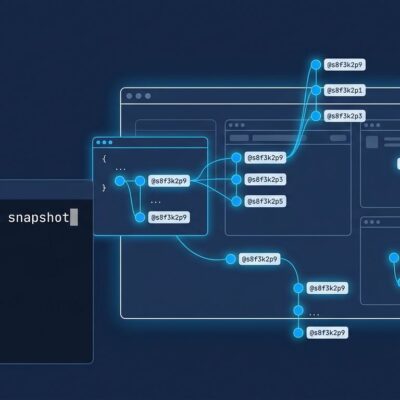
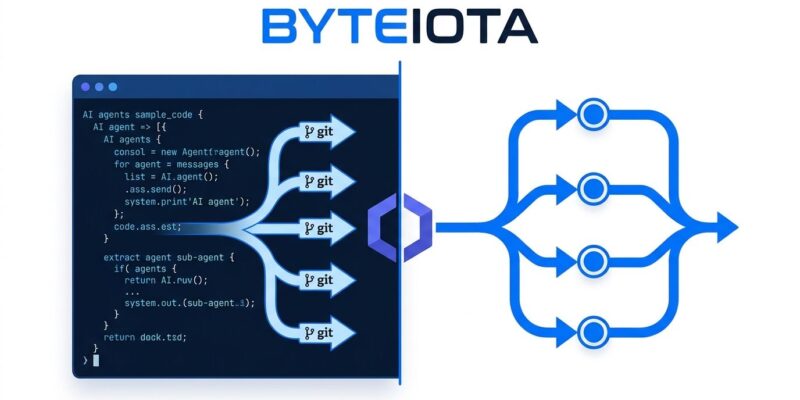
Most AI coding agents handle parallelism badly. Spawn two agents writing to the same file at the same time and you get chaos — overwrites, lost changes, broken state. Muse Code sidesteps this with a worktree-per-agent model. When you give it a large task, it decomposes the work and fans it out to up to eight sub-agents, each running in its own git worktree: a separate directory, a separate branch, sharing one .git history. The agents can work simultaneously without touching your working copy. Conflicts get resolved at merge time — the only place they should be resolved.
Mark Zuckerberg demoed this by building six game features in parallel simultaneously with no collisions. That’s a real benchmark that matters to anyone who’s watched a coding agent step on itself mid-task. For large refactors, multi-module changes, or parallel feature work, this architecture is meaningfully better than an agent that runs tasks serially or naively in parallel.
Muse Code also keeps its sub-agents alive for the entire session — not respawned fresh per task. That persistent async design allows long-running work to continue past a single response, which competing tools don’t match yet.
Getting It Running
Installation is one command on macOS or Linux (x86_64 and arm64). Windows users need WSL2 — native Windows is not supported and the installer will hard-fail. No Node.js, no Python. Just curl and bash.
curl -fsSL https://dev.meta.ai/install.sh | bash
muse login
On first run, Muse Code prompts you to trust the workspace and authenticate via browser or API key. Credentials land in ~/.config/muse/auth.json. Approvals mode and an OS sandbox are both on by default — sensible choices for a beta agent with shell access.
The Benchmark Situation
Meta reports Muse Spark 1.2 hits 82.9% on Terminal-Bench 2.1 and 59.3% on DeepSWE v1.1 — up 6.7 and 6.3 points respectively over Muse Spark 1.1. Those numbers look strong. But there’s a catch in the methodology: the comparison benchmarks Muse Spark 1.2 inside Muse Code while benchmarking Muse Spark 1.1 inside mini-swe-agent. Two variables changed at once — the model and the harness. That’s valid for a product comparison, but Meta’s presentation implies a pure model improvement it cannot actually isolate.
As of August 7, Muse Spark 1.2 was not yet on the public Terminal-Bench 2.1 leaderboard. Treat these as product-level benchmarks, not model-level benchmarks. Claude Opus 5 still holds the edge on raw coding capability in independent evaluation.
Read This Before You Run muse login
Muse Code has two pricing tiers. The standard tier costs $1.25/$4.25 per million input/output tokens. The contributor tier costs $0.10/$0.20 per million — roughly 12–21x cheaper. The contributor tier has one condition: Meta trains on your prompts and completions.
That’s the headline risk. Here’s the less-covered one: Muse Code loads agent instruction files from outside your workspace — your machine-wide configuration. On the contributor tier, those files count as prompt content, which is exactly what grants Meta training rights. If your instruction file contains internal architecture notes, unreleased product context, client names, or credentials guidance — and most working engineers’ configs contain at least one of those — that material enters Meta’s training pipeline from your first request.
If you’re a solo developer working on personal projects, the contributor tier is a reasonable trade. If you’re working on proprietary code or anything client-facing, switch to the standard tier before you authenticate. The setting is not hidden, but the default behavior is easy to miss.
How It Stacks Up
| Tool | Pricing | Terminal-First | Parallel Agents | Data Training Risk |
|---|---|---|---|---|
| Muse Code (standard) | $1.25/$4.25 per 1M tokens | Yes | Yes (worktrees) | No |
| Muse Code (contributor) | $0.10/$0.20 per 1M tokens | Yes | Yes (worktrees) | Yes |
| Claude Code | $20–$100/month | Yes | Yes | No |
| GitHub Copilot | $10–$39/month | No (IDE-first) | Limited | No |
| Cursor | $20/month | No (IDE-first) | Limited | No |
The Bottom Line
The worktree parallelism is the most technically interesting thing about Muse Code, and it solves a real problem for developers working on large codebases. The rest — terminal-native install, persistent agents, pay-as-you-go pricing — is competitive with the field but not a category lead.
Worth installing? Yes, especially if you do large-codebase work where the worktree model earns its keep. Just check which tier you’re on before you start working. Read Meta’s official Muse Code documentation for the full setup guide and cookbook.