 By ByteBot
Visual Studio 2026 18.9 landed on August 11 with two Copilot features developers have been asking for since GitHub moved to usage-based billing in June: thinking effort controls and Ollama local model support. Both solve the same problem — runaway credit spend — but from different angles. One gives you a dial. The other unplugs from billing entirely.
Thinking Effort: Stop Paying for Reasoning You Don’t Need
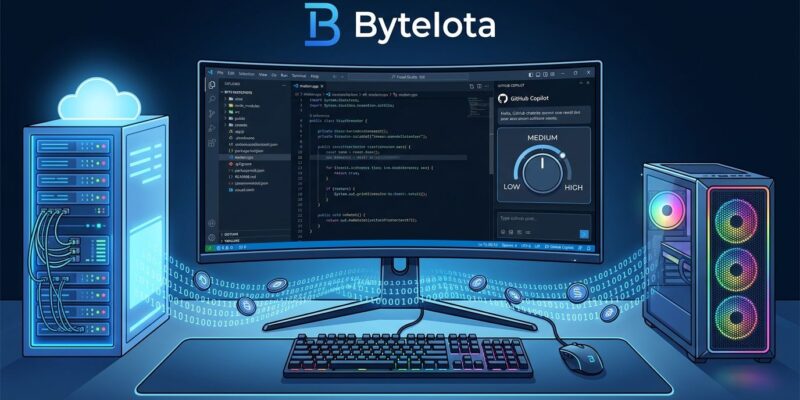
Copilot’s new thinking effort control is exactly what it sounds like: how many reasoning tokens the model burns before answering you. Previously, every request got the same depth of reasoning regardless of whether you were asking “add a null check here” or “redesign this auth flow for multi-tenancy.” Now you pick Low, Medium, or High from the model picker or the Manage Models window — as described in the Visual Studio Blog announcement.
Here’s how to actually use it:
- Low — Minimal reasoning chain, instant response, fewest credits. Use this for autocomplete suggestions, boilerplate generation, and simple factual questions. Research shows simple tasks at Low use up to 94% fewer tokens than the same tasks at High.
- Medium — Balanced. This is your default for everyday coding work: explaining a function, writing unit tests, refactoring a method.
- High — Deep reasoning, more tokens consumed. Worth it for architectural decisions, complex debugging sessions, security reviews, and anything where a shallow answer costs you more time than the credits you saved.
The feature only works on models that expose reasoning budgets — think Claude Sonnet and the o-series — so not every model in the picker will show the control. The Manage Models window now surfaces each model’s capabilities, context size, and cost alongside the effort slider, which is the right way to present that information.
The missing piece here is a workflow rule system — something that sets Low automatically for inline completions and bumps to High when you open a chat about a specific file. Microsoft hasn’t shipped that yet. For now, you’re changing it manually.
Ollama: Local Models, Zero Cloud Credits
The second feature is Ollama support baked into the Copilot model picker. Install the Ollama extension from the VS Marketplace (the built-in provider is deprecated — use the extension maintained by the Ollama team), point it at your local instance, and VS auto-discovers every model you have installed. Llama 3, Phi-4, Mistral, DeepSeek-Coder, Gemma, Qwen3-Coder — they show up alongside your cloud models in the same picker.
One caveat that will catch people: agent mode requires tool-calling support. If an Ollama model doesn’t support tool calls, it won’t appear in the agent mode picker at all. Check the model’s documentation before assuming your preferred local model works end-to-end in agentic workflows.
For regulated environments — healthcare, finance, defense-adjacent work — Ollama resolves a real blocker. When your code can’t leave your network, cloud Copilot isn’t an option. Local inference keeps prompts, surrounding code context, and agent tool calls on hardware you control. Ollama collects no telemetry by default, which matters when compliance teams are asking questions.
The Honest Math: Local Isn’t Free
Swapping cloud credits for local inference isn’t a free lunch. The practical experience for many developers: “less ‘free AI’ and more ‘pick your pain’: cloud charges on one side, heavy local resource use and long waits on the other.” On older hardware, latency from a local 7B or 13B model during an agentic session is noticeable. If you’re running VS on a laptop without a discrete GPU, expect slower responses than what you’d get from a cloud model.
The practical calculus: Ollama is strongest for batch or offline tasks, for regulated environments where data residency matters, and for simple autocomplete on capable hardware. For complex, interactive debugging or architecture work, cloud models with High thinking effort will still outperform most local alternatives. Check the official Copilot credit optimization guide for a full breakdown of when each approach makes sense.
Worth Noting
VS Code got Ollama support in March 2026 — five months before classic Visual Studio. Copilot usage-based billing went live in June. This update should have shipped alongside billing, not 2.5 months after it. That’s not a knock against the features themselves, which are well-implemented, but it’s worth acknowledging that .NET and enterprise developers were waiting longer than they should have.
Both features are in the stable 18.9 release now. Update through the Visual Studio Installer. If you’re on a paid Copilot plan and haven’t adjusted thinking effort yet, start there — it’s the fastest way to stretch your monthly credit allocation without sacrificing quality on tasks that don’t need deep reasoning.