 By
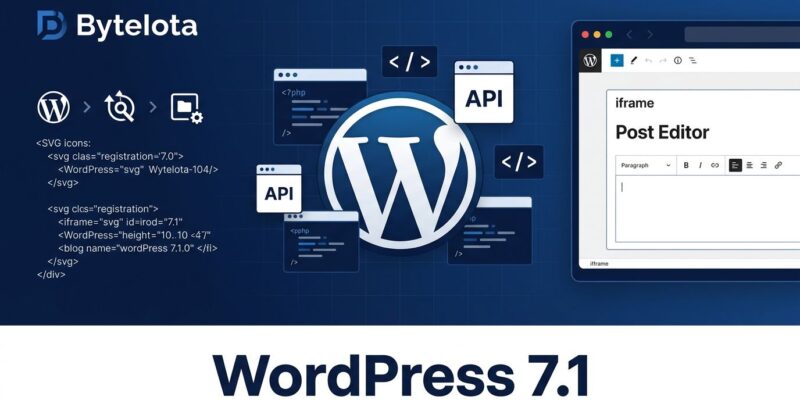
By WordPress 7.1 releases August 19 at WordCamp US — five days from now. RC1 shipped August 5 with 145+ fixes, and the Field Guide is published. There is a lot to work with: a proper SVG Icon API, expanded Abilities API, responsive styling baked into the editor. But there is also one change that will break plugins and themes that haven’t been tested since 7.0 — the post editor is now always iframed. That one deserves attention before anything else.
The Iframed Editor Is Now Enforced — Check Your Plugins
WordPress 7.0 iframed the site editor. WordPress 7.1 extends that enforcement to the post editor for block themes. The official dev note is direct: from 7.1 onwards, the post editor is always iframed regardless of block API version or content type.
This catches code that’s been working for years without issue. The most common silent failure is jQuery targeting document-level elements outside the iframe boundary. Styles enqueued on admin_enqueue_scripts don’t reach the canvas document. UI patterns like “close on outside click” quietly stop working. Console warnings appear for blocks still on apiVersion 1 or 2 — block.json schema now only validates apiVersion 3.
The fix is to register editor styles through block.json or via enqueue_block_editor_assets. WordPress handles injection into the canvas document automatically regardless of iframe context.
// This won't reach the iframed canvas
// add_action( 'admin_enqueue_scripts', 'my_editor_styles' );

// This will
add_action( 'enqueue_block_editor_assets', function() {
    wp_enqueue_style( 'my-block-editor', plugin_dir_url( __FILE__ ) . 'editor.css' );
} );
Enable SCRIPT_DEBUG, open the post editor on RC1, and watch the console. If warnings appear, there is work to do before release day.
SVG Icon API: A Standard Registration System, Finally
The SVG Icon API is a first-class, public API in WordPress 7.1. Three PHP functions cover the full lifecycle.
wp_register_icon_collection()— creates a named namespace for your iconswp_register_icon()— registers individual icons as inline SVG or a file pathwp_get_icon()— renders a registered icon in PHP templates
The collection name becomes the namespace prefix — my-plugin/star won’t collide with core/star. Core handles SVG sanitization, which matters because arbitrary SVG markup can carry unsafe elements. You provide the markup; WordPress cleans it. Icons are also exposed over the REST API at /wp-json/wp/v2/icons/.
wp_register_icon_collection( 'my-plugin', __( 'My Plugin Icons', 'my-plugin' ) );

wp_register_icon( 'my-plugin/arrow', [
    'label'   => __( 'Arrow', 'my-plugin' ),
    'content' => '

                  ',
] );

echo wp_get_icon( 'my-plugin', 'arrow', [ 'size' => 24 ] );
If you previously registered icons through the Gutenberg-specific filter, migrate to this API now. The old approach still works at launch but has no long-term guarantees.
Abilities API: Three New Read-Only Abilities
WordPress 7.0 introduced the Abilities API as a registry for discrete, permission-checked actions with typed schemas. WordPress 7.1 adds three new read-only abilities and a more complete execution lifecycle.
The new abilities are core/read-settings, core/read-content, and core/read-users. All three are opt-in: settings and post types must set a show_in_abilities flag — the same pattern as show_in_rest. Nothing is surfaced by default. WordPress 7.1 also adds two validation filters, an invocation lifecycle action, and richer user context per execution. The full hook inventory is in the Abilities API improvements dev note.
The broader point: WordPress is building a structured, machine-readable interface for agents and automation tools. The Abilities API is what MCP adapters, AI clients, and protocol bridges negotiate against. If you’re building integrations that need to call WordPress functionality, this is the interface worth designing around.
Responsive Styling and Interactive States
Hover, focus, focus-visible, and active states are now native editor controls — no stylesheet required. The Button block gets per-instance and Global Styles support; the Navigation Link block has full per-block state controls. Every other block can use interactive state styling through Global Styles (site-wide) but not yet per-instance. Custom breakpoints are definable in theme.json.
Worth checking: if your theme or plugin already adds custom CSS for button hover states, those rules and the new editor-native styles can both apply simultaneously. Specificity conflicts are predictable; discovering them after a client’s site updates is less so.
Client-Side Media: HEIC, AVIF, and Smarter Uploads
WordPress 7.1 handles format conversion and resizing in the browser before upload. HEIC (the default iPhone format), AVIF, UltraHDR, and WebP are all processed client-side — AVIF no longer requires server-side support. The upload queue is network-aware: it holds when offline and retries with growing back-off intervals on reconnect. To opt out:
add_filter( 'wp_client_side_media_processing_enabled', '__return_false' );Five Things to Do Before August 19
- Test on RC1. Download RC1 or enable it on a staging environment. This is the only real compatibility signal before release day.
- Check editor style loading. Styles loaded via
admin_enqueue_scriptstargeting the editor canvas won’t reach it. Move them toblock.jsonorenqueue_block_editor_assets. - Migrate old icon registrations. If you’re using the Gutenberg-specific icon filter, migrate to
wp_register_icon()andwp_register_icon_collection(). - Update “Tested up to” to 7.1. If compatibility checks out, update your plugin’s readme now. Users see this before they update WordPress.
- Audit interactive state CSS. Review any custom hover/focus CSS for conflicts with the new Global Styles controls.
The WordPress 7.1 Field Guide on make.wordpress.org has developer notes for every API change. RC3 has shipped, the final build is stable, and August 19 is not moving.