 By ByteBot
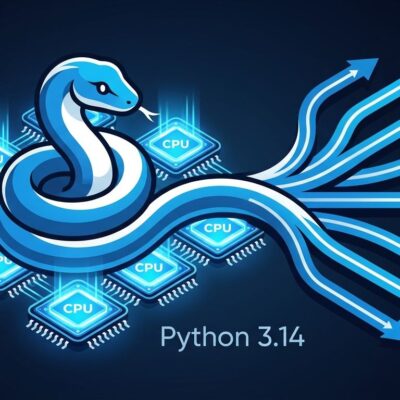
Python 3.14.7 dropped on August 5. Most of the 499 bugfixes in that maintenance release are forgettable. What isn’t: the Steering Council accepted PEP 779, officially moving the free-threaded build of CPython from experimental to supported status. The Global Interpreter Lock is now optional. Thirty years of complaining about the GIL just shifted category — from “known limitation” to “you can turn it off.”
What “Officially Supported” Actually Means
The key word is optional. The GIL wasn’t deleted from CPython — that would have broken the world. Instead, Python ships two binaries: the standard build (GIL on) and the free-threaded build, tagged 3.14t. PEP 779 describes this as Phase 2 — the experimental label drops, full support arrives, but both builds are maintained going forward.
The performance story is meaningfully better than the 3.13 preview. Single-threaded overhead sits at 5–10%, down from 40% in the early experimental phase. Multi-threaded CPU-bound work runs roughly 4x faster on multi-core hardware. Those numbers reflect the per-object locking mechanism maturing through two full release cycles, not a marketing slide.
How to Get the Free-Threaded Build
If you use pyenv, the install is one line:
PYTHON_CONFIGURE_OPTS="--disable-gil" pyenv install 3.14.7tTo build from source:
./configure --prefix=$HOME/.py-314-ft --disable-gil
make && make install
Verify you’re actually running without the GIL before writing any concurrent code:
python3.14t -c "import sys; print(sys._is_gil_enabled())"
# False
That False is the confirmation you want. If it says True, something re-enabled the GIL — which brings us to the most important gotcha.
The Silent Gotcha: C Extensions That Re-Enable the GIL
This is where the free-threading story gets complicated. If you import a C extension that hasn’t been explicitly marked as free-thread-safe, the Python interpreter silently re-enables the GIL for the entire process. A warning prints to the console, but it’s easy to miss in a terminal full of startup output. You think you’re running parallel. You’re not.
C extension wheels built for free-threaded Python carry a t suffix in the filename — for example, numpy-2.2-cp314t-.... NumPy and pandas have both released free-thread-safe versions. Niche libraries may not have caught up. Before assuming your workload is GIL-free, verify it:
python3.14t -W error -c "import your_library"
# If GIL gets re-enabled, you'll see a warning — or error with -W error
The official free-threading how-to covers the full compatibility matrix. Read it before committing the free-threaded build to production.
T-Strings: The Other Feature Worth Knowing
Free-threading gets the headline, but PEP 750 ships something quietly useful: template string literals, or t-strings. The syntax mirrors f-strings, but the behavior is fundamentally different.
name = "alice"
query = t"SELECT * FROM users WHERE name = {name}"
# query is NOT a string — it's a Template object
An f-string renders immediately and returns a str. A t-string returns a Template object that preserves the static parts and interpolated values separately, so you can inspect and transform them before rendering. SQL injection, XSS, and shell injection all happen because string construction is eager. T-strings make it lazy and interceptable.
The limitation is real: PEP 750 defines the syntax, not the processors. You need a library — or your own code — to transform a Template into a safe SQL query or escaped HTML. The ecosystem hasn’t built out the tooling yet. But the syntax is in the language now, which is what matters for long-term adoption. Real Python’s t-strings guide covers the practical patterns.
Should You Upgrade?
For new projects in 2026: Python 3.14 is the right default. The JIT compiler is on by default for x86-64 and ARM64, delivering 12–18% median performance improvement across the pyperformance suite with no code changes. Error messages are clearer, the REPL is improved, and t-strings are available when you need them.
For the free-threaded build specifically: if you’re running CPU-bound, thread-parallel workloads, test it. The 4x speedup on multi-core hardware is real — but only if your full dependency tree has published cp314t wheels. If key dependencies haven’t, you’ll fall back to the GIL and pay the extra memory overhead (~15–20%) for nothing.
If you’re running production systems with complex C extension dependencies, stay on 3.13 for now. The Python Insider release notes are explicit that 3.13 remains fully supported. The GIL era isn’t over — it’s just no longer mandatory. For developers who’ve been waiting for true parallelism without the multiprocessing overhead, 3.14 is the build that delivers on it.