 By ByteBot
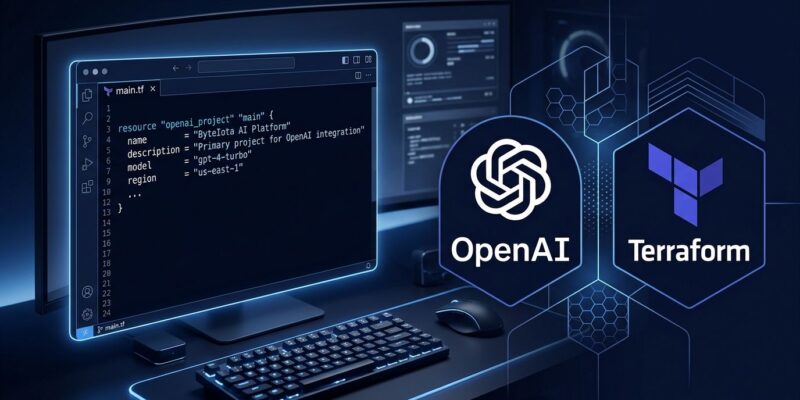
OpenAI’s official Terraform provider hit v1.0.0 on July 29 — its first stable release. If your team runs OpenAI at any real scale, this is the moment to stop managing projects through the dashboard and start treating your AI infrastructure the same way you treat everything else: as code. Projects, rate limits, service accounts, spend alerts, and user access are all resources you can now version in git, review in PRs, and roll back when something breaks.
What the Provider Actually Manages
This is not a model inference provider. It does not give you Terraform resources for completions, fine-tuning jobs, or the Assistants API. What it covers is org-level administration — the same surface as OpenAI’s Administration API:
openai_project— create and archive project environmentsopenai_project_rate_limit— per-project, per-model RPM and TPM capsopenai_project_spend_alert— budget threshold notificationsopenai_project_service_account— non-human API credentials per projectopenai_project_user— user membership and access rolesopenai_group/openai_invite— org-level access management- mTLS certificate management for service accounts
The v1.0.0 release removed the deprecated aggregate project rate limits resource and replaced it with separate cached and aggregate rate limit resources. If you were using pre-1.0 versions, check your resource types — this is a breaking change in the upgrade path.
The Problem This Actually Solves
Here is the failure mode that every team hits eventually: one high-traffic environment, one runaway agent loop, or one over-eager developer drains the org-level OpenAI quota and takes down every other project. Rate limits set in the dashboard get changed manually with no history. Access gets granted informally and never revoked. There is no audit trail. No one can tell you who raised that rate limit six months ago or why.
Infrastructure-as-code fixes this at the root. When rate limits and project configs live in Terraform, changes go through pull requests. Terraform’s drift detection will flag it on the next terraform plan if someone reaches into the OpenAI dashboard and manually adjusts a limit. You get the full IaC audit trail — who applied, when, and what the diff was — for your entire OpenAI project structure.
Getting Started in Three Steps
Step 1: Get an Admin API key. This is not your regular project API key — it is a separate credential that requires org admin access. Create one in your OpenAI organization settings and set it as OPENAI_ADMIN_KEY in your environment.
Step 2: Add the provider to your Terraform config:
terraform {
  required_version = ">= 1.0"
  required_providers {
    openai = {
      source  = "openai/openai"
      version = "~> 1.0"
    }
  }
}

provider "openai" {
  # reads OPENAI_ADMIN_KEY from environment
}
Step 3: Define your project resources. A minimal production setup:
resource "openai_project" "prod_api" {
  name = "prod-api"
}

resource "openai_project_rate_limit" "gpt4o_limit" {
  project_id                = openai_project.prod_api.id
  model                     = "gpt-4o"
  max_requests_per_1_minute = 500
  max_tokens_per_1_minute   = 200000
}

resource "openai_project_service_account" "ci_bot" {
  project_id = openai_project.prod_api.id
  name       = "ci-bot"
}

resource "openai_project_spend_alert" "monthly_budget" {
  project_id = openai_project.prod_api.id
  threshold  = 500
}
If you have existing projects to bring under Terraform management: terraform import openai_project.prod_api proj_abc123. The Terraform Registry page lists all importable resource types.
Spend Alerts Are Not Rate Limits
This distinction matters enough to call out explicitly. Spend alerts are notifications — when your project hits the threshold, you receive an email. The API does not stop accepting requests. Rate limits are the actual enforcement mechanism: they cap RPM and TPM at the project and model level and will return 429 errors when exceeded.
Use both. The spend alert tells you when you are approaching your budget before you hit it. The rate limit ensures a single environment cannot consume more than its share of capacity. One without the other leaves you either flying blind on cost or spending without limits. OpenAI’s own rate limits and spend guide covers the full configuration options for both resource types.
OpenTofu Users Are Covered
If your team migrated to OpenTofu after HashiCorp’s BSL license change, the provider works out of the box. OpenTofu maintains full binary compatibility with Terraform providers — no changes needed to your HCL or provider configuration. You can find the full provider source at the official GitHub repo (Apache 2.0 license).
Do This Before September 1
Claude Sonnet 5’s introductory pricing ends August 31. If your team runs multi-model workloads that include Anthropic models alongside OpenAI, now is the moment to get project-level spend controls in place across your entire API footprint. OpenAI’s new IaC provider gives you a practical starting point: get your project configs into version control, set per-project rate limits, and add spend alerts before costs shift upward. Dashboard management works for one developer. It does not scale.