Running two AI coding agents at once sounds obvious until you actually try it: Claude Code and Codex both want to edit the same files, and exactly one of them will win. Orca, an open-source Agent Development Environment from Y Combinator-backed Stably AI, built its entire architecture around this problem. You fan a single prompt to 10 agents simultaneously, each running in its own isolated git worktree, then pick the implementation that actually works. It has crossed 31,000 GitHub stars in four months.
ADE Is Not IDE
The category distinction matters. IDEs are designed for humans who are present at the keyboard, reviewing code line by line as it appears. An ADE assumes the opposite: the developer kicks off a fleet of agents and walks away. Orca’s interface reflects this — mobile companion app with push notifications, usage tracking on the status bar, merge-and-pick workflows instead of autocomplete. It is less about writing code and more about directing work and approving results.
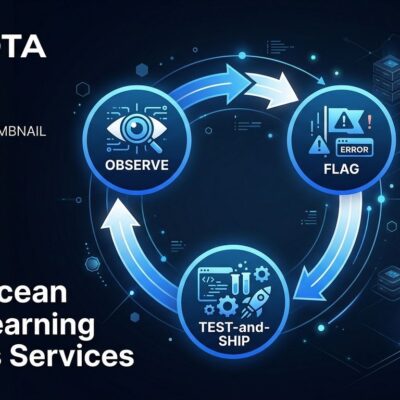
This shift is not cosmetic. When the primary user of your tooling is often away from the desk, the architecture changes: you need isolation between tasks, a way to compare N outcomes, and visibility into what every running agent is actually doing. Orca gives you all three.
How Worktrees Solve the Coordination Problem
The technical foundation is git worktrees — a standard git feature that lets you check out multiple branches simultaneously in separate directories. Orca automates this for multi-agent workflows: every task spawns its own worktree under .orca/worktrees/, with its own branch, terminal, and file editor. Agents run in parallel without touching each other’s files. When they finish, you compare diffs side-by-side and merge the parts that work.
The fan command does the heavy lifting:
orca worktree fan "Refactor auth module to use JWT" \
  --agents claude-code,codex,opencode --count 3
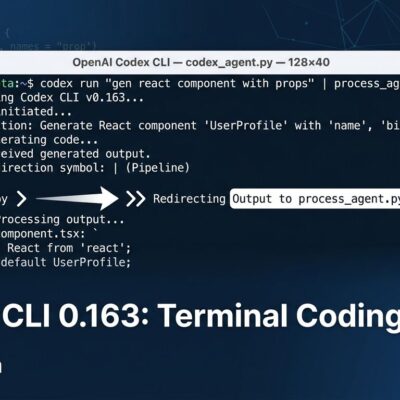
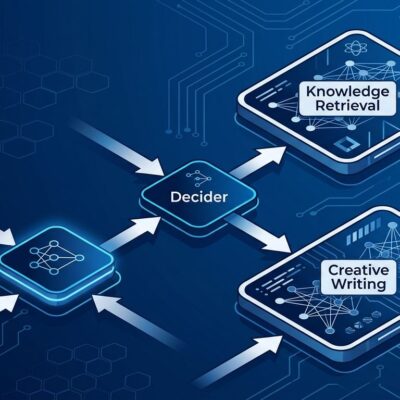
Three agents, three worktrees, three implementations. Your job is to pick the one that actually solves the problem — not to supervise every keystroke. This is a meaningful shift in how you think about AI-assisted development. You are no longer prompting; you are reviewing.
Rate Limit Survival Mode
Orca became particularly relevant after Anthropic and OpenAI tightened rate limits in May and June 2026, around the same time GitHub Copilot moved to metered AI credits. Teams running multiple agents were suddenly burning through quotas in hours, with no clean way to switch accounts or track consumption across an active fleet.
Orca’s answer is an account switcher: swap between Claude accounts mid-session without logging out, and see real-time rate-limit proximity directly in the status bar. It does not solve the underlying cost problem, but it makes the operational management bearable for teams with multiple subscriptions.
Thirty-Plus Agents, Zero Middleman Billing
Orca supports over 30 CLI agents including Claude Code, OpenAI Codex, OpenCode, Grok, Gemini, Cursor CLI, GitHub Copilot CLI, Devin, Cline, Goose, Kimi, and Pi. The policy is consistent: if it runs in a terminal, it runs in Orca. Configuration is via TOML for custom agents.
Crucially, Orca uses your existing subscriptions and API keys directly. There is no per-seat licensing, no vendor markup, no middleman. You maintain direct relationships with Anthropic, OpenAI, and xAI. For teams already paying for multiple agent subscriptions, this is the right model — Orca is coordination infrastructure, not another billing relationship.
Getting Started
Installation on macOS:
brew install --cask stablyai/orca/orcaThen authenticate your existing agents. For Claude Code:
npm install -g @anthropic-ai/claude-code
claude  # Authenticate once — Orca reads credentials from ~/.claude automatically
Orca is also available for Windows and Linux (AppImage), with iOS and Android companion apps. The codebase is MIT-licensed on GitHub.
Honest Limitations
The daily release cadence means rough edges are common, with fixes typically landing within 24 hours. Idle RAM usage sits between 400 and 800MB — not trivial on a constrained machine. The mobile companion requires an active desktop session, which limits its usefulness for fully remote workflows. And running three parallel agents means paying three times the token cost — a tradeoff worth understanding before you commit to the fan workflow.
Linux support is AppImage-only for now, which means no native package manager integration.
Verdict
The premise behind Orca is worth taking seriously: individual AI models are already capable enough for most tasks. The bottleneck is not model quality — it is coordination infrastructure. If you are regularly running more than one coding agent, Orca is the most coherent answer to the parallel-execution problem that exists right now. It is free, it is open source, and it does not try to own your subscriptions. The official site has downloads and documentation for all platforms.