 By ByteBot
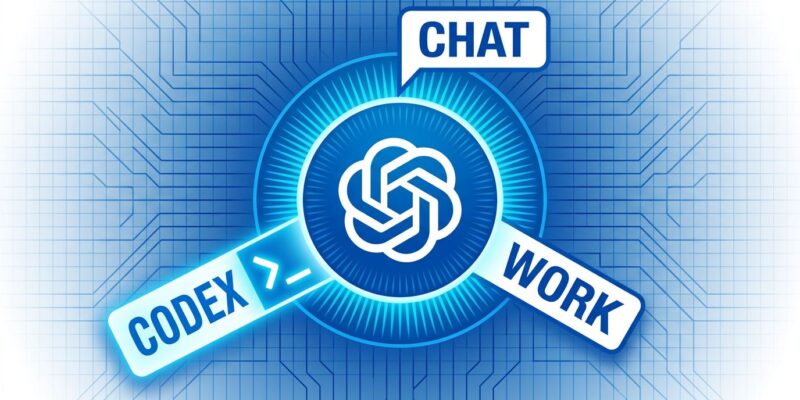
On July 9, OpenAI shipped ChatGPT Work — an autonomous agent that takes a goal, gathers context from connected apps, runs for hours, and delivers finished deliverables: documents, spreadsheets, presentations, and shareable web apps. The same day, the standalone Codex desktop app disappeared. It’s now one mode among three inside a new unified ChatGPT desktop application. One launch. Three products consolidated. And a direct shot at Claude Cowork, which went mobile just 24 hours earlier.
What ChatGPT Work Does
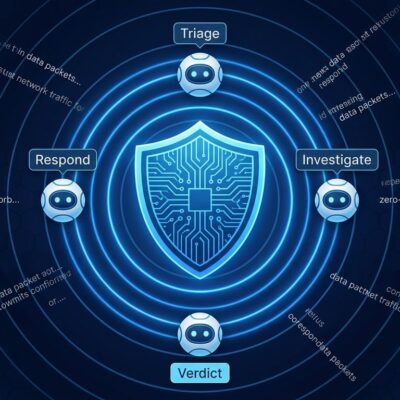
ChatGPT Work is not a chat window with more integrations. It’s an agentic pipeline. You give it an outcome — “track competitor pricing weekly and post a summary to Slack” — and it handles the rest autonomously. The system runs four stages: context gathering via 1,400+ plugins and @ mention routing, planning (surfacing a step-by-step workflow for your approval), execution (immediate, scheduled, event-triggered, or continuous monitoring), and output as finished artifacts. All of this runs on GPT-5.6.
The output options are wider than most coverage suggests. Alongside Work, OpenAI launched Sites in public beta — a feature that converts task output into shareable, live-updating URL-based web apps and dashboards. Available for Plus, Pro, Business, and Enterprise on web, mobile, and desktop. If your team has been stitching together Notion, Gamma AI, and manual processes to produce weekly dashboards, Sites is the feature worth testing first. It auto-updates as underlying data changes — no developer required on the refresh cycle.
Related: GPT-5.6 Sol, Terra, and Luna: Developer Routing Guide — which model tier to pick for your workload.
OpenAI Codex Merge: What Actually Changed
The developer reaction on Hacker News was immediate and sharp: “When you toggle between ChatGPT Work and ChatGPT Codex, nothing changes. Super confusing.” The complaint is fair. OpenAI’s execution is worse than the product decision itself. What actually happened: the standalone Codex desktop app is gone as a separate download. It now lives as a dedicated mode — alongside Chat and Work — inside the new unified ChatGPT desktop app. The old ChatGPT desktop app is being renamed “ChatGPT Classic,” which developers correctly read as a deprecation signal.
OpenAI calls this a “distribution change, not a product merger.” That’s accurate but undersells the disruption. Bundle ID inconsistencies between the old Codex app (com.openai.codex) and the new unified app (com.openai.chatgpt) are breaking automation scripts and custom integrations. OpenAI also killed Atlas, its standalone browser, in the same move — absorbing its agentic browsing capabilities into ChatGPT’s native browser and Chrome extension. The consolidation strategy is coherent. The rollout is not.
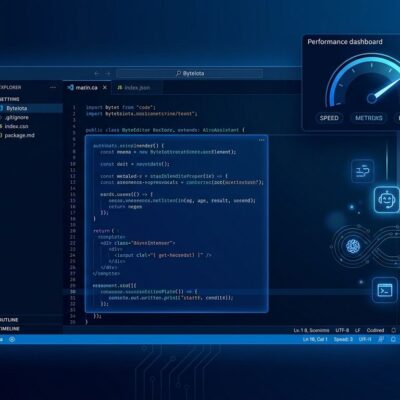
The important correction: Codex functionality is not gone. The unified app’s Codex mode retains repository-aware coding, inline diff editing, side-panel pull-request review, multi-repo support, and the ability to set Codex as your default interface. More than 5 million developers used Codex weekly before the merge — including 1 million already using it for non-coding work. ChatGPT Work formalizes what those users were already doing. For more on Codex’s history as a standalone agentic tool, the OpenAI Codex changelog has the full timeline.
ChatGPT Work vs. Claude Cowork: Different Tools
ChatGPT Work and Claude Cowork launched within 24 hours of each other — a coordination that’s either coincidence or competitive espionage. They’re not the same product. Work is web-native: it excels at online tasks — research, data scraping, form filling, and report generation from connected SaaS tools. Claude Cowork is file-system native: it operates directly on your local directory, making it stronger for code-adjacent workflows and offline pipelines. The Developers Digest breakdown covers the distinction clearly.
OpenAI’s strategic bet is legible: consolidate everything under ChatGPT, make the super app the single interface for all AI work. Anthropic is doing the inverse — Claude Cowork for productivity, Claude Code for development, distinct products for distinct audiences. Both strategies are defensible. One of them will prove wrong within 18 months, and the market will decide. The 70% of developers who prefer Claude for coding aren’t switching today, but teams that live in Slack, HubSpot, and spreadsheets may find Work fits those workflows better.
Related: Claude Cowork Hits Mobile: Background Agents Are Here — Anthropic’s competing product, launched one day before ChatGPT Work.
What Developers Need to Do Now
If you’re running Codex automations that reference the standalone app, update any launch scripts pointing to com.openai.codex — the new unified app uses com.openai.chatgpt. For teams evaluating ChatGPT Work: treat it as API usage, not a flat subscription. Usage-metered pricing means recurring, long-horizon tasks compound quickly. Run a pilot on one scheduled workflow before committing recurring automations at scale.
For API builders, the Work-adjacent additions are worth reviewing. Programmatic Tool Calling now supports output_schema and allowed_callers restrictions — models can coordinate approved functions inside programs without a round-trip after every call. Multi-agent Beta handles concurrent subagent coordination. Background Mode supports async task continuation with task IDs, status tracking, and cancellation. These are genuine infrastructure additions, not rebranding.
Key Takeaways
- ChatGPT Work is an agentic outcome-delivery tool, not a chat upgrade — it runs for hours and ships finished documents, spreadsheets, and live web apps via the new Sites feature.
- The Codex standalone app is gone; it’s now a mode in the unified ChatGPT desktop app. Core functionality is intact, but bundle IDs changed and automation scripts may break.
- Atlas browser is also retired — its agentic browsing moves into ChatGPT’s native browser and Chrome extension.
- ChatGPT Work (web-native) and Claude Cowork (file-system native) have different strengths. They’re not direct replacements for each other.
- Budget ChatGPT Work as API usage, not a subscription. Audit recurring task costs before scaling.