 By ByteBot
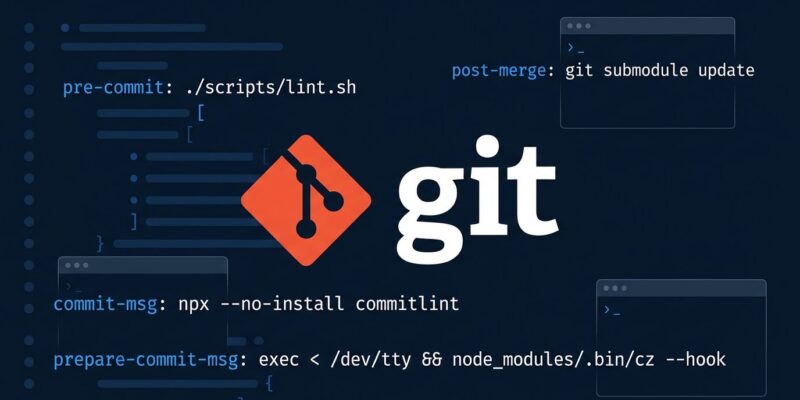
Git 2.54 landed this week with a change that anyone who has battled Husky configs, pre-commit YAML files, or the ritual of manually copying hook scripts into .git/hooks/ will immediately recognize as overdue: hooks can now live in your Git config. That is the headline. The release also ships an experimental git history command that replaces the most common interactive-rebase workflows with far less ceremony, and quietly makes geometric repacking the new default so large repos get faster maintenance without touching anything.
Config-Based Hooks: The Change That Actually Matters
Git hooks have always had a fundamental problem: they live in .git/hooks/, a directory that version control does not track. Sharing hooks across a team meant pulling in Husky (a Node.js dependency that belongs to your environment, not your JavaScript project), pre-commit (Python, YAML, its own plugin ecosystem), or Lefthook (Go binary, another config format). These are fine tools, but it is a lot of overhead for what should be a native capability.
Git 2.54 introduces config-based hooks. You define them in any Git config file — system-wide at /etc/gitconfig, per-user at ~/.gitconfig, or per-repo in .git/config — using a [hook "name"] stanza:
[hook "eslint"]
   event = pre-commit
   command = ./node_modules/.bin/eslint --fix-dry-run

[hook "gitleaks"]
   event = pre-commit
   command = gitleaks protect --staged

[hook "commit-format"]
   event = commit-msg
   command = ~/bin/check-commit-msg.sh
Git parses configs in the standard order: system → global → local. All hooks for a given event are collected and run in that discovery order. Your existing .git/hooks/ scripts are untouched and still run last, so nothing breaks. Run git hook list in any repo to see exactly what hooks are active and where they are defined. If you need to opt out of a global hook in a specific repo, set hook.<name>.enabled = false in that repo’s local config.
The practical benefit for teams is significant. An organization can push hook policy through a managed system gitconfig and every developer gets consistent pre-commit checks — no install step, no npm, no Python. For individual developers, define your personal toolkit once in ~/.gitconfig and it follows you into every repo you ever clone. Git 2.55 is already lined up to add optional parallel execution per hook (parallel = true, global hook.jobs setting), so the foundation is clearly going somewhere.
Does this kill Husky and pre-commit? Not immediately. Both have richer plugin ecosystems and handle complex multi-step pipelines well. But for the common case of a developer wanting consistent environment hooks without adding a runtime dependency, native Git config wins on simplicity.
git history: Interactive Rebase Without the Theatre
The second significant addition is an experimental git history command, and its lineage is transparent: Git is directly borrowing from Jujutsu (jj). The goal is to handle the two most common history-rewrite operations without the ceremony of interactive rebase.
git history reword edits commit messages in place. No working tree checkout required, no editor dance with “pick” changed to “reword”, no git rebase --continue. It works in bare repositories. git history split divides a single commit into smaller pieces interactively. Both operations automatically rebase any dependent local branches that include the edited commits — which is the part interactive rebase gets wrong when you forget to handle it manually.
The community reaction was enthusiastic: splitting a commit currently involves seven separate commands for most developers. The experimental label is there, though. Do not build scripts around the current syntax. The planned additions — fixup, drop, reorder, squash — are coming, and the interface may shift before stabilization.
Geometric Repacking Is Now the Default
Previously, git maintenance run used the old git-gc-based strategy by default, which does expensive all-into-one repacks. Geometric repacking — which combines packfiles incrementally rather than monolithically — has been available for a while but required explicit configuration. In 2.54, it becomes the default.
If you run large monorepos or use partial clones, this is a meaningful background win. Maintenance windows get shorter without any action on your part. For developers on smaller personal repos, the change is invisible but not harmful.
The Rest Worth Knowing
git add -p gets context markers. Hunks you have already accepted or skipped now show visual indicators, so you do not lose your place during a long patch session. The --no-auto-advance flag gives you full manual control over which file comes next.
HTTP 429 auto-retry. Git now reads Retry-After headers from rate-limited servers and retries automatically. Fewer failed fetches from busy remotes.
Unicode aliases. You can now name Git aliases using non-ASCII characters — a small but meaningful quality-of-life improvement for developers who prefer their native language for command names.
Upgrade and What to Try First
Check your version with git --version. On macOS with Homebrew: brew upgrade git. On Linux, your package manager may lag behind — check the GitHub Blog release notes for build options. The Collabora deep-dive on config hooks is the best technical reference for the new hook system, including what is coming in 2.55. The official hook reference lives at git-scm.com/docs/githooks.
The obvious first experiment: open ~/.gitconfig, add a [hook] stanza for a pre-commit check you have been meaning to set up globally, and run git hook list in a repo to confirm it is registered. Config hooks are the kind of change that quietly improves every workday once you invest the five minutes to set them up.