 By ByteBot
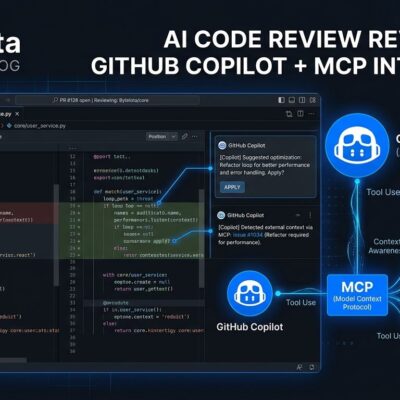
Microsoft used Build 2026 to declare GitHub Copilot a “peer programmer” — something you assign work to, not just collaborate with. The infrastructure behind that claim is fully live: the cloud agent has been GA since September, Copilot CLI with fleet mode and autopilot shipped to all paid subscribers in February, and a new Copilot Extensions ecosystem connecting Jira, Datadog, and ServiceNow landed this week. As of June 1, it all runs on the new AI Credits billing system. If you haven’t updated how you use Copilot since it was a code-completion tool, this is the post that resets your mental model.
The Three Layers You Need to Know
GitHub’s agentic stack is not one thing — it’s three, and they serve different needs:
- Copilot Cloud Agent: Runs on GitHub Actions infrastructure. Assign it a GitHub issue, walk away. It researches the repo, creates a plan, codes the changes, and opens a draft PR. You review and merge. No supervision required.
- Copilot CLI: Terminal-native agent on your machine. Interactive by default, fully autonomous in autopilot mode. The
/fleetcommand runs parallel subagents for multi-file tasks. - VS Code Agent Mode: Interactive and synchronous. Copilot proposes each change before applying it. Useful when you want to stay in the loop at every step.
Each layer has a different cost profile and level of human involvement. The cloud agent is the most autonomous; VS Code Agent Mode keeps you closest to the work. Most teams will use all three depending on task complexity.
Fleet Mode: The Feature Most Developers Are Ignoring
Copilot CLI’s /fleet command is the most underused feature in the stack right now. It takes a complex objective, breaks it into independent work items, and dispatches multiple subagents to execute them in parallel. Here’s what that looks like:
# Install Copilot CLI
npm install -g @github/copilot-cli

# Start a fleet session
/fleet "Add input validation to all API endpoints, update unit tests for each endpoint, and add JSDoc comments to the router files"

# Monitor progress
/tasks
The orchestrator identifies what can run simultaneously — validation changes in one file don’t depend on the docs in another — and fans them out to concurrent agents. Fleet mode earns its keep on repo-wide refactors, multi-component features, or documentation sweeps with predictable, bounded output. For single-file, linear work, a regular Copilot CLI prompt is simpler and faster.
One warning worth heeding: fleet mode multiplies credit consumption. Four parallel subagents costs roughly four times the tokens of one sequential agent. On a Copilot Pro subscription ($10/month = 1,000 AI Credits), a heavy fleet session on a large codebase can burn through a meaningful share of that in one run.
Jira Integration: Where This Actually Lands for Teams
The most practically significant addition at Build 2026 is the Copilot Extensions ecosystem — specifically the Jira integration. If your team lives in Jira, here is the workflow: assign GitHub Copilot as the assignee on a Jira work item. That assignment triggers the cloud agent, which reads the issue title, description, acceptance criteria, and comments, then opens a branch, writes the code, and creates a draft pull request. No context-switching to GitHub required.
You can also trigger the agent via Jira workflow transitions — when a ticket moves to “In Progress,” Copilot starts automatically. For teams with high ticket volume and well-scoped issues, this is the kind of automation that changes throughput. Datadog and ServiceNow are also in the Extensions ecosystem, with Datadog surfacing Copilot usage metrics across your enterprise.
Credit Math: What’s Free and What Isn’t
Under the new AI Credits system live as of June 1, the rules are clear:
- Still free: Inline code completions and Next Edit Suggestions. Unlimited on all plans, no credits consumed.
- Costs credits: Chat, cloud agent sessions, Copilot CLI (including
/fleet), code review, and VS Code agent mode.
One AI Credit = $0.01. Your monthly plan price equals your monthly credit budget. Copilot Pro: $10 worth. Pro+: $39. Business users get $30/month for the next three months as a transition bonus. The practical implication: set budget controls before running agent sessions at scale. GitHub added enterprise, cost center, and user-level caps specifically because agentic sessions can scale credit consumption unexpectedly.
What to Do This Week
If you’re on any paid Copilot plan, all of this is available now. Practical first steps:
- Install Copilot CLI if you haven’t:
npm install -g @github/copilot-cli - Run a
/fleetsession on a bounded refactoring task — pick one with clear file boundaries - Assign a well-scoped GitHub issue to the cloud agent and review what it produces
- If your team uses Jira, connect the integration and assign Copilot as an assignee on a maintenance ticket
- Set a monthly credit budget cap before any of the above if you’re on Pro
The “peer programmer” framing is more than marketing. The infrastructure is there. The question is whether your team’s issue hygiene — scoped, well-described tickets — is good enough for an AI agent to work from. Vague issues produce vague PRs. That’s a process problem, not a tooling one, and no amount of Copilot sophistication will fix it.