 By ByteBot
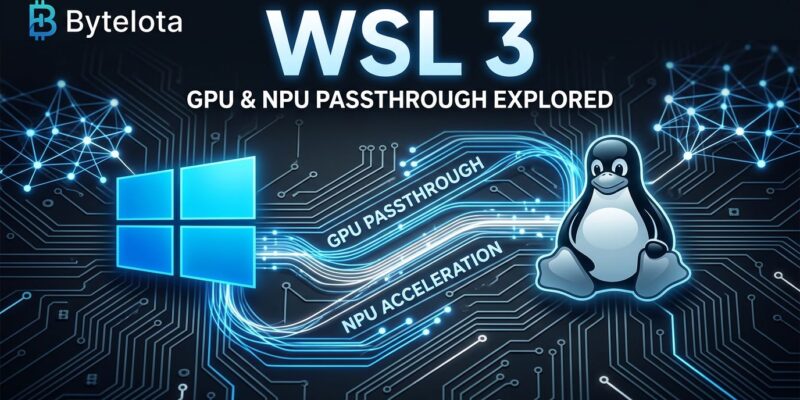
Microsoft announced WSL 3 at Build 2026 on June 2 — a complete architectural overhaul of Windows Subsystem for Linux that replaces WSL 2’s full Hyper-V VM with a lightweight paravirtualized runtime. The headline feature: direct GPU and NPU passthrough that brings PyTorch, CUDA, and JAX workloads inside WSL to within 3–5% of bare-metal Linux speed. After years of AI/ML developers defaulting to macOS or a dedicated Linux machine, Windows finally has a credible answer.
What Actually Changed in the Architecture
WSL 2 runs a real Linux kernel inside a Hyper-V virtual machine. That was a meaningful upgrade from WSL 1’s translation layer, but full virtualization carries overhead — typically 5–15% for GPU workloads, up to 33% for longer training runs where launch latency compounds. For prototyping, most developers learned to live with it. For production training runs, many simply didn’t.
WSL 3 replaces the Hyper-V VM with a lightweight VM that uses paravirtualized hardware access. Instead of the Linux kernel issuing hardware calls that get translated through a full virtualization layer, it communicates with the GPU and NPU through a thin compatibility shim. The benchmark number that matters: PyTorch model training in WSL 3 runs 3–5% slower than bare-metal Linux. That’s within the noise for most workloads. WSL 2 and WSL 3 run side-by-side — there’s no forced migration, and you can test WSL 3 today via the Windows Insiders program.
NPU Passthrough: The Capability That Didn’t Exist Before
WSL 2 had no NPU access at all. If you wanted to run inference on a Snapdragon Hexagon NPU or Intel AI Boost from your Linux toolchain, it wasn’t possible. WSL 3 changes this with paravirtualized NPU passthrough confirmed for three platform families:
- Qualcomm Snapdragon X Elite / X Elite 2 — Hexagon NPU
- Intel Meteor Lake / Lunar Lake — Intel AI Boost
- AMD Ryzen AI — XDNA 2 NPU
That covers the current generation of Copilot+ PCs. Practically: developers can now run Whisper-level transcription, Stable Diffusion-class image generation, and lightweight LLM inference entirely on-device from inside a WSL environment — no cloud APIs, no vendor-specific code paths. DirectML 2.0 handles hardware abstraction across Intel, AMD, and Qualcomm silicon.
One gap worth flagging: AMD discrete GPU support for CUDA and ROCm parity is not included in the June preview. Developers running AI training workloads on AMD Radeon GPUs should hold off before migrating production workflows.
DirectML 2.0: What Makes Multi-Vendor NPU Work
Microsoft announced DirectML 2.0 alongside WSL 3 at Build 2026. The version bump matters: DirectML 2.0 adds better exploitation of AMD’s XDNA 2 architecture, brings Intel Core Ultra Series 3 support (50 TOPS), and ships Phi Silica model tuning across AMD, Intel, and Qualcomm NPUs. Without DirectML 2.0, WSL 3’s NPU access would fragment by vendor. With it, developers targeting the Copilot+ PC market write once and the abstraction layer handles silicon differences. The DirectML GitHub repository has the updated samples and migration notes.
The Real Story: Killing the Second Machine
59% of developers use Windows as their primary OS per Stack Overflow survey data, but AI/ML engineering teams run a different pattern: Windows machine for office work, MacBook or bare-metal Linux for actual model development. The friction isn’t Windows itself — it’s that running serious PyTorch workloads on WSL 2 meant accepting a performance tax that compounded over multi-hour training runs.
WSL 3 makes the consolidation argument for the first time. The “WSL as AI Sandbox” demo at Build 2026 showed an agent developed locally in WSL 3 deploying to Azure with the same codebase and no environment mapping required. For enterprises paying for dual workstation setups or cloud Linux VMs purely to handle AI dev work, that’s a real cost reduction story.
What Developers Should Do Now
WSL 3 is available today through the Windows Insiders program. Before migrating production workflows, run through this checklist:
- Verify hardware: NPU passthrough requires Snapdragon X Elite, Intel Meteor Lake/Lunar Lake, or AMD Ryzen AI. Standard processors get GPU improvements but no NPU access.
- Pick your Insiders channel: Dev channel for fastest access, Beta for more stability.
- Benchmark before switching: Run your existing PyTorch or JAX test suite in WSL 3 first. NVIDIA’s CUDA on WSL documentation covers the current setup and known limitations.
- AMD discrete GPU users: Wait for the AMD ROCm/CUDA update before migrating GPU-heavy training workloads.
Windows has been the wrong choice for AI/ML development not because it lacks capable hardware, but because the software layer added friction at every turn. WSL 3 removes the most significant piece of that friction. The AMD gap is real and NPU passthrough requires specific Copilot+ hardware — but if you’ve been maintaining a separate Linux setup purely for ML work, watch the WSL releases page and test this before you commit to that second machine lease renewal.