
 By
By AI agents have been navigating the web like someone trying to read a book through a window — taking screenshots, guessing at buttons, burning tokens on DOM interpretation. Every UI redesign breaks them. Every modal popup derails them. Google’s WebMCP, announced at I/O 2026 and now in early Chrome preview, proposes a cleaner deal: websites explicitly declare what they can do, in structured terms agents can act on directly. Shopify, Booking.com, Expedia, and Intuit are already testing it. This is the agentic web’s missing plumbing, and most IO 2026 coverage completely missed it.
What WebMCP Is (And What It Isn’t)
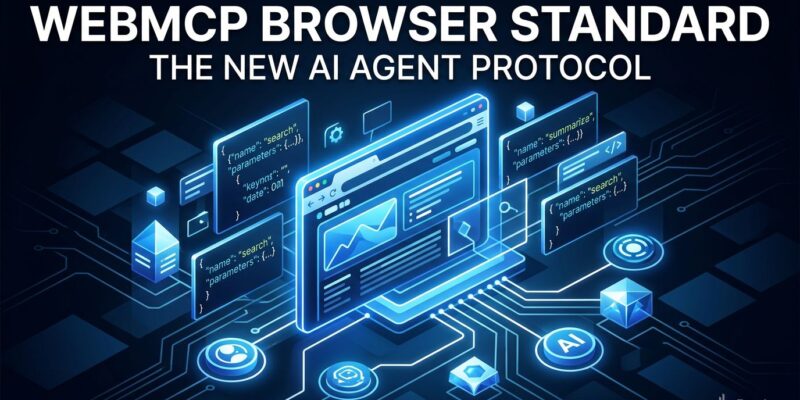
WebMCP is a proposed browser standard that lets websites register callable tools — JavaScript functions or annotated HTML forms — that AI agents running inside Chrome can discover and invoke without parsing your DOM or guessing your UI. A travel site can declare a search_flights tool. A store can expose add_to_cart. An analytics dashboard can surface query_metrics. The agent calls the tool directly, gets a typed response, and moves on — no screenshots required.
The standard is developed jointly by Google’s Chrome team and Microsoft’s Edge team, with the spec living in the W3C Web Machine Learning Community Group. That cross-vendor alignment is meaningful — it suggests this isn’t another Google Labs experiment. That said, WebMCP is not yet on the official W3C Standards Track. The spec is a Community Group Draft, the API surface may still change, and Firefox and Safari haven’t committed. Keep that risk on your radar.
Two Ways to Implement It
WebMCP offers two implementation paths. The Imperative API lets you register tools in JavaScript with a name, description, JSON schema, and handler function:
const tool = new MCPTool({
  name: 'search_products',
  description: 'Search store catalog by keyword',
  inputSchema: {
    type: 'object',
    properties: {
      query: { type: 'string' },
      category: { type: 'string', enum: ['electronics', 'clothing', 'books'] }
    },
    required: ['query']
  },
  handler: async ({ query, category }) => catalog.search(query, category)
});
navigator.mcp.registerTool(tool);
The Declarative API is even simpler — add attributes to existing HTML forms:
<form mcp-tool="submit_order"
      mcp-description="Place a product order for the current user">
  <input name="product_id" mcp-type="string" required>
  <input name="quantity" mcp-type="integer" min="1" value="1">
  <button type="submit">Order</button>
</form>
JSON schemas on every tool enforce types, required fields, and valid values — agents can’t invent parameters or pass garbage data. Sensitive tools gate behind requestUserInteraction(), which requires explicit user confirmation before execution. You can test locally today by enabling chrome://flags/#enable-webmcp-testing and using the Model Context Tool Inspector extension. The Chrome 149 origin trial opens broader production experimentation.
Why This Beats Screenshot-Based Browsing
The current agent-browser interaction model is an engineering embarrassment: take screenshot, run multimodal inference, parse DOM, simulate click, repeat, hope nothing changed. WebMCP replaces that entire chain with a single structured function call. Because WebMCP uses the browser’s internal systems, communication is near-instant — no server round-trips. Token consumption drops substantially. And unlike CSS-selector-based automation, WebMCP tools don’t break when your designer moves a button two pixels left.
WebMCP vs. Server-Side MCP: Know When to Use Which
WebMCP and server-side MCP aren’t competing — they cover different territory. Server MCP runs outside the browser and is ideal for database queries, backend integrations, and persistent workflows. WebMCP runs inside the browser and is the only way to expose tools that depend on live session state: active auth tokens, cookies, the current user’s cart, DOM elements that only exist in a logged-in tab. Production agentic apps will use both. If the tool needs to touch something that only exists inside a live authenticated browser session, that’s WebMCP’s domain.
Who’s On Board — and the Honest Risk Assessment
The enterprise adoption signal is strong. Booking.com, Shopify, Instacart, and Intuit committed to implement WebMCP before it reaches general availability. Expedia ran a live demo at I/O 2026. The Microsoft Edge team is co-editing the WebMCP spec alongside Google Chrome — cross-browser spec co-authorship this early is rare and suggests real standardization intent, not unilateral Google wishful thinking.
Still, the risks are real. Google has sunseted web experiments before. The spec isn’t on the official W3C track. Browser-registered callable tools expand the attack surface — a compromised third-party script on your page could theoretically register a malicious tool. The Permissions Policy gating mitigates this, but security researchers are already flagging multi-frame edge cases. Treat this as production-ready for non-sensitive tools in Chrome, but don’t stake your checkout flow on it until the spec stabilizes and Firefox ships support.
What Developers Should Do Right Now
Enable the Chrome flag and read the official WebMCP early preview docs. Identify which of your site’s functions make sense as agent tools — search, lookup, and non-destructive queries are safe candidates. Run a security audit on which functions should absolutely not be agent-accessible. Watch the Chrome 149 origin trial announcement and register early if your use case fits. The sample apps in the GoogleChromeLabs/webmcp-tools repo are the fastest way to understand the APIs in practice. WebMCP is early, but the developers who understand it now will be ahead when it ships.


