 By
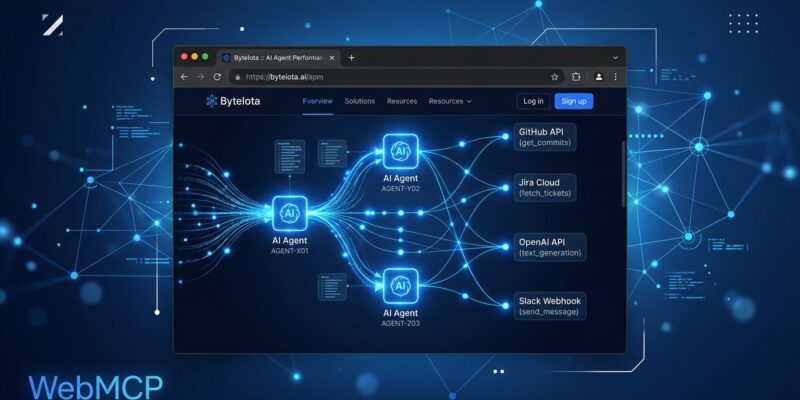
By Google announced WebMCP at I/O 2026 four days ago, and it’s the most consequential web standard proposal in years. The idea: instead of AI agents scraping your DOM, parsing screenshots, or guessing which button to click next, your site publishes explicit, schema-defined tools. The agent calls them directly, like an API. No brittle selectors. No “it worked until you redesigned the header.”
The Problem with How AI Agents Use the Web Today
Every AI browser agent in production right now is doing the same thing: staring at your website like it’s a photograph and trying to figure out what to click. DOM scraping. Accessibility trees. Computer vision. These approaches share one fatal flaw: they break whenever the UI changes, and UIs always change.
Multi-step tasks compound the problem. An agent that misidentifies a button in step two corrupts every step after it. The automation community has been patching this with retries and fallbacks, but that’s treating symptoms. WebMCP attacks the root cause: AI agents were never meant to interact with websites through the human-facing layer.
Two Ways to Make Your Site Agent-Ready
WebMCP offers two APIs. Start with whichever fits your situation.
The Declarative API: Four HTML Attributes
If you have existing HTML forms, you can expose them as WebMCP tools in minutes. Add four attributes and you’re done:
<form toolname="search_products"
      tooldescription="Search the product catalog by keyword and optional category filter"
      action="/search" method="GET">
  <input type="text" name="query"
         toolparamdescription="The keyword or phrase to search for">
  <select name="category"
          toolparamtitle="Product Category"
          toolparamdescription="Filter results to a specific product category">
    <option value="all">All categories</option>
  </select>
  <button type="submit">Search</button>
</form>
The agent sees a structured, typed tool called search_products with documented parameters. Want to differentiate human submissions from agent calls? Check e.agentInvoked on the submit event and respond accordingly.
The Imperative API: Full Control
For anything more complex — authenticated actions, dynamic workflows, custom business logic — use navigator.modelContext.registerTool():
navigator.modelContext.registerTool({
  name: "add_to_cart",
  description: "Add a product to the shopping cart",
  inputSchema: {
    type: "object",
    properties: {
      product_id: { type: "string", description: "The product ID to add" },
      quantity:   { type: "number", description: "Number of units" }
    },
    required: ["product_id"]
  },
  execute: async ({ product_id, quantity = 1 }) => {
    const result = await cart.addItem(product_id, quantity);
    return {
      content: [{ type: "text", text: `Added ${quantity}x ${product_id} to cart` }]
    };
  }
});
You can register and unregister tools dynamically based on application state — register viewOrderHistory when a user logs in, unregister it on logout. Tools reflect your app’s actual capabilities at any given moment.
What’s Actually Available Right Now
Here’s the honest version: WebMCP is experimental. Chrome 146 ships it behind a flag (chrome://flags/#enable-webmcp-testing). Chrome 149 opens an origin trial where developers can register to test in production. Edge will follow — Microsoft co-authored the spec alongside Google. Firefox and Safari have no committed timeline.
More critically: no mainstream AI agent calls WebMCP tools today. Not Claude. Not ChatGPT. Not Perplexity. Gemini in Chrome is the only stated consumer, and even that is limited to the browser context. The developer community’s honest read is that mid-2027 is when any of this reaches real scale. Anthropic hasn’t committed to WebMCP in their 2026 MCP Roadmap at all.
That context matters. WebMCP is not something you implement to see immediate traffic from AI agents. It’s something you implement to be ready when that traffic arrives.
WebMCP Is Not Competing with MCP
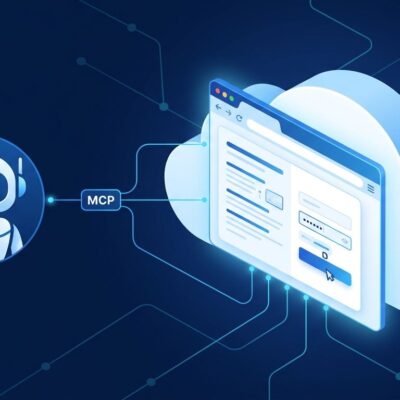
Server-side MCP — Anthropic’s Model Context Protocol — is already in production, connecting AI systems to backend tools and services. WebMCP operates in a completely different layer: in the browser, user-visible, human-in-the-loop. The right architecture uses both. Server-side MCP for backend automation; WebMCP for live, user-facing interactions on your website.
Think of it this way: MCP is what lets an agent call your database. WebMCP is what lets an agent help a user check out on your storefront.
Who’s Moving Already
The brands that publicly committed to WebMCP implementation are not obscure: Expedia, Booking.com, Shopify, Instacart, Redfin, Target, Etsy. These companies aren’t building for Gemini-in-Chrome users today. They’re buying a position for when agent-driven browsing becomes mainstream. That’s a bet worth considering.
The Chrome 149 origin trial is live. The official WebMCP documentation is thorough. The Model Context Tool Inspector extension in the Chrome Web Store lets you verify your tool registrations. There is no technical barrier to getting started — only the reasonable question of whether the timing is right for your project.
It probably is. Start with the declarative API on your most-used forms. Upgrade to imperative when you need it. Mid-2027 will arrive faster than your next major frontend rewrite.