 By
By Your AI coding agent is writing stale web code, and it won’t tell you. Every time you ask Claude Code, GitHub Copilot, or Cursor to build something for the web, the model reaches into training data frozen months or years behind the actual web platform — and outputs polyfills, older API patterns, and JavaScript workarounds for problems that modern CSS and HTML solved years ago. The agent sounds confident. The code runs. You don’t notice until a performance audit flags the layout, or an accessibility review catches the manual focus trap that should have been a native <dialog>.
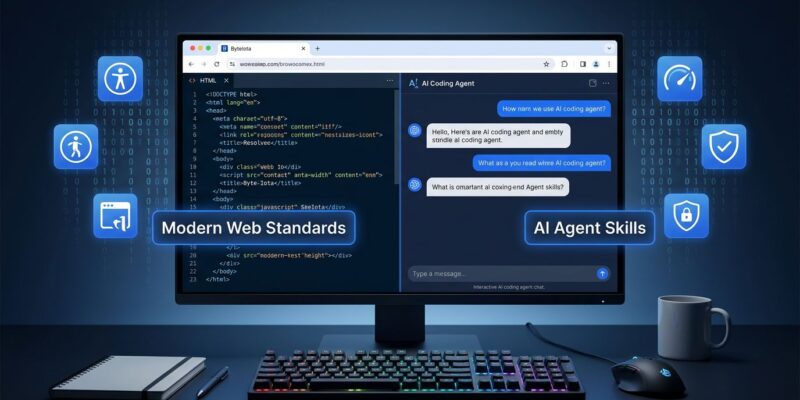
Google shipped a direct fix three days ago at I/O 2026: Modern Web Guidance, a free agent skill that bundles 128 web platform features into 100+ expert-vetted use cases, installable in any major coding agent with a single command. Internal evals show a 37 percentage point improvement in adherence to modern web best practices when agents run with it installed.
The Problem Is Architecture, Not Intelligence
This isn’t a model quality failure — it’s a training data problem that no amount of capability improvement will fully solve. Models learn from what’s on the web, and the web still carries years of accumulated legacy patterns. Pre-CSS Grid layouts. Polyfilled focus management. Manual passkey flows. The agent doesn’t announce it’s using an older approach; it just writes it.
Modern Web Guidance is a context injection solution. Before your agent generates web code, it reads a structured set of Chrome-team-curated skills that map current web platform capabilities to common development scenarios. Accessibility patterns, performance optimizations, modern CSS, security hardening, WebAssembly integration — all tied to the Web Platform Baseline so skills stay accurate as browsers evolve.
37 Percentage Points Is a Real Number
Google ran daily evals across state-of-the-art models and coding agents to measure the impact. The average result: agents equipped with Modern Web Guidance show a 37 percentage point improvement in adherence to modern web best practices.
To make that concrete: an agent hitting modern patterns 50% of the time moves to roughly 87%. For a team shipping web features every sprint, that’s the difference between an accessibility audit catching three issues and one catching thirty. Google notes that results vary by project and model — but the direction is unambiguous, and the cost is a single npx command.
Five Skill Categories: What Changes in Your Agent’s Output
The skills ship across five discipline areas:
- Accessibility — Central audit guide covering ARIA patterns, focus management, keyboard navigation, and semantic HTML. Pushes agents toward native HTML elements over ARIA-on-divs workarounds.
- Performance — Core Web Vitals optimization: LCP, INP, CLS. Modern loading strategies with priority hints, lazy loading, and
fetchpriority. - UI/Styling — Modern CSS: grid, subgrid, container queries, anchor positioning, intrinsic sizing, and the View Transitions API. Eliminates the JavaScript layout code agents still reach for by default.
- Security — CSP with nonce-based approaches, Cross-Origin Isolation, passkeys and WebAuthn registration and authentication flows, cookie security patterns.
- WebAssembly — C/C++ to WASM via Emscripten, high-performance browser components, and module integration patterns.
One concrete before/after: without guidance, agents commonly handle modal focus trapping with keydown event listeners and manual tabindex management in JavaScript — a pattern that’s been widely published and widely copied. With Modern Web Guidance, the agent uses a native <dialog> element with autofocus and the inert attribute on background content. No JavaScript required. The native approach handles focus management, keyboard interaction, and accessibility semantics automatically.
The skills also integrate with Web Platform Baseline targeting. Set a Baseline year — for example, Baseline 2024 — and the agent applies the right features and fallbacks for your browser support requirements without you specifying compatibility constraints per feature.
How to Install Modern Web Guidance
One command covers most setups:
npx modern-web-guidance@latest installThis runs an interactive wizard that detects your coding agent and configures the skills accordingly. For Google Antigravity users, there’s a one-click install inside the app. Cursor lists it in the Skill Marketplace. For Claude Code, the wizard drops skill files into .claude/skills/. Goose, GitHub Copilot CLI, and Vercel Agent Skills are all supported.
The agent-neutral design matters here. Modern Web Guidance doesn’t require an MCP server, a Google account, or any API key. If your agent reads context files, it works.
Chrome DevTools for Agents: The Companion Tool
Announced alongside Modern Web Guidance, Chrome DevTools for Agents is now available for Antigravity and 20+ other coding agents. Where Modern Web Guidance shapes what the agent writes, DevTools for agents lets the agent verify its output against the running page — console logs with source-mapped stack traces, network traffic inspection, accessibility trees, and full Lighthouse audits.
It ships as an MCP server. Install it and add it to your agent’s MCP config:
npm install -g @chrome-devtools/mcpThe agent can then run accessibility and performance audits on its own output without manual oversight. For teams building autonomous code review workflows, this pairs directly with the quality improvements Modern Web Guidance drives at generation time. The Chrome DevTools for agents 1.0 announcement covers the full feature set.
Install It Now
Modern Web Guidance is free, in early preview, and already works across every major coding agent. The 37-point benchmark improvement isn’t a roadmap promise — it’s measurable in your existing workflow today. Web development moves fast; your agent’s defaults haven’t kept up. One npx command closes most of that gap.
Full documentation is at developer.chrome.com/docs/modern-web-guidance. The skills source is on GitHub if you want to browse what’s inside or contribute use cases. The Chrome at I/O 2026 blog covers the full set of agentic web announcements from the same event.