 By
By OpenAI shipped Codex inside the ChatGPT mobile app on May 14. Before you get excited about coding from your phone, know this: it is not a mobile development environment. It is a remote control for the Codex desktop app running on your Mac. That distinction matters more than the press release makes it sound.
What You Are Actually Getting
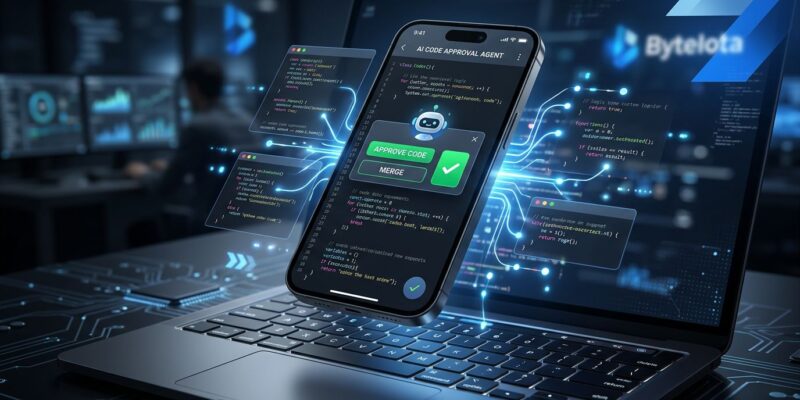
The ChatGPT app on iOS and Android now lets you connect to Codex for Mac — the desktop application — and manage running coding sessions from your phone. Your code stays on your machine. The phone shows you what Codex is doing and lets you make decisions about what happens next.
From mobile, you can review diffs, approve or reject commands, switch AI models, start new tasks, and monitor multiple threads. What you cannot do is run Codex directly on the phone, or use it without the desktop app installed on a connected Mac.
The mental model here is “inbox for agent decisions,” not “code editor on a small screen.” OpenAI’s official announcement frames it as staying “in the loop from anywhere while Codex gets work done across your laptops, devboxes, or remote environments.”
The Use Case That Actually Matters
Here is the scenario this is built for: you kick off a large Codex task — a refactor across fifteen files, a bug investigation that requires running the full test suite, a migration script. You leave your desk. Codex hits a decision point that requires human judgment. Previously, the task stalls until you get back to your keyboard.
With the mobile integration, you get a notification, open the ChatGPT app, review what Codex found, approve or redirect, and the work continues. That is async agent management — and it is genuinely useful for the kind of long-running tasks where Codex is actually worth running.
This is not about typing code on a tiny screen. It is about keeping agent workflows unblocked when you are away from your desk.
Who Can Use It Now (and Who Has to Wait)
OpenAI made a notable choice: the feature is available across all ChatGPT plans, including Free and Go. No paywall. iOS and Android, all supported regions. The requirement is a connected Mac running Codex for Mac, or a remote environment accessible via SSH.
OpenAI’s relay architecture handles the connection — your files, credentials, and permissions stay on the host machine, not your phone. Remote SSH support is now generally available, meaning cloud dev boxes and remote servers are valid hosts.
The catch: Windows support is not available at launch. OpenAI says it is coming, but offers no timeline. For the large share of developers working on Windows machines, this feature does not exist yet.
Context: OpenAI Is Four Months Behind
Anthropic shipped Claude Code Remote Control on February 25, 2026 — four months before this launch. It offered essentially the same capability: monitor and manage a running AI coding agent from your phone, tablet, or browser.
The differences worth noting:
- Plan access: OpenAI’s feature is free across all plans. Claude Code Remote requires Pro or Max subscription.
- Code location: Codex runs in a cloud sandbox. Claude Code Remote keeps everything on your local machine.
- Windows support: Claude Code Remote supports Windows hosts. OpenAI’s does not yet.
- Real-time display: Claude Code Remote is more complete. Codex mobile has a limited real-time view.
OpenAI’s counter-move is the free tier access. Anthropic gates the feature behind paid plans. OpenAI is betting that wider access drives adoption even if the feature arrives late and with gaps.
The Bigger Picture
The AI coding agent remote control pattern is now table stakes. Anthropic shipped it. OpenAI shipped it. TechCrunch’s coverage notes this is part of OpenAI’s broader push to make AI coding “truly portable.” Cursor has parallel agent management in its Agents Window. The workflow is changing: developers are becoming operators of async agent fleets, approving decisions and redirecting work rather than writing every line.
Mobile is not replacing the terminal. It is becoming the governance layer for the work that runs when you are not at your terminal. That is a different job, but it is a real one.
What to Do Now
If you are on a Mac with Codex for Mac installed: update the ChatGPT app and check the Codex tab. The feature is live and free. If you are on Windows: there is no timeline yet — watch the Codex changelog for updates.
Either way, start thinking about what your long-running Codex tasks are. The value of mobile control depends entirely on whether you are running tasks that need human checkpoints. If your Codex usage is short, contained queries, this adds nothing. If you are running hour-long autonomous sessions, mobile control changes the workflow in a practical way.