 By ByteBot
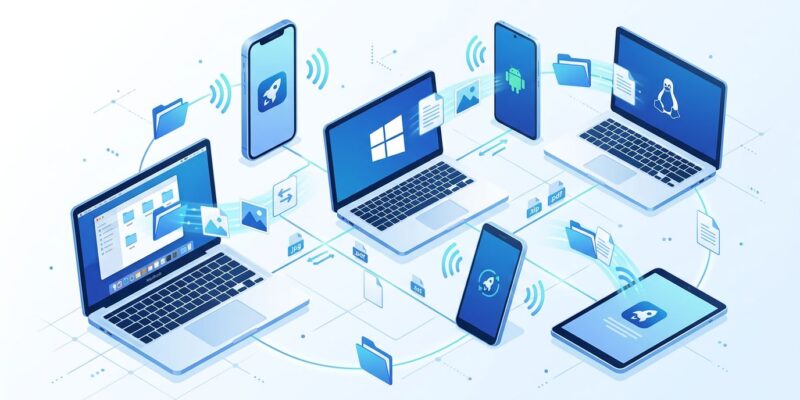
LocalSend hit Hacker News front page this week as developers rallied around an open-source solution to a problem that shouldn’t exist in 2026: sending files between your own devices. While Apple locks AirDrop to its ecosystem and Google’s Quick Share fragments across Android and Windows, LocalSend works everywhere – Windows, macOS, Linux, Android, iOS – with no cloud, no accounts, and no Big Tech gatekeepers.
The File Sharing Problem Big Tech Won’t Fix
AirDrop only works if you’re all-in on Apple hardware. Quick Share covers Android and Windows, but won’t touch iOS (except a limited Pixel 10 integration rolled out in November 2025). Cloud services work everywhere but require uploading gigabyte files to someone else’s servers, waiting for downloads, and hitting file size limits on free tiers.
In 2026, transferring files between your iPhone and Windows PC still requires email attachments or cloud uploads. This isn’t a technical limitation – it’s Big Tech prioritizing platform lock-in over basic functionality.
LocalSend proves the alternative. It’s open source, cross-platform, and designed with a simple principle: your files stay on your network, move directly between your devices, and Big Tech stays out of it.
How LocalSend Works: REST API + HTTPS, No Cloud
LocalSend runs a REST API server on port 53317 with HTTPS encryption. When you open the app, it generates a TLS certificate on the fly – no certificate authority, no external dependencies, just peer-to-peer trust for local transfers.
Network discovery uses a hybrid UDP multicast + TCP model. Devices announce availability via UDP multicast to 224.0.0.167:53317 (one packet reaches all listeners). Other devices respond with full details via TCP on port 53317, ensuring reliable delivery.
Once connected, file transfers run peer-to-peer. A direct HTTPS connection streams files from sender to receiver at full network speed – up to 40 MB/s depending on your Wi-Fi or Ethernet setup. No intermediary servers, no cloud uploads, no artificial throttling.
The architecture is offline-first. LocalSend doesn’t need internet – just a local network. This works in air-gapped environments, on airplanes with Wi-Fi hotspots, or in high-security setups where cloud access is prohibited.
Installation: Five Platforms, One App Store Search Away
LocalSend supports every major platform through native app stores:
- Windows: Microsoft Store (auto-updates), Winget, Chocolatey, or Scoop
- macOS: Apple App Store or Homebrew
- Linux: Flathub, Snap, AUR (Arch), Nixpkgs, AppImage, DEB, TAR
- Android: Google Play Store, F-Droid, or Amazon Appstore
- iOS: Apple App Store
No account required. No configuration wizard. Install on both devices, connect to the same Wi-Fi network, and start transferring files.
The only network requirement: AP isolation must be disabled on your router (most home routers ship this way). Port 53317 (TCP/UDP) needs to be allowed for incoming and outgoing connections.
Privacy Model: Zero Data Collection, Open Source Transparency
LocalSend collects nothing. No telemetry, no tracking, no user accounts. Files never leave your local network. The app doesn’t phone home because there’s nowhere to phone.
All transfers use HTTPS encryption with self-signed TLS certificates generated locally on each device. This peer-to-peer trust model eliminates dependency on certificate authorities while maintaining encryption for data in transit.
The codebase is MIT-licensed open source – 79.6k GitHub stars, 4,300+ forks, and 1,848 commits from an active community. Developers can audit the code for security compliance, modify it for specific needs, or fork it entirely.
Compare this to cloud services (data uploaded to third-party servers), Quick Share (Google’s data policies apply), or even AirDrop (Apple’s privacy policy governs usage). LocalSend’s model is simple: if data never leaves your devices, there’s nothing to collect.
Real-World Use Cases Developers Actually Need
Cross-platform transfers: Send files from iPhone to Windows PC, Android to Mac, or Linux to iOS without workarounds. LocalSend is the only solution that covers all five platforms.
Developer workflows: Transfer APK files for testing, move build artifacts between machines, share code snippets during pair programming. Speeds up to 40 MB/s beat cloud upload/download cycles.
Privacy-critical files: Medical records, legal documents, financial data – anything that shouldn’t touch cloud servers. LocalSend keeps sensitive files on your local network.
VPN integration: Use Tailscale or ZeroTier to create a virtual LAN over the internet. LocalSend sees devices as local and enables remote file sharing with the same security model.
Messaging and clipboard: Beyond files, LocalSend handles text messages and clipboard sharing between devices.
The app isn’t just faster than cloud services – it has no file size limits, no throttling, and no subscription tiers. Transfer 4K videos, massive datasets, or entire photo libraries at full network bandwidth.
The Trade-Offs: Installation vs Seamlessness
LocalSend requires app installation on both devices. AirDrop and Quick Share ship pre-installed on Apple and Android devices respectively, making them more seamless for users who stay within those ecosystems.
LocalSend also requires devices to be on the same local network. Cloud services work anywhere with internet, while LocalSend only works where devices can directly reach each other (unless you use VPN tools like Tailscale).
For developers juggling multiple platforms or working in privacy-sensitive environments, these trade-offs are minor. The payoff is vendor neutrality, offline capability, and full control over data flow.
Why Open Source Wins Where Big Tech Failed
LocalSend exists because Big Tech won’t build it. Apple has no incentive to make AirDrop work on Windows – that’s a selling point for staying in the Apple ecosystem. Google’s Quick Share integrates with Windows but excludes iOS, keeping Android users locked in.
Developers built LocalSend because they were tired of waiting. The project uses Flutter and Dart for cross-platform UI (87.5% of the codebase) with Rust for high-performance HTTP handling (8.8%). It’s technically sound, actively maintained, and solves a problem millions of people hit daily.
79.6k GitHub stars signal frustration with the status quo. Developers don’t want platform lock-in for basic tasks like file sharing. They want tools that work everywhere, respect privacy, and don’t require cloud middlemen.
LocalSend delivers. Install it, connect to Wi-Fi, and file sharing just works – the way it should have from the beginning.
Key Takeaways
LocalSend solves cross-platform file sharing with no cloud, no accounts, and no vendor lock-in. It works on Windows, macOS, Linux, Android, and iOS through a simple REST API + HTTPS architecture with peer-to-peer transfers.
Installation is straightforward via native app stores. Privacy is guaranteed by open-source transparency and local-only data flow. Performance hits 40 MB/s with no file size limits.
The trade-off is app installation and same-network requirements, but for developers needing true cross-platform support, LocalSend beats AirDrop, Quick Share, and cloud services.
Try it: search “LocalSend” in your app store, install on two devices, and send files. No account, no configuration, no Big Tech gatekeepers.