 By ByteBot
WordPress 7.1 arrives August 19, and this week’s RC2 — dropping August 12 — marks the point where testing stops being optional. The biggest change for plugin and block developers: the post editor now always runs inside an iframe. No opt-outs, no legacy exemptions, no fallback based on block API version. If your blocks or editor-side JavaScript touch window or document globally, they’re now reading the admin shell, not the canvas — and they’ll fail silently.
As the Make WordPress Core post from August 3 puts it plainly: “Starting in WordPress 7.1, the post editor is always iframed, regardless of the theme type, the block API versions of the registered blocks, or the block API versions of the blocks in the content.” Previously, Block API v1 or v2 blocks could disable iframing. That escape hatch is gone.
What Actually Breaks (and Why It’s Silent)
The editor runs in two JavaScript contexts simultaneously. Admin-page code — the React sidebar, toolbar, and block controls — lives in the outer document. Block content lives in an iframe with a completely separate document and window. Code referencing the global window measures the browser viewport including the admin sidebar. Code attached to the global document misses events fired in the canvas. No errors, no warnings — just wrong behavior.
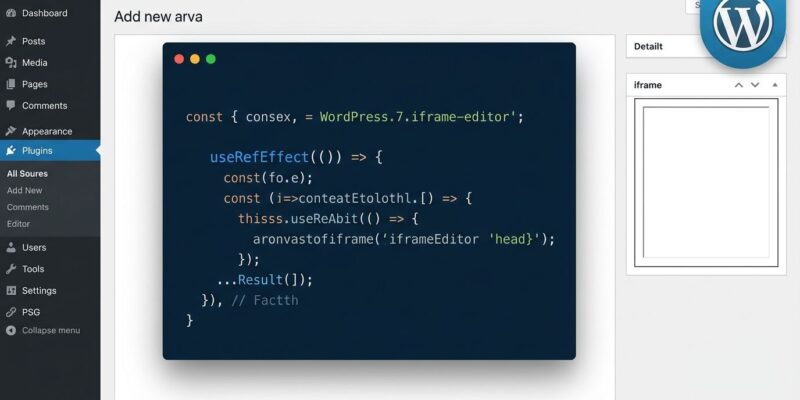
Three patterns cover most of the real-world breakage. Pattern 1: Global resize and event listeners. If your block reads window.innerWidth or adds listeners to window directly, those now target the admin page. The canvas never fires those events. Fix it by switching to useRefEffect from @wordpress/compose:
// Broken: window is the admin page
window.addEventListener('resize', update);

// Fixed: ownerDocument resolves the correct context
const ref = useRefEffect((element) => {
  const { defaultView } = element.ownerDocument;
  defaultView.addEventListener('resize', update);
  return () => defaultView.removeEventListener('resize', update);
}, []);
Pattern 2: Editor styles enqueued via PHP. Calling wp_enqueue_style() inside enqueue_block_editor_assets injects styles into the admin page document, not the canvas. They silently vanish from the editor preview. The fix is one line in block.json:
{ "editorStyle": "file:./index.css" }WordPress then injects the stylesheet directly into the iframe canvas document. Pattern 3: CSS targeting admin body classes. Selectors like .wp-admin .my-block or body.block-editor-page .my-block__title match nothing in the canvas — the iframe body carries neither class. Drop the admin ancestors:
/* Broken - admin class absent in canvas body */
.wp-admin .my-block { padding: 2rem; }

/* Fixed - target the block class directly */
.my-block { padding: 2rem; }
Also audit any CSS using calc(100vw - 160px) or similar admin-sidebar offsets. The canvas viewport has no sidebar to subtract from.
useRefEffect: The One API That Fixes Most of It
Once you understand useRefEffect from @wordpress/compose, the mental model for the entire migration becomes clear. Unlike the standard useRef + useEffect combination, useRefEffect re-runs its callback whenever a block moves between documents — attaching listeners to the correct window every time. The pattern is always the same: receive the element, call element.ownerDocument.defaultView, do your work there, and clean up in the return function. This approach is context-agnostic: it works identically in iframed and non-iframed editors, which matters if you need to support WordPress 7.0 and 7.1 simultaneously.
The same principle applies to click-outside listeners, third-party libraries querying document, and anything else assuming a single global context. The Gutenberg Times breakdown documents all five patterns with before/after examples, including patches for common third-party libraries like Panzoom.
Test This Week — Not Next Week
RC2 drops August 12. Most managed hosting platforms auto-update within 48 hours of the final release on August 19. The fastest testing path costs zero setup time: open WordPress Playground, install the 7.1 RC build, and load your plugin. Ryan Welcher’s iframe-editor-examples repository includes ready-made Playground blueprints that put you in both iframed and non-iframed states within a browser tab — no local environment needed.
If you prefer a staging site, install the Gutenberg plugin version 22.6 or higher — it has enforced iframing ahead of core since the feedback phase. Enable SCRIPT_DEBUG in wp-config.php while testing: WordPress has been logging console warnings for Block API v2 blocks since version 6.9 last December. Those warnings are now urgencies. Nine days remain.
Key Takeaways
- WordPress 7.1 releases August 19; RC2 drops August 12 — test your blocks this week, not after the release
- Audit every
window.anddocument.reference in editor JavaScript and replace withuseRefEffect+element.ownerDocument.defaultView - Move all editor styles from
enqueue_block_editor_assetstoeditorStyleinblock.json— PHP-enqueued styles don’t reach the canvas iframe - Remove CSS selectors relying on
.wp-adminor.block-editor-pagebody classes — they’re absent from the iframe canvas - Test for free in WordPress Playground using Welcher’s iframe-editor-examples blueprints — instant iframed state, no installation required