 By
By AI agents have been visiting websites the hard way. They take a screenshot, guess which element is a button, simulate a click, and hope the right thing happens. It is slow — five to ten seconds per operation. It fails roughly one in six times. And the site never agreed to any of it. WebMCP is a W3C browser standard built to end that arrangement. On August 25, OpenAI enabled WebMCP support in the ChatGPT desktop browser. Today is the last day to submit to the $35,000 WebMCP Challenge. If you build for the web, this is your briefing.
What WebMCP Does
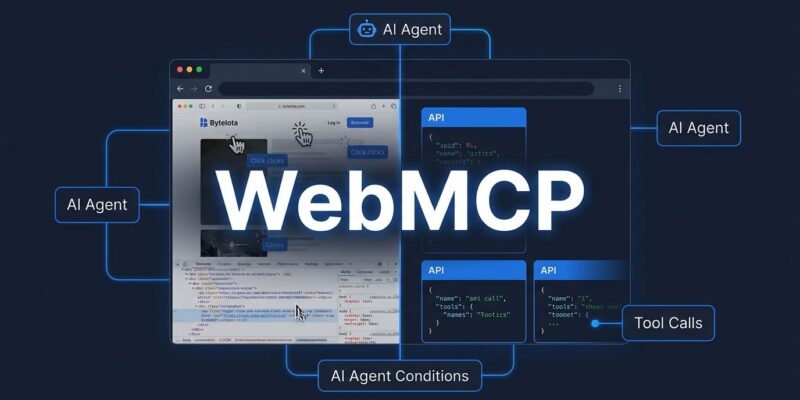
WebMCP gives websites a way to declare what they can do — as structured, callable JavaScript functions that AI agents can invoke directly through the browser. The API lives on document.modelContext. You register a tool with a name, a description, a JSON schema for its inputs, and an async execute function. When a user visits your site in a WebMCP-aware agent like ChatGPT Work or Codex, the agent discovers those tools and calls them. No DOM scraping. No CSS selector fragility. No Puppeteer wrestling.
Here is a minimal example of registering a tool:
document.modelContext.registerTool({
  name: "add_to_cart",
  description: "Add a product to the shopping cart",
  inputSchema: {
    type: "object",
    properties: {
      product_id: { type: "string" },
      quantity:   { type: "integer" }
    },
    required: ["product_id", "quantity"]
  },
  async execute({ product_id, quantity }) {
    return await cart.add(product_id, quantity);
  }
});
One thing to get right immediately: the API moved. If you are reading older tutorials that reference navigator.modelContext, those are out of date. As of July 2026, the correct namespace is document.modelContext. Update your mental model before you write a line of code.
WebMCP Is Not MCP — and That Distinction Matters
MCP (Model Context Protocol) connects AI agents to backend systems: databases, APIs, third-party services. It runs server-side. WebMCP connects agents to whatever is live on a web page right now. It runs in the browser tab. They are complementary, not competing.
The practical split: use MCP when your agent needs data from a service. Use WebMCP when your agent needs to act on a page — book a slot, search a catalog, complete a checkout. Zuplo put it well: MCP is an API for AI applications; WebMCP is SEO for AI agents. Having MCP coverage does not mean you are done. The in-browser layer is a separate problem, and WebMCP is how you solve it.
| MCP | WebMCP | |
|---|---|---|
| Runs where | Server-side | Browser (in-tab) |
| Connects to | APIs, databases, services | Live web pages |
| Maturity | Production-ready | Origin trial (Chrome 149) |
| Governed by | Linux Foundation | W3C Community Group |
Adoption Is Already Happening at Scale
On August 5, Shopify switched WebMCP on for every Liquid storefront and Hydrogen preview. No merchant setup required. Millions of stores became agent-ready overnight with catalog search, cart management, and checkout all callable. Google’s Chrome 149 origin trial listed Expedia, Booking.com, Etsy, Redfin, Instacart, Credit Karma, TurboTax, and Target as participants. These are not pilot projects. They are production tests on real user traffic.
The performance case is concrete. The old screenshot-based approach runs at five to ten seconds per operation with a fifteen to twenty percent error rate. WebMCP brings that down to one to two seconds with near-zero errors. Chrome puts the token savings at 89 percent versus screenshot-based automation. For teams running agents at scale, that math changes infrastructure budgets. The headless browser market — valued around $300 million — is watching this closely.
How to Get Started Today
Chrome 149 is in origin trial. You can register your origin at developer.chrome.com/blog/ai-webmcp-origin-trial and start testing with real users. If you want to experiment locally first, open Chrome and navigate to chrome://flags/#enable-webmcp-testing, set the flag to Enabled, and relaunch. The full documentation lives at developer.chrome.com/docs/ai/webmcp and the W3C spec is at github.com/webmachinelearning/webmcp.
Stable Chrome and Edge support is expected in Q4 2026. When that ships, WebMCP will be ubiquitous for any agent running in a mainstream browser. The sites that have implemented it by then will have a meaningful head start on discoverability in agent-driven traffic.
The WebMCP Challenge Closes Today
OpenAI’s 10-day WebMCP Challenge closes at 1 PM PT today, September 3. The prize pool is $35,000, with the top ten entries each receiving $3,000 cash, a year of ChatGPT Pro, a Codex Micro keyboard, and prizes from Shopify, Netlify, Cloudflare, Vercel, and Render. Winners will be announced September 23. If you have an existing app you can add WebMCP support to in a few hours, it is worth a look at webmcp.devpost.com.
If you miss the deadline, the standard is not going anywhere. The more important task is understanding where this sits in your architecture now, before agent traffic becomes traffic you can measure and compete for. Start with the origin trial. Read the spec. Register a tool on something you already own. The agents are coming for your site one way or another — the only question is whether they will be guessing at your buttons or calling your functions.