 By ByteBot
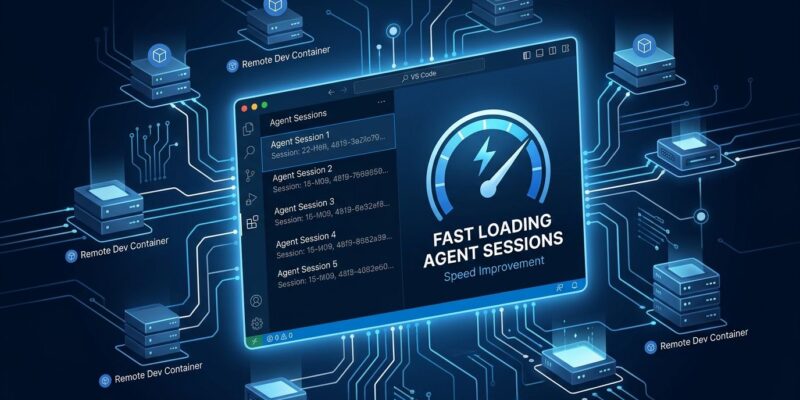
VS Code 1.139 shipped to stable on September 23. Two changes are worth your attention: agent session loading is up to 13 times faster for anyone sitting on a large session history, and agents can now run inside Dev Containers on remote hosts — SSH, Tunnel, and WSL. If either of those sentences sounds like a personal problem you have been working around, this is the update to grab.
Agent Sessions Are Finally Fast
If you run a lot of agent sessions — and in 2026 that means most active VS Code users — you have probably hit the wall where the Agents Window takes a couple of seconds to load or refresh. It is a small thing until it is not, and at a few hundred sessions it becomes genuinely annoying.
The root cause was architectural. Every time VS Code built the session list, it opened every conversation database on disk. That is an O(n) operation on the number of sessions you have accumulated. Microsoft’s fix is a central metadata catalog: a lightweight store of session and chat titles, timestamps, and workspace info that VS Code reads in one shot instead of touching every SQLite file. Individual databases only open when you actually open that session.
The numbers: with 645 sessions, first listing drops from 1.3 seconds to 0.1 seconds. Refresh drops from 0.6 seconds to 0.15 seconds. Roughly a 13x improvement on initial load, 4x on refresh. At higher session counts the old behavior was approaching unusable. The fix scales with you — the catalog read is effectively constant time regardless of history size.
This ships by default. No setting to toggle. Update and your Agents Window is faster.
Agents Inside Remote Dev Containers
This one requires setup but unlocks something useful for teams. Before 1.139, agent sessions that ran inside a Dev Container could only do so for local folders. If your project lived on a remote SSH host, a Tunnel, or in WSL, the agent could not reach the container’s toolchain.
That gap is now closed. When you connect VS Code to a remote host and your project has a Dev Container configuration, you can enable the agent to run inside that container. The architecture is clean: the Agent Host runs inside the container — with access to your project’s exact compiler versions, package installations, and system libraries — while the Agent Window stays on your local machine. You get the toolchain without needing Docker Desktop running locally.
The practical team scenario: one well-provisioned build server, every developer points VS Code at it over SSH or a Tunnel. Agents on all those laptops see identical environments. No more “works on my container” problems and no bloated local Docker setups. If your team shares the server, give each developer a unique container name and volume prefix — simultaneous sessions on the same named volumes will collide.
To enable it, set chat.agentHost.devContainer.enabled to true. You will need Docker running on the remote host, a .devcontainer/devcontainer.json config in your project, and a supported connection type (SSH Remote, Remote Tunnel, or WSL). This feature cannot be combined with the New Worktree functionality, and it is rolling out gradually — some users will not see it active by default yet.
One security note: if you use Dev Tunnels with anonymous access, anyone who discovers the tunnel URL can reach your machine and start agent sessions. Authenticate your tunnels.
The Copilot Disclaimer That Vanished
VS Code 1.138 made a quiet bit of history: it was the first stable release whose release notes carried the disclaimer “generated using GitHub Copilot and might contain inaccuracies.” One GitHub issue was filed. Five thumbs-up emojis were given. The internet moved on.
VS Code 1.139 dropped the disclaimer — and Microsoft retroactively removed it from the 1.138 page too, without explanation. Microsoft has not commented on either the removal or the quiet retroactive edit. Draw your own conclusions. Using Copilot to write the accompanying documentation is consistent with Microsoft’s stated approach of using AI agents to enable its weekly release cadence. Not labeling the output as AI-generated is a different choice.
What Else Shipped
Linux users on DEB or RPM packages: this requires action. The desktop launcher files are renamed to reverse-DNS format. code.desktop is now com.microsoft.VSCode.desktop. Re-pin your launcher and update any custom shortcuts before you notice it is broken.
On the editor side: word wrap now shows a small arrow at the wrap column so wrapped lines are easier to spot at a glance. Bracket auto-close got smarter — if the matching closing bracket already exists, the editor reuses it instead of inserting a duplicate. Both are the kind of small fix that reduces the daily friction of editing code.
Should You Update?
Yes. The session performance improvement is a free win for everyone. If you are doing serious agent work on remote projects, the Dev Container support is worth the setup time. Linux users need to handle the launcher rename. See the full VS Code 1.139 release notes and update from your package manager or the VS Code download page.