
 By ByteBot
Visual Studio shipped its October 2026 update on October 27. The headline features are practical rather than flashy: bulk merge conflict resolution, Hot Exit for unsaved files, and a new Copilot Chat experience built on the same SDK as the CLI and the GitHub Copilot app. None of these are revolutionary. All of them fix real things that have been irritating VS developers for years.
Merge Conflicts, Resolved in Bulk
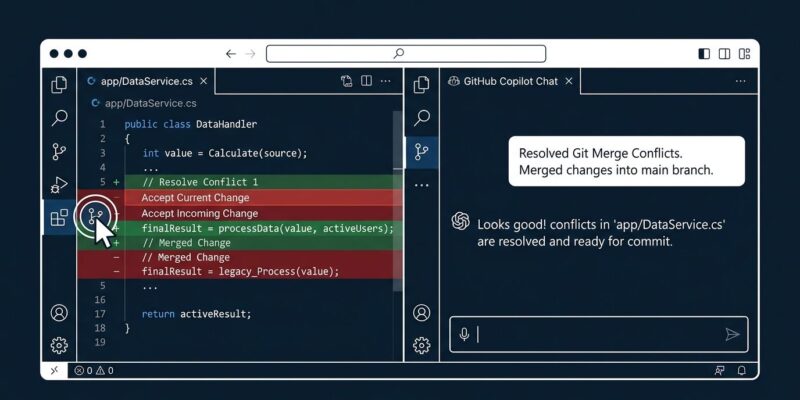
If you have ever rebased a long-running feature branch after a dependency update, you know the drill: twenty files, same conflict, resolve each one individually. That is no longer necessary. In the Git Changes window, right-click a multi-file selection under Unmerged Changes and choose Keep All Current or Take All Incoming. You can also right-click a folder or the repository root to apply the same resolution across everything beneath it.
This is the feature in this update that will actually get teams excited. The mental overhead of clicking through identical conflicts one by one is gone. The workflow now matches what GitLens users and command-line developers have been able to do for years.
Hot Exit: Visual Studio Finally Closes the Gap
VS Code has had Hot Exit since version 1.8, released in late 2016. That is a ten-year gap. With this update, Visual Studio now preserves unsaved files, edits, undo history, and tab layout between sessions. Close Visual Studio without saving, reopen it, and your work is still there.
It is off by default. To enable it: Tools > Options > All Settings > Projects and Solutions > General, then select Reopen unsaved documents on solution load or empty environment.
The most immediate use case is scratch files and investigation notes. Developers routinely open a blank file, write some exploratory code or debugging notes, and then lose everything when they close the IDE. Hot Exit eliminates that particular frustration without requiring you to remember to save.
New Copilot Chat Experience
The updated Copilot Chat is rebuilt on the same Copilot SDK used by the Copilot CLI and the GitHub Copilot app. What that means in practice: longer-running sessions, prompt caching (the system prompt and earlier conversation turns are served from cache rather than re-processed every time), and consistent behavior across every Copilot surface.
The two practical improvements are agent mode and prompt caching. Agent mode can now handle end-to-end tasks with fewer interruptions. Prompt caching means that long sessions stay coherent rather than degrading as context accumulates.
This is still opt-in. To try it: Tools > Options > GitHub > Copilot > Copilot Chat, select Use new Copilot chat experience, and restart Visual Studio.
One More: Compare Commits to Your Working Tree
There is a quieter addition worth knowing about. In the Git Repository window, right-click any commit and select Compare with Working Tree. Visual Studio will show you the diff between that historical commit and your current code, including uncommitted changes. You do not need to check out the commit first.
This is useful when reviewing refactors spread across multiple commits, or when you want to see how far your working copy has drifted from a known-good state without switching branches.
How to Get the Update
Go to Help > Check for Updates in Visual Studio. The October update is on the stable channel. For the full details, see the official Visual Studio blog post and the Visual Studio 2026 release notes on Microsoft Learn.
This is a small update. It does not add any fundamentally new capabilities. What it does is remove friction from workflows that VS developers have been working around for a long time, and that is exactly the kind of update worth installing immediately.


