 By ByteBot
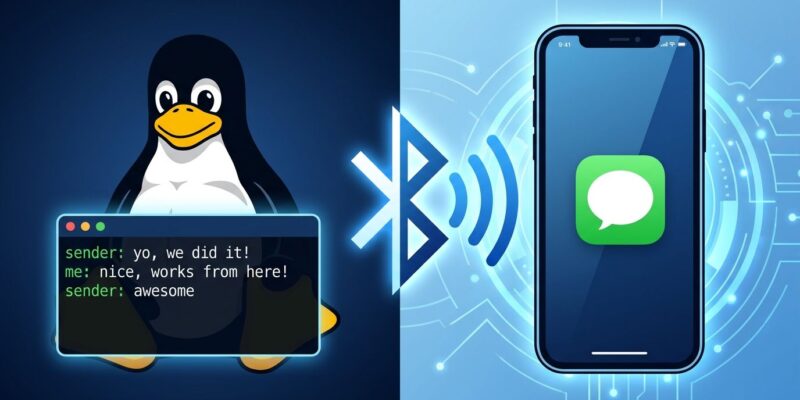
A Linux developer named Zack Bartel just shipped Tether — an open-source tool that brings iMessage, SMS, notification mirroring, clipboard sync, OTP autofill, and contact sync to Linux desktops via Bluetooth, no Mac intermediary required. It landed on Hacker News with 376 points this week, and within hours of the post going live, Bartel had relicensed the project to MIT after community feedback. For the significant slice of developers who daily-drive Linux but carry iPhones, this fills a gap that has been annoying them for years.
What Tether Does
The feature list is comprehensive for a new project. Tether covers iMessage and SMS (currently in beta), iPhone notification mirroring to the Linux desktop (also beta), stable clipboard sync, file transfer, and contact synchronization. The standout feature for many developers will be OTP autofill: Firefox and Thunderbird extensions intercept one-time password codes from iPhone messages and fill them automatically into login forms — the small friction that Bartel himself cited as the original itch that started the project.
Under the hood, Tether runs as a five-component system: a background daemon (tetherd) handling Bluetooth and TCP connections, a CLI, a GTK graphical interface, a companion iOS app (available on the App Store), and browser/mail extensions. All TCP traffic uses mutual TLS with X.509 RSA certificates from the start — no cleartext, no shared cloud relay. The iOS app discovers the daemon via Bonjour. The project currently supports Arch, Fedora, Debian, and Ubuntu.
Why Previous Attempts Failed
Getting iMessage outside Apple’s ecosystem has a long, messy history. The dominant approach — BlueBubbles and AirMessage — requires a Mac running 24/7 as a relay server, reading from the iMessage database and forwarding messages to connected devices via Ngrok or Cloudflare tunnels. It works, but it means keeping a Mac around solely as a bridge, handing its iCloud credentials to relay infrastructure, and maintaining a stack of moving parts. Beeper Mini took the more aggressive route in 2023 and reverse-engineered iMessage protocols to work directly from Android. Apple blocked it in days, then banned the Macs of users who tried subsequent workarounds. No lawsuit, no notice — Apple simply closed the loophole and moved on.
Tether takes a smarter architectural position. It connects to a paired iPhone over Bluetooth using Apple’s documented Apple Notification Center Service (ANCS) protocol — the same protocol car infotainment systems and smartwatches have used for years. It does not impersonate a Mac, intercept iCloud traffic, or reverse-engineer private protocols. The iOS companion app is App Store approved, meaning Apple has already blessed its existence at the platform level.
The MIT Relicense
The licensing story is worth a mention because it is rare. Tether launched with a copyleft license. The Hacker News community flagged it immediately: putting an interoperability implementation behind copyleft creates friction for the broader ecosystem. Bartel appeared in the thread, acknowledged the point, and relicensed to MIT within hours. One commenter summed up the reaction: “Read an article that raises a reasonable point…and that project’s author shows up to announce they were convinced and changed the license accordingly.” That kind of responsiveness does not happen often enough in open source.
Limitations Worth Knowing
- Wayland only — X11 users are excluded for now
- iOS app foreground required for clipboard sync and some messaging features
- Messages is Beta — not ready for critical communications
- No pre-pairing history — messages before the initial pairing are not accessible
- No attachments yet
The Apple Question
Tether’s architecture is more defensible than Beeper’s was, but Apple’s track record is clear: if a tool gets prominent enough and eats into ecosystem lock-in, Apple finds a way to break it — usually through a quiet iOS update rather than legal action. ANCS is a publicly documented standard used by wearables, car systems, and medical devices, which makes it harder to revoke silently. The App Store companion app adds another layer of legitimacy. But “harder to kill” is not the same as “impossible to kill.” Use Tether, enjoy what it does, and watch the repo as iOS updates roll out. Do not make it your primary messaging infrastructure until the beta label comes off and a few iOS major versions have passed without incident.
Getting Started
The Tether repository has installation instructions for Arch, Fedora, Debian, and Ubuntu. Install the iOS companion app from the App Store, pair the device, and the daemon handles the rest. Bartel’s announcement post covers setup in detail. If you want to understand how iMessage-on-Linux has been handled up to now — and why the Mac relay approach is such a compromise — the BlueBubbles FAQ makes the contrast clear.