 By ByteBot
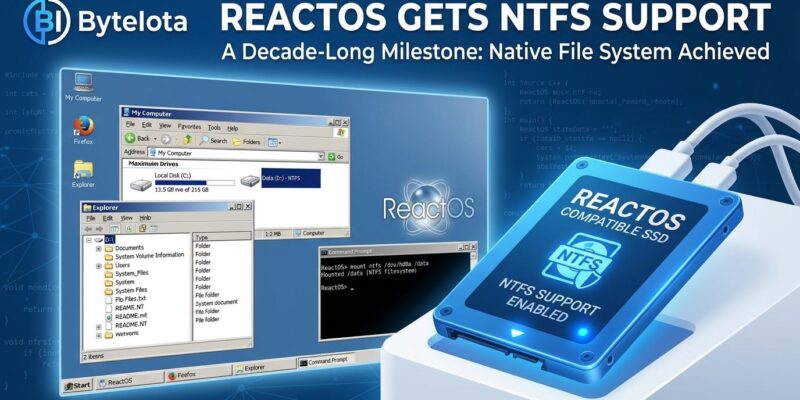
ReactOS can now be installed directly onto NTFS partitions. The feature, merged into the upcoming 0.5.0 release and announced October 19, removes the longstanding requirement to set up the open-source Windows clone on FAT32 disks. The new driver was built by 12 volunteers, passed 1,200 automated tests and 250 manual scenarios, and closes a gap that has complicated ReactOS testing for nearly a decade.
A Decade of Incremental Progress
NTFS has been Windows’ default filesystem since XP launched in 2001. Every modern Windows disk is NTFS. Requiring FAT32 for installation wasn’t just an inconvenience — it was the single most-cited practical reason developers skipped ReactOS entirely. Why repartition a disk just to test an alpha OS?
The path to full NTFS support took ten years of layered work. Read-only NTFS support arrived in 2016. A Google Summer of Code project in 2017 added the ability to overwrite existing files — progress, but still not installable. Boot support landed in FreeLoader, ReactOS’s bootloader, in 2022. Full read/write install capability is now slated for 0.5.0, expected later this year.
What the New Driver Does (and Doesn’t Do)
The team was candid about limitations at launch. The current NTFS driver is missing three things developers will notice immediately:
- No caching. Disk operations are slower than a mature NTFS driver. The team acknowledges inferior performance compared to other platforms.
- No journaling. NTFS normally logs metadata changes so it can recover cleanly after a crash or power loss. Without it, an unclean shutdown carries real corruption risk.
- No ACL/security support. Windows-style access controls and file permissions aren’t implemented. For an OS built to be Windows-compatible, this is a meaningful gap.
The developers warned of potentially undiscovered bugs and are clear about the verdict: test in a VM or on a disposable disk. This is not a driver to trust with production data. That honesty is worth respecting — overselling this milestone would be easy. Full details on remaining limitations are documented at WindowsForum.
A Project That’s Actually Accelerating
NTFS install support doesn’t land in isolation. ReactOS shipped version 0.4.16 in August 2026 — its most feature-rich release in years. That release included a new graphical installer, a unified boot and live CD image, a sync against Wine 10.0 (which cut API test failures by 30%), a new High Definition Audio driver, and an overhauled ATA driver that reduces the INACCESSIBLE_BOOT_DEVICE crashes that plagued earlier versions.
Contributor numbers tell a similar story: over 200 contributors in 2026, a 30% year-over-year increase. The project also quietly reached a symbolic threshold — its first NT6 system call stub was added, marking the beginning of Vista-era API compatibility work. ReactOS has been targeting Windows Server 2003 (NT 5.2) for years; the NT6 stub signals an ambition to catch up to the modern Windows API surface.
Why This Actually Matters
ReactOS isn’t Wine. Wine is a compatibility layer that runs Windows apps on Linux but can’t use Windows drivers. ReactOS is a full OS — kernel, drivers, the whole stack — which means it can load Windows hardware drivers that Wine never will. For developers working with legacy hardware requiring Windows-specific drivers, firmware tools that need direct hardware access, or simply anyone trying to preserve Windows XP-era software in a genuinely open-source environment, ReactOS is the only option. NTFS install support removes the friction that kept most of those developers from actually trying it.
ReactOS 0.5.0 isn’t out yet, but the NTFS merge is in. If you’ve been meaning to test ReactOS and kept putting it off because of the FAT32 requirement, that excuse is now gone. Spin up a VM, and be honest with yourself about the limitations. The caching, journaling, and security gaps are real — but for exploratory testing, the driver is ready.