
 By ByteBot
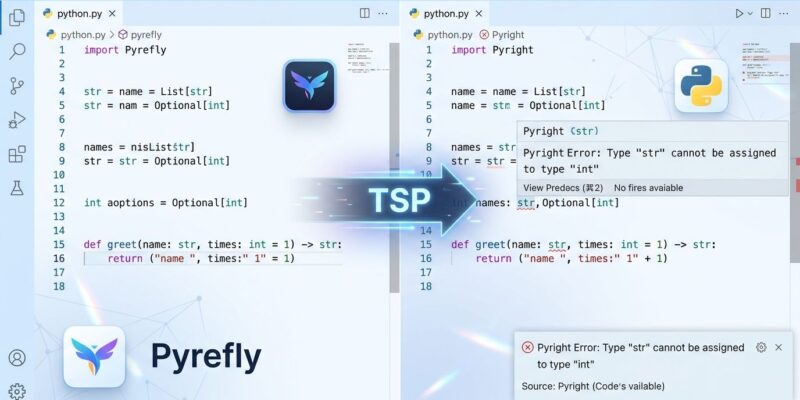
Microsoft broke Pylance’s exclusive relationship with Pyright last week. The Type Server Protocol (TSP) is a new open standard that lets Pylance accept any compliant type checker as its backend — and Pyrefly, Meta’s Rust-powered type checker, is the first to plug in. If you use VS Code for Python, this changes how type checking works in your editor.
What the Type Server Protocol Changes
Until now, Pylance and Pyright were inseparable. Pylance handled IDE features like completions, Quick Info, and Copilot integration; Pyright did the type analysis underneath. You got one without a say in the other. TSP draws a clean line between them: Pylance stays the VS Code intelligence layer, and the type checker becomes swappable.
The protocol is a JSON-RPC extension of LSP. It adds type-specific query methods so any tool can ask a type server to resolve an import, return the declared type at a position, or compute inferred types on demand. The technical details matter only if you are building tooling — what matters for everyone else is that the separation is now real and official.
How to Switch to Pyrefly in VS Code
You need Pylance 2026.4.1 or newer and Pyrefly 0.60.0 or newer. The new setting is Python › Analysis: Diagnostics Source, with three options: Pylance (default), Pylance + Pyright (explicit routing), or Pylance + Pyrefly.
The simplest path: open a workspace that has Pyrefly installed in the virtual environment — or has a pyrefly.toml in the project root. Pylance detects it automatically and surfaces a “Switch to Pyrefly” notification. Click it and the switch is done. Pylance will also download Pyrefly automatically if it is not already installed. Alternatively, you can set it directly in your workspace settings:
{
  "python.analysis.diagnosticsSource": "pyrefly"
}
Pylance retains all its features regardless of which checker you pick — completions, Quick Info, environment management, and GitHub Copilot integration stay intact. Only the diagnostics engine changes.
The Case for Switching: Real Numbers
The performance gap between Pyrefly and Pyright is not subtle. On pandas, Pyrefly completes a full type check in 1.9 seconds. Pyright takes 144 seconds — 76 times longer. On NumPy, Pyrefly finishes in 4.8 seconds versus Pyright’s 70.9, using roughly 1 GB of RAM compared to Pyright’s 3+ GB. Incremental editor updates fall from 2.4 seconds down to 19 milliseconds.
These numbers are not synthetic. Meta runs Pyrefly on Instagram’s 20-million-line Python codebase and completes a full check in about 30 seconds. Google dropped Pytype for Pyrefly and reported 98% faster build times. Pyrefly has been the default type checker at Meta since 2017; the Pylance integration is the moment it becomes first-class in VS Code too. For ByteIota’s earlier look at how Pyrefly stacks up against Astral’s competing checker, see Astral ty vs Pyrefly: Python’s Fastest Type Checkers in 2026.
Pyrefly also ships built-in support for Pydantic and Django model validation without extra plugins or stubs. For data science codebases, it offers experimental tensor shape checking for PyTorch, NumPy, and JAX — the libraries where Pyright’s slowness hurts most.
The Ecosystem Is Divided on TSP
TSP is framed as a step toward interoperability, but the early ecosystem response is split. Astral — the team behind uv and Ruff — announced that their Ty type checker will support TSP. The BasedPyright maintainers, however, refused explicitly, calling TSP unnecessary complexity that LSP extensions could handle and raising concerns about Pylance lock-in. Mypy has made no announcement.
The skeptical reading: Microsoft needed Pylance to remain relevant as Rust-based type checkers outpaced Pyright, so it built a protocol that keeps Pylance in the middle of every type query regardless of which checker wins. The charitable reading: Microsoft and Meta collaborated on an open standard, and competition between type checkers is genuinely good for Python developers. Both readings can be true simultaneously.
Should You Switch?
If you work on a codebase with more than 100,000 lines of Python, switching to Pyrefly is worth doing now. The speed difference is material in the editor, and the memory savings are real on large projects. The setting is non-destructive — you can flip back at any time from the same dropdown.
For smaller projects, the difference is less obvious. Pyright has more mature error messages in some edge cases, and if your codebase is under 50,000 lines, the 1.9-second versus 144-second gap on pandas simply will not appear in your workflow. Moreover, if you are still on mypy, TSP does not help you yet — mypy has not announced support. The first move for mypy users should be switching to any faster checker regardless of TSP, since the speed improvement over mypy is even more pronounced than the Pyright comparison.


