 By ByteBot
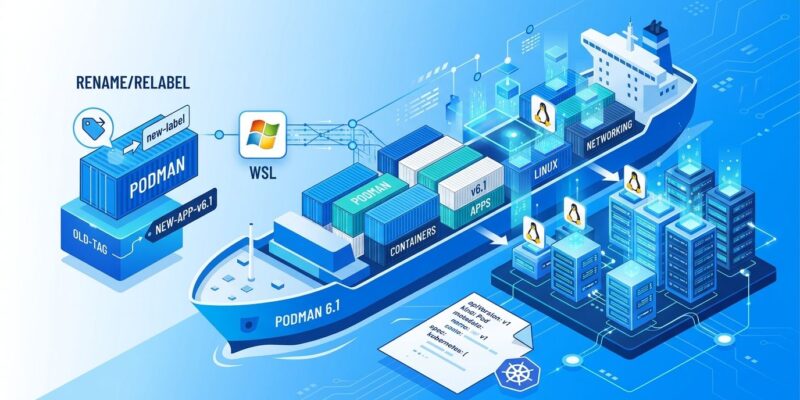
Podman 6.1 shipped on August 18 with the feature container developers have been requesting for years: podman volume rename. No more create-copy-delete workaround. No more digging through compose files after a panic rename. But the headline feature isn’t the whole story — the release also closes a WSL port forwarding gap, fixes a silent Quadlet corruption bug that has almost certainly bitten production users, and finally routes generator errors to stderr where you can actually see them.
Volume Rename: Simple, But the Gotchas Are Real
The new command is exactly what you’d expect:
podman volume rename my-old-data my-new-dataThat’s it. No temp container, no cp, no manual cleanup. Issue #28189 — a long-standing community request — is finally closed.
There are two hard limits to know before you reach for it. First, only volumes using the local driver can be renamed. If you’re using an external volume driver — NFS, a cloud-native plugin, anything not built-in — the command will fail. Second, the volume must not be in use by any running container and must not be mounted via podman volume mount. Stop your containers first. This isn’t an unusual requirement, but it’ll catch you off guard if you try to rename a live database volume mid-day.
Quadlet: Patch a Bug You May Not Know You Have
If you run Quadlet in production, there’s a bug fix here you need immediately: CVE-2026-19730. The podman quadlet install --replace command was not truncating the file it replaced. Swap a longer unit file for a shorter one and the tail of the original file silently remains. Your systemd unit looks like it updated, but it hasn’t fully. This could cause containers to run with the wrong configuration.
The fix is in 6.1. If you’re using quadlet install --replace anywhere in your workflow, upgrade now and re-deploy your units.
Alongside the CVE, Quadlet generator errors now write to stderr instead of only to the kernel message buffer. Previously, when a Quadlet unit failed to parse, the only place to find the error was journalctl -k. Most developers weren’t checking there. Errors now surface directly in your terminal output — a small change that saves significant debugging time. The release also adds a new ImageVolume= key for .container units, giving you explicit control over how image volumes are handled in Quadlet-managed containers.
Machine Restart and WSL Port Forwarding
macOS and Windows users get two quality-of-life improvements. The new podman machine restart command replaces the podman machine stop && podman machine start script dance. It’s a minor convenience that adds up when you’re restarting VMs frequently during development.
The bigger fix is WSL port forwarding. A new force_port_listen option in containers.conf is now automatically set on new WSL-provider VMs on Windows. This resolves a long-standing issue where Podman containers running in WSL2 weren’t reliably forwarding ports to the Windows host. If you created your Podman machine before 6.1, you’ll need to set this option manually or recreate the machine to get the automatic configuration.
Kubernetes Integration: Health Checks Finally Survive podman generate kube
Teams using Podman for local development and Kubernetes for production will notice one quiet improvement: podman generate kube now translates container health checks into livenessProbe definitions in the output YAML. Previously, health checks defined on your local Podman container were silently dropped when generating Kubernetes manifests, forcing a manual step that is now gone.
The release also makes network removal idempotent — running podman network rm on an already-removed network no longer throws an error. If you’re running teardown scripts you want to be safely re-runnable, this matters.
How to Upgrade from Podman 6.0
If you’re already on Podman 6.0, this is a straightforward package manager update. All of 6.0’s prerequisites carry forward — cgroups v2, Netavark for networking, SQLite backend, Pasta for rootless. No new breaking changes in 6.1.
Fedora / RHEL
sudo dnf update podmanDebian / Ubuntu
sudo apt update && sudo apt install --only-upgrade podmanmacOS (Homebrew)
brew upgrade podmanIf you’re using Podman Machine, the client upgrade automatically bumps the VM OS to match the client’s major.minor version on first start. Verify with podman --version after upgrading.
If you’re still on Podman 5.x and haven’t moved to 6.0 yet, read the Podman 6.0 upgrade guide first — that release had real breaking changes that 6.1 does not.
Podman 6.1 isn’t the kind of release that earns a conference talk. It’s the kind that makes you stop cursing at your terminal. Volume rename, Quadlet reliability, machine restarts that work, ports that forward — these are the fixes that make a tool worth depending on. The full changelog is in the official 6.1.0 release notes. Linuxiac also has solid coverage of the release. Upgrade it.