 By ByteBot
OpenCode 2.0 shipped on October 12. If you have v1 plugins, they are already broken. The project’s biggest architectural change since launch moves the runtime out of the CLI and into a persistent background service — and that single decision breaks plugin compatibility, replaces the server API, and turns OpenCode from a terminal tool into something closer to a programmable development platform.
The Architecture Changed at the Root
In 1.x, the terminal UI owned the runtime. Every session, every tool execution, every configuration read lived inside the TUI process. In 2.0, a local background service owns all of it: sessions, plugins, permissions, configuration, tool execution. The terminal is now just a client.
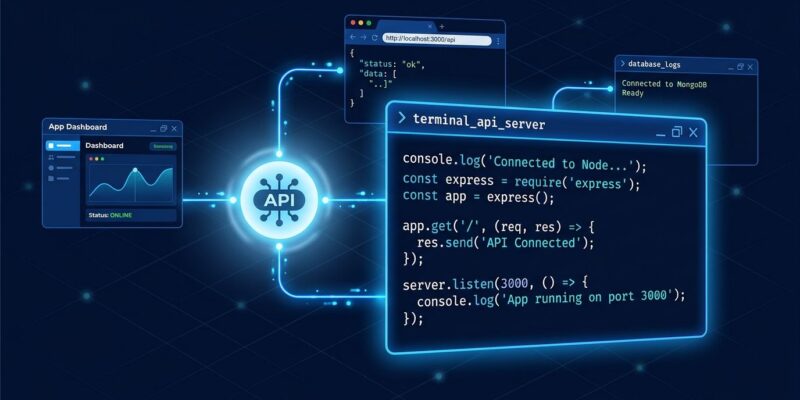
The service runs on port 49374, localhost-only. The terminal interface, the desktop app, and the web interface all connect to the same process. Start a session in your terminal, check progress in the browser, hand it to the desktop app — session state persists across all of them. It sounds like a detail. It is not. This is the difference between a CLI tool and a platform.
What Breaks When You Upgrade
OpenCode 2.0 has three intentional breaking changes. They are not bugs.
V1 plugins do not run in V2. The plugin API is new: different imports, updated lifecycle methods, changed hooks and tool registration. The project is explicit — do not assume a V1 plugin can be made compatible by changing a filename. Port it.
The server API changed. If you built integrations against the V1 server, move them to @opencode/client.
Terminal config moved. Configuration shifts from layered tui.json(c) files to a single global cli.json. This one is auto-migrated, but verify it after upgrading.
The migration path: V1.19.0 — released October 11, the day before 2.0 — ships an opencode upgrade --major command. Run that first. The official migration guide lives at opencode.ai/v2/docs/migrate-v1/. Remove your package-managed V1 install before installing V2 separately.
The New Features Worth Understanding
Code Mode: Scripts Instead of Schema Dumps
Every MCP server in 2.0 is opted into Code Mode by default. Instead of sending MCP tool schemas into the context window and hoping the model picks the right one, the agent writes a short JavaScript script that chains tool calls in a single round trip.
What that looks like in practice:
const issues = await listIssues({ repo: "anomalyco/opencode", state: "open" });
const ids = issues.map(i => i.id);
ids.forEach(id => saveIssue({ id }));
return ids;
Three tool calls, one round trip, none of the intermediate schemas bloating the context. OpenCode documents a 69% reduction in MCP context overhead. For any team running more than a handful of MCP servers, that is not a small number.
Background Subagents
Long-running tasks — test suite runs, large refactors, code reviews — now execute in the background while you keep working. Pass background: true and the call returns immediately. The parent gets notified when the child finishes. Git worktree support means background agents can work in isolated directories without touching your active branch.
The @opencode/sdk
@opencode/sdk is an embeddable version of the OpenCode runtime. Drop it into your own application, build a custom interface on top of it, or run a trimmed version on Cloudflare Durable Objects. The team already rebuilt 80+ internal features as hot-reloadable plugins using the same API. The implication: you can build on the same primitives OpenCode uses internally.
Where OpenCode Stands Now
OpenCode has 216,000 GitHub stars and an MIT license. Claude Code has 151,000 stars and is proprietary. Cursor is proprietary. The gap is not only stars — OpenCode supports 75+ LLM providers and runs local models via Ollama, which is the only real answer for teams where code cannot leave the building.
The 2.0 architecture cements that positioning. A scriptable, embeddable, platform-grade runtime is harder to replace than a terminal tool. The breaking changes are the price of that upgrade. For plugin authors: start the port now, the migration guide is thorough, and the new plugin API is strictly better. For everyone else: update, verify your config, and take Code Mode seriously.