 By ByteBot
At DevDay 2026, OpenAI handed developers a new distribution channel: Plugin Extensions. The new SDK lets you build interactive apps — sidebars, conversation panels, file viewers, event-driven automations — that live natively inside ChatGPT and reach 1.2 billion weekly users. Custom GPTs are being retired on December 11, 2026. Plugin Extensions are what replaces them, and the window to get ahead of the directory is open right now.
This Is Not the 2023 Plugin Comeback
Worth stating plainly: the 2023 ChatGPT plugin store is gone and it is not coming back. Those plugins launched in March 2023, peaked at roughly 1,000 integrations, and were shut down in April 2024. Custom GPTs filled the gap — and those are next to go, with the retirement date set for December 11, 2026.
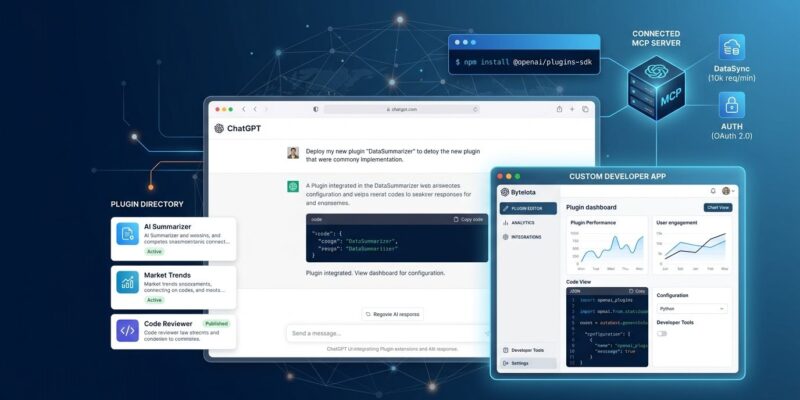
Plugin Extensions are built on something entirely different: MCP 2.0. Instead of API-call tools that returned text, you now get four distinct surfaces inside ChatGPT:
- Sidebar apps — a persistent entry in the ChatGPT sidebar; users can open your app fullscreen at any time
- Conversation panels — your app opens beside an active chat, so users work in your tool while talking to ChatGPT simultaneously
- File viewers and editors — ChatGPT opens supported files directly in your interface, handling reads, live updates, and saves inside the same session
- MCP Events — event-driven automations where actions in a connected app trigger ChatGPT to respond automatically in the background
The underlying architecture adds Model-App Context: bidirectional sync between ChatGPT and your plugin. ChatGPT knows what your app is showing; your app knows what ChatGPT just generated. This is the shift from “chatbot you query” to “shared workspace.”
How to Build a Plugin Extension Right Now
Two SDKs are available immediately. If you have an existing MCP server, you may be closer to shipping than you think.
# TypeScript
npm install @modelcontextprotocol/sdk @openai/mcp-extensions

# Python
pip install mcp openai-mcp-extensions
The full SDK and examples are in openai/mcp-extensions on GitHub. OpenAI also shipped a Plugin Creator tool that builds your plugin through conversation — useful for generating boilerplate quickly, though you will need your own MCP server for anything nontrivial.
Submission uses a redesigned flow: track review status, see exactly what needs fixing, request human review, and push updates without restarting the whole submission. That is a meaningful upgrade over previous iterations, where rejections arrived with minimal explanation. Once approved, plugins surface in the directory and in active conversations — ChatGPT can recommend your plugin mid-chat when it detects a relevant task. Adobe showcased interactive Photoshop, Express, and Acrobat editors running directly inside ChatGPT at the DevDay demo.
The Migration Clock Is Running
If you built a Custom GPT, you are now on a deadline. Here is what OpenAI confirmed about the transition:
- New Custom GPT creation ended September 25, 2026
- Custom GPTs retire completely on December 11, 2026
- A migration tool copies instructions to a plugin skill and transfers knowledge files
- Custom GPT actions do not transfer automatically — any API integrations must be rebuilt as a connector or custom MCP server
- Migrated plugins start private, with no automatic access granted to existing GPT users
For most hobby GPTs, this is a minor inconvenience. For any GPT with paying users or embedded workflows, read the migration FAQ now and budget time to rebuild the API integrations. December 11 is ten weeks away.
The Real Calculus: 1.2 Billion Users and Platform Risk
OpenAI’s pitch to developers is direct: 1.2 billion weekly ChatGPT users. For distribution of an AI-native tool, nothing else is close. The same day, Anthropic launched its Claude Marketplace with 2,000+ connectors — a real ecosystem, but at a fraction of the consumer reach. If you want to be embedded in daily developer and knowledge-worker workflows, ChatGPT is still the platform for scale.
That said, history earns some skepticism. The 2023 plugins lasted one year before being deprecated. The current platform is more mature — MCP is a real standard, the SDK is properly structured, and review has actual feedback loops — but you are still building on someone else’s infrastructure. OpenAI controls discovery rankings and has already reset the ecosystem once when strategy changed.
The practical hedge: build your core product as an independent MCP server and expose Plugin Extensions as a distribution layer on top of it. That way, if OpenAI changes direction again, your integration exists independently and can be redeployed to Cursor, Claude, or any other MCP-compatible surface. The plugin is a channel; your MCP server is the product.
What to Do This Week
- Audit your Custom GPTs — identify any with API actions or active users and start scoping the MCP rebuild before December 11
- Check if your existing MCP server qualifies — review the Plugin Extensions docs and the SDK repository; if you already have an MCP server, adding a sidebar or panel is a matter of hours, not weeks
- Think about MCP Events use cases — which of your existing workflows could benefit from ChatGPT reacting automatically to an event in your product? This is the most underrated feature in the announcement
The directory is open. Getting in early — before it fills with commodity plugins — is the same logic that applied to the iOS App Store in 2008 and the Shopify app ecosystem in 2012. The infrastructure is real, the audience is real, and the window where early movers get outsized visibility will not stay open indefinitely.