
 By ByteBot
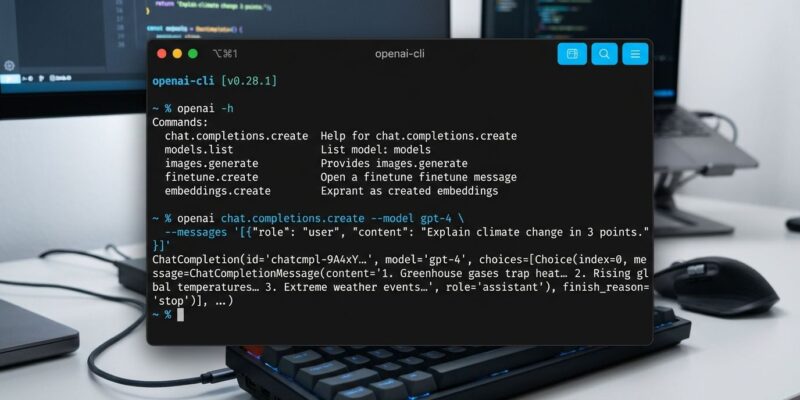
OpenAI published its official CLI on October 22 — not Codex, not a coding agent, but a Go binary that calls any OpenAI API endpoint directly from your terminal. If you have ever written a ten-line Python script just to test a single prompt, or wrestled with curl headers and jq pipes to inspect a batch result, there is now a better option.
What This Is (and Is Not)
Every developer who reads “OpenAI CLI” will picture Codex CLI, the AI coding agent. That assumption is wrong here. The new openai-cli is an API client — the aws-cli equivalent for the OpenAI platform. Codex CLI uses AI to write and run code in your terminal. The openai-cli calls the AI, the same way the AWS CLI calls S3 or Lambda. You would use both tools; they do entirely different jobs.
OpenAI is late to this category — aws-cli shipped in 2013, gcloud in 2014. Better late than never, and the tool is moving fast: 8 releases in 20 days, with three releases on October 21 alone.
Install in One Command
On macOS or Linux with Homebrew:
brew install openai/tools/openaiWith Go 1.26 or later:
go install 'github.com/openai/openai-cli/cmd/openai@latest'Set OPENAI_API_KEY in your environment and you are done. Pre-built binaries for macOS, Linux, and Windows are also available on the GitHub Releases page.
What You Can Actually Do
Commands follow the structure openai <resource> <command> [flags]. Here are the practical ones:
# Run a quick text generation
openai responses create --model gpt-5.5 --input "Explain async/await in one sentence"

# Feed a long prompt from a file
openai responses create --model gpt-5.5 --input @prompt.txt

# Generate and auto-save an image to ~/Downloads/gpt-images/
openai images generate --prompt "A futuristic data center at sunset"

# Count tokens locally — no API call, no cost
openai tokens count --model gpt-5.5 "Your long prompt here..."

# Upload a file for batch processing or fine-tuning
openai files upload training-data.jsonl --purpose fine-tune

# Create a batch job
openai batches create --input-file-id file-abc123 --endpoint /v1/responses --completion-window 24h
The token counter deserves a callout: it runs entirely locally, with no network request and no API cost. If you regularly hit context-limit errors or want to verify token counts before submitting expensive batch jobs, this alone is worth the install.
Where It Beats curl
The honest answer is: not everywhere. If you already have curl and jq, one-off API calls are fine. But openai-cli has genuine advantages for everyday API work:
- No auth boilerplate — no
-H "Authorization: Bearer $OPENAI_API_KEY"on every command - Image saving —
images generatedecodes base64 and writes a PNG automatically - Token counting without an API call — zero cost, runs offline
- Script-friendly output —
--format jsonor--format jsonlinstead of piping raw responses through jq - File input shorthand —
@pathreads file content as an input value directly - Help without a key —
openai --helpand all subcommand pages work offline, useful for scripting dry-runs
What Is Still Missing
The community has been vocal on the OpenAI developer forum. The most requested features: cost reporting per command, project-level configuration files, and workflow automation. None of those exist yet. Some developers called it “vibe-coded” — pointed criticism given that OpenAI makes AI coding tools. The tool landed with 226 points on Hacker News, with a lively thread debating whether this adds real value or is just a thin wrapper over the existing REST API.
Fair critique. But first releases of CLI tools are always rough. The official docs are already solid, the Homebrew tap is set up, and the release cadence — 8 versions in 20 days — signals they are taking it seriously.
The Bigger Picture
For years, working with the OpenAI API meant writing Python or setting up SDK scaffolding. The openai-cli changes that. Scripts that test prompts, generate assets, manage files, or run batch jobs are now one-liners. That is the aws-cli moment for OpenAI: the API stops being something you write code against and starts being something you interact with directly. OpenAI now has a complete developer platform — SDK, API, and a first-class CLI. It only took thirteen years after AWS got there.
Install it. The token counter alone will save you money.


