 By ByteBot
OpenAI shipped computer use into its Agents API at DevDay 2026 (September 29), and it changes what you can automate. The API now gives your application a managed browser that navigates websites, fills forms, and clicks through GUIs — with GPT-6.1 Sol behind it at one-fifth the cost of GPT-6 Astra. For developers who have been waiting to build agent workflows without wiring up Playwright, managing state manually, or writing the same polling loop for the hundredth time, the platform is now production-ready.
First, Some Housekeeping: The Assistants API Is Gone
If your application still references the Assistants API, it is broken. OpenAI sunset it on August 26, 2026, and the endpoint no longer responds. The official migration guide moves you to the Responses API (for stateless tasks) or the Conversations API (for threaded dialogue). The Agents API, announced at DevDay, is the stateful path for complex, long-running work — it replaces the loop that everyone was building themselves: call the model, parse tool outputs, append results, repeat until done. OpenAI now handles that loop, plus context compaction, session recovery, and subagent delegation.
How Computer Use Actually Works
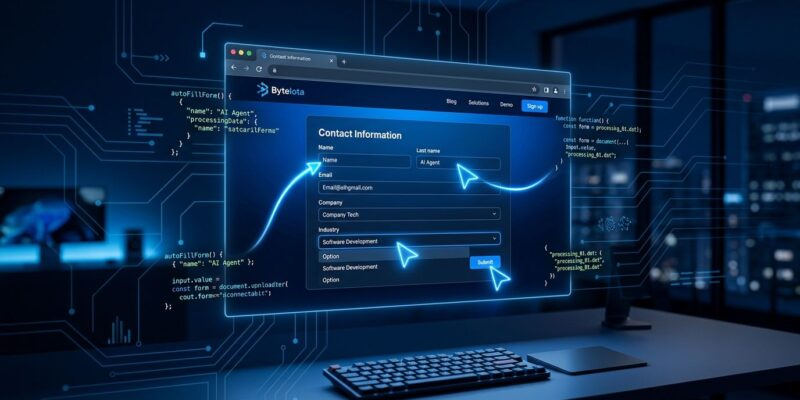
The Agents API spins up an OpenAI-hosted browser and routes it through a session. Your application does not control the browser directly — you give the agent a task, follow the event stream, and intervene only when the agent needs permission to proceed. That intervention point is the approval request: when the agent hits a new origin (a website domain it has not visited in this session), it fires an agent.session.requires_action event containing a computer_use_approval_request. Your application responds with approve, deny, or cancel.
Here is the part that trips people up: origin approval is not per-action. Once you approve a domain, the agent can do whatever it wants on that site — click, fill, submit — without asking again. The security boundary is the domain, not the button. OpenAI is explicit that developers must implement their own safeguards if the workflow involves purchases, deletions, or irreversible actions. The hosted browser supports email and password login plus verification codes; it does not support passkeys or QR-code authentication. Screenshot capture per session is optional, and sessions survive connection drops with replay and recovery. For a deep dive on the approval mechanics, Mixed News has the detailed breakdown.
GPT-6.1 Sol: The Model That Makes the Economics Work
Computer use agents are only practical if the underlying model is affordable. GPT-6.1 Sol delivers: $2.00 per million input tokens, $0.10 per million for cached input (a 95 percent discount on reused context), and $10.00 per million output tokens. On DeepSWE v1.1 — the benchmark for long-horizon software engineering in real codebases — Sol matches GPT-6 Astra’s performance. On OSWorld 2.0, which tests desktop operating system tasks, Sol outperformed its predecessor GPT-6 Sol by seven percentage points and landed within 2.1 points of Astra. Use Sol for coding-heavy agents and computer use pipelines. Use Astra when you need maximum capability and can justify the cost. See the full benchmark comparisons for a complete performance picture.
The Decisions API: The Router You Did Not Know You Needed
The least-covered announcement from DevDay is arguably the most important for production systems. The Decisions API, currently in limited preview, uses GPT-6 Luna to answer bounded questions in roughly 150 milliseconds — about ten times faster than the Responses API. You define a question and a finite set of allowed answers; Luna returns one. No generated paragraphs, no hallucinated options outside your list. The use cases are practical: route a support ticket to the right queue, classify a document before storing it, decide whether an agent task requires a frontier model or a fast one, select the next action in a multi-step loop. Paired with computer use, the pattern becomes: let the Decisions API triage the request, invoke the browser agent only when the target system has no API. That single architectural choice prevents your computer use costs from scaling with request volume.
Three Things You Can Ship This Week
- Legacy SaaS automation: Any internal tool without a proper API — old CRMs, vendor portals, HR systems — is now a valid automation target. Point a computer use agent at it, approve the origin once, and wire up the task loop. No Playwright required.
- Cost-optimized agent pipelines: Put the Decisions API in front of your agent fleet. Route simple requests to cheaper models; only escalate to browser agents when the Decisions layer says the task demands it. This pattern alone should cut inference spend for most teams.
- Continuous code review: Codex with computer use now monitors GitHub and GitLab repositories, flags security issues autonomously, and prepares fix branches. GitHub integration is generally available; GitLab is in preview.
The full Agents API reference and quickstart are live now. The InfoQ DevDay 2026 recap is the best single-page summary of everything else announced. The API is in public beta — expect rough edges — but the session model and approval workflow are a genuine upgrade over anything developers were assembling by hand.